I know that it shows my age but on June 11 my older daughter (Alanna) turned 30 and so she was having a party at her home in Melbourne to celebrate. As I had ample leave and was able to get cheap flights I decided to be there and to stay a week.
I ended up leaving my D600 camera behind and took my older D90 instead. I thought it a little ridiculous of the travel insurance that they would lat me take an unspecified laptop up to the value of $3,000 and unspecified jewelry up to $2,500 but only $1,500 for other gear. Trying to insure the D600 would have added $70 to the premium so it stayed at home.
Unlike other times in Melbourne I was traveling alone and with Alanna having work and other guest commitments, I had the perfect opportunity to simply get out, explore the city and take photos. Rather than post a very long single article I am going to split up the images into different sections as there were a number of common themes that came through the various walks I did all over the city. These will be posted over the next few days but I will come back to this post and put links in it later to them.
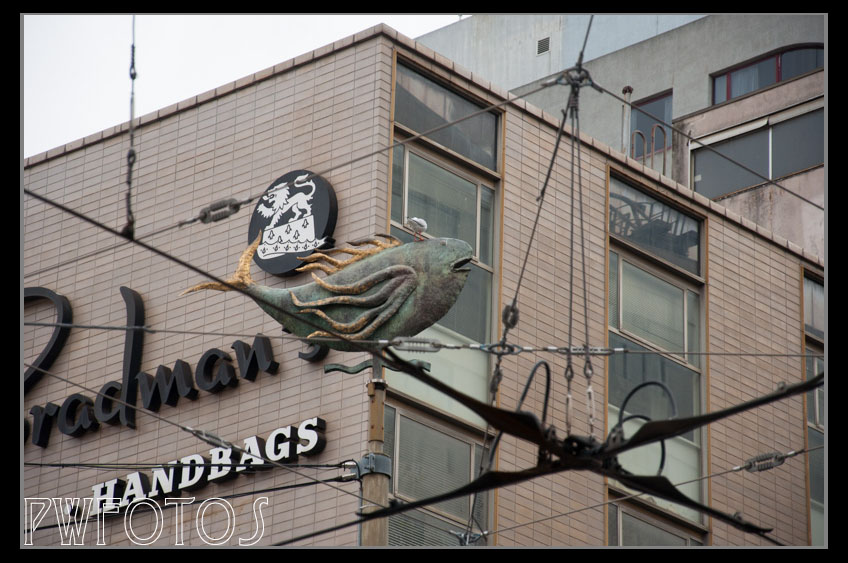
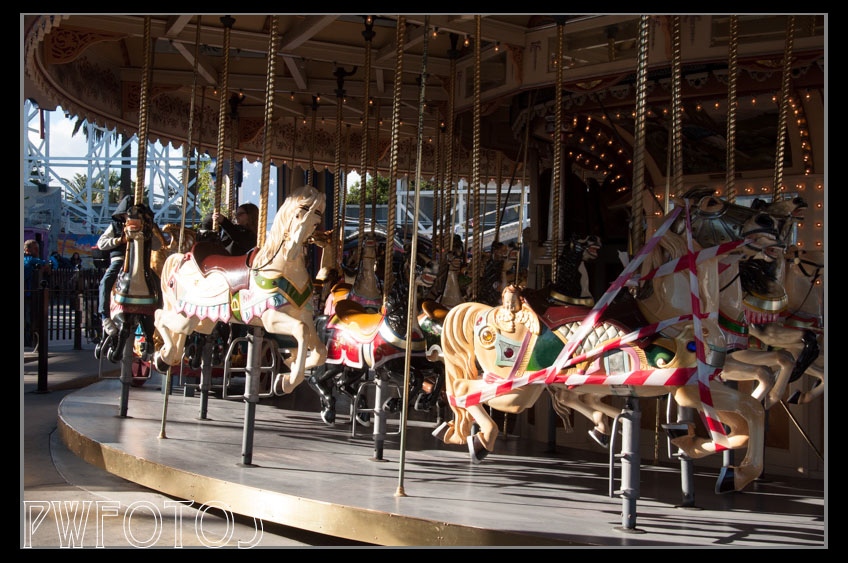
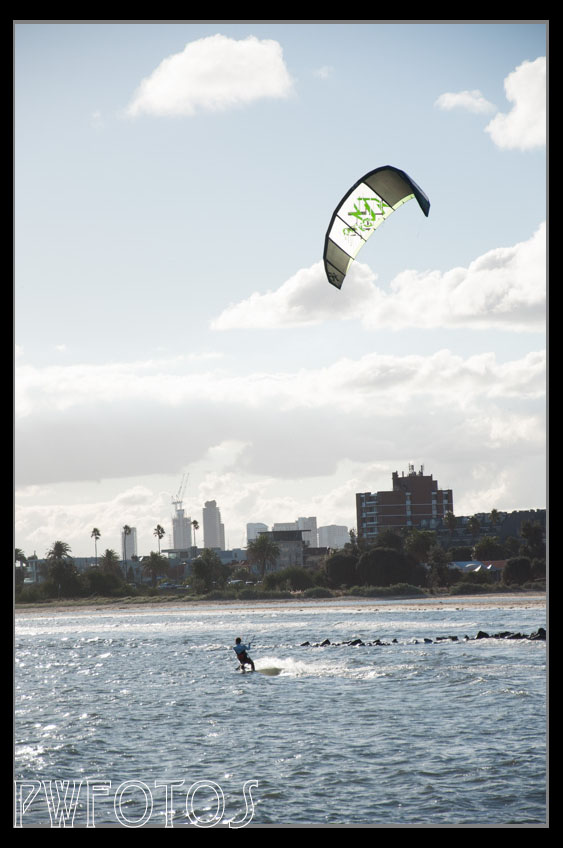
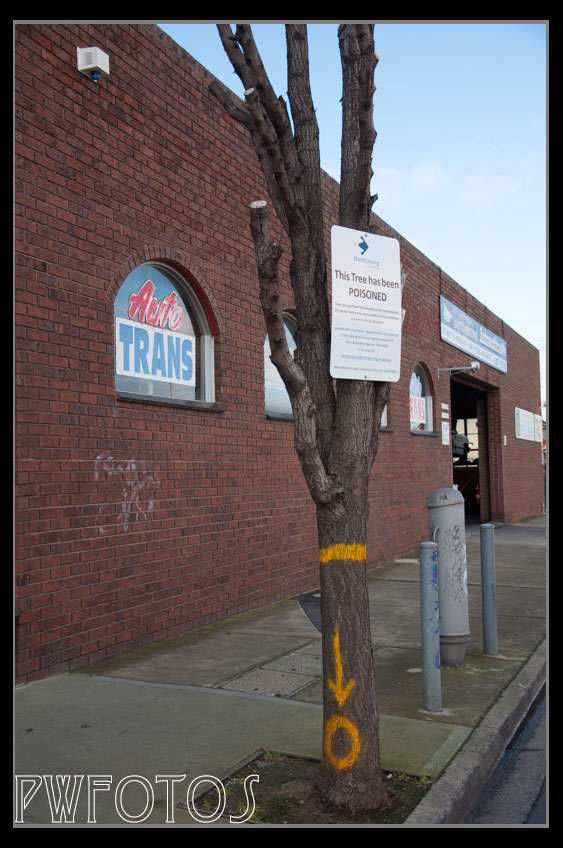
a commitment to alternative transport shown in bikes for hire at several places around the city.Seeing the seagull sitting on top of the fish caught my fancyFrom the very strange section. Samples of hair in the window of a hair dressers complete with name and age of subjectThe carousel at Luna ParkSunday kite surfing off St Kilda’s beachParklands down by YarraTrees are taken very seriously
My daughter attends an all-girls school that three years ago decided that they would no longer run a senior ball for year 12 & 13 pupils. It was replaced with a year 13 Graduation Dinner held in December. The girls have never considered that the new event replaced the previous one especially as parents are invited to the Dinner.
This year a group of year 13 girls hatched a plan that if they organised a charity event and did not involve the school at all then there was nothing that the school could do about it. In other words they staged a rebellion against a school ruling. The event was called the “Blue Dragon Charity Dinner”. Blue Dragon is an organisation that works in Vietnam saving children from slavery & prostitution.
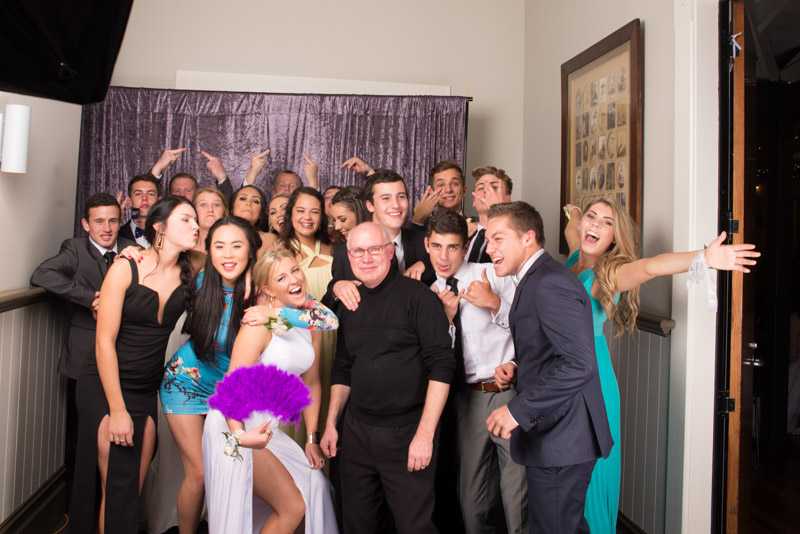
Now while it was not being called a “ball” they certainly wanted everything that went with it so my daughter asked me would I be willing to take formal photos against a backdrop. I was only too willing to comply.
The venue for the event was the function room in the Wellington rowing club. Having been to previous balls and knowing the amount of space that ideally work for formals, I was concerned that there was not going to be enough space. This proved correct however you make do with what you can get and so we shot is a passageway. The major issue was that we could not get the backdrop wall to wall and this did mean that for larger groups it did not go all the way across the photo.
I used a very simple two light setup with a large 1m Softbox camera left and high being the main light with a small 40cm Softbox set camera right and positioned lower down.
It was quite a fun night with a constant line for photos meaning that I really did not get much of break. I generally took 2 images of each person or group.
The photos were intended to be delivered via Facebook and as I was travelling to Melbourne part way through the week processing them took priority on the Sunday. After going through and eliminating obvious duds (fortunately not too many) I went through and keyworded the images in Lightroom as to whether they contained a couple or a group, and then whether it was a serious or fun shot. Then I applied these keywords as filters so that I could compare and select the best images using a rating system.
Once I had my selection I then cropped them and exported them to Photoshop for a final fix up which in most cases related to extending the backdrop. Content Aware Fill and the clone stamp were used extensively.
Reaction to the images has been great although I did learn something about security in Facebook. The photos were loaded to a group and when the girls started to tag them that generated a request to me to confirm the tags. This only happens if the person is not your “friend” and there is no way to deactivate it. My daughter took a photo of the point when my notifications hit 99+.
The girls even insisted that I hand the camera over and get into one of the shots
For the last three days we have been experiencing glorious weather for this time of year. There has been little wind, the days have delivered clear blue skies and that has carried on into the evening. Overnight temperatures have been cold. It was therefore the perfect opportunity to try to shoot the winter’s sky, which was something I have longed wanted to have a go at.
In order to escape the light from the city I biked out along the Pencarrow coastline from Eastbourne out to the Pencarrow Light. I thought that the distance was around 5km but it turned out to be more like 8. I have emptied as much stuff out of my camera bag as I could and had a study tripod strapped to the side of the bag.
I should have remembered to pack to head mounted light rather than rely on my bike light.
I knew that I had to shoot at least 30 second exposures and I started with F9 at ISO 2500 and using my touch to light up the lighthouse.
From the back of the camera I was not getting very good results so I opened the aperture to F2.8. I was now seeing a lot more detail and didn’t need to use the touch. The images did have an orange tinge to them which I was disappointed with.
I should have realised that what I was seeing on the back of the camera was not what I could achieve once I got the images back into Lightroom on the computer. The exposure in most was ok, although those taken at F9 had to be adjusted by two stops. I applied noise reductions at 50 on those that included the lighthouse and this really sharpened up the image. The bit change though was in white balance. I have it set in my camera at 5500k (which is daylight). I pulled the balance down to around 3000k and I started to see the actual colours of the sky and all of a sudden what I was seeing out there started to appear in the photos.
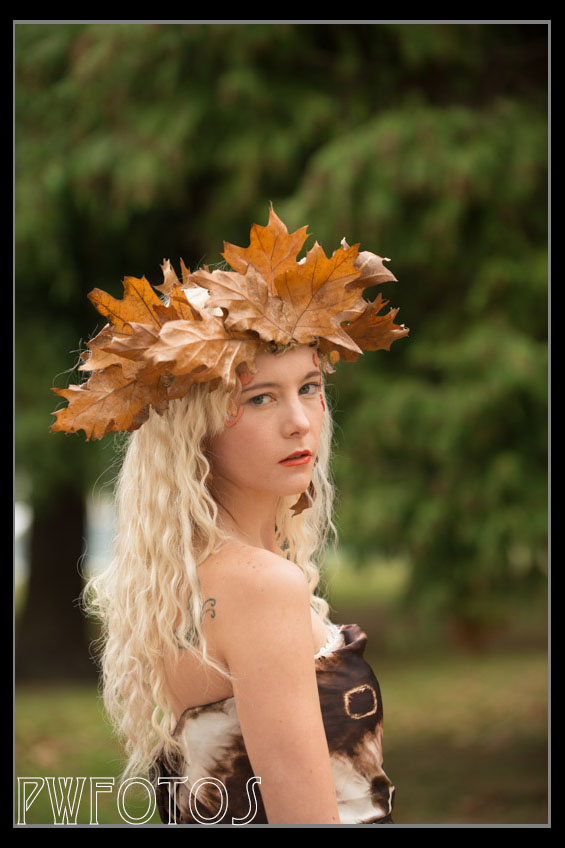
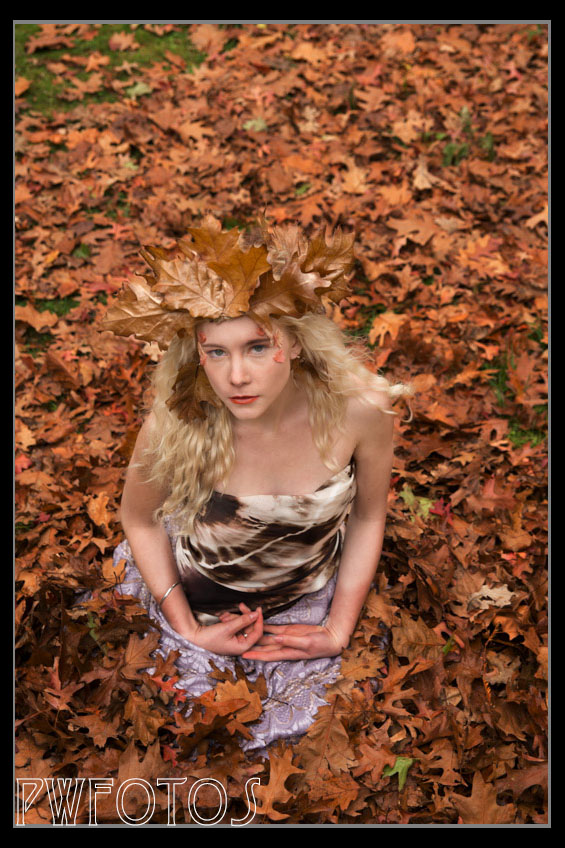
I have for some time wanted to do a a shoot that incorporated autumn colours and fallen leaves. Over Easter Saturday I managed to set up such a shoot with Kat Kellock as the model and Grace Krishnan once again providing hair and makeup.
There were several locations that I considered as I wanted somewhere that had an avenue of trees, not too much in the background and with trees that would preferably have leaves of different colours. From several possibilities I chose an area in Maidstone Park Upper Hutt which I scoped out on Friday morning, as well collecting a selection of dried leaves from which I intended to make a headdress. As i was able to find the twine I wanted I entered up platting together several lengths of rough string until I got the look that I was after.
The completed headdress
I knew that we could be running into an issue as the weather in the week before had been dreadful and the forecast for the weekend wasn’t great either.
Fortunately the Saturday stayed dry, although the ground and the leaves were wet. This was a shoot where I had decided the whole costume and it is quite amazing what can be achieved with a couple lens of fabric. We had a few issues with makeup but eventually we got to the park. As we were outside I chose to use my 70-200mm mounted on the tripod. This meant that I was able to get images that let let Kat pop out from the background.
I had wanted to get a shot of leaves raining down which ended up being a lot harder than imagined many due to the fact that the leaves stuck together so rather than falling individually they came down in groups. Grace and my daughter helped with the process as shown in this pullback scene.
With a little manipulation in Photoshop we need up with the final image.
The final composite
I then had Kat get on the ground and I shot from higher us. We actually put a tarpaulin on the ground and then covered it with leaves.
Everyone seemed to enjoy the day and the shots turned out great.
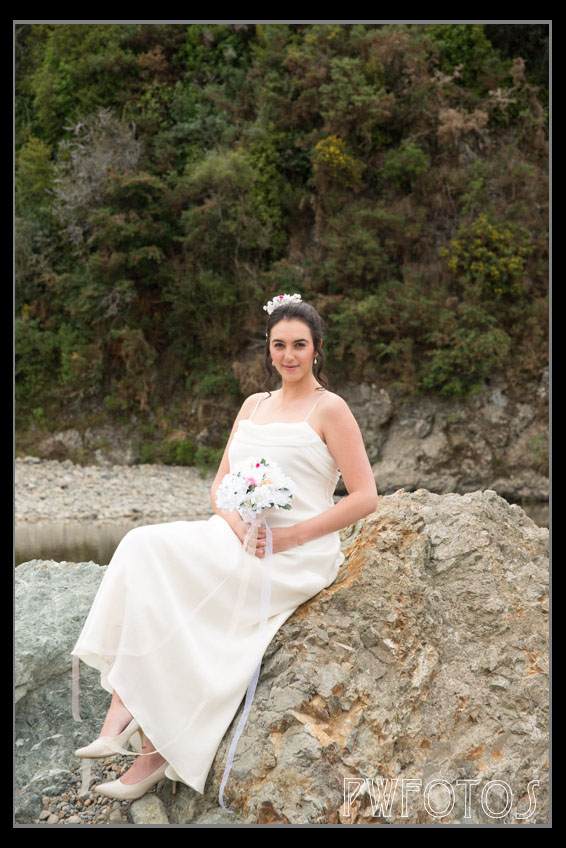
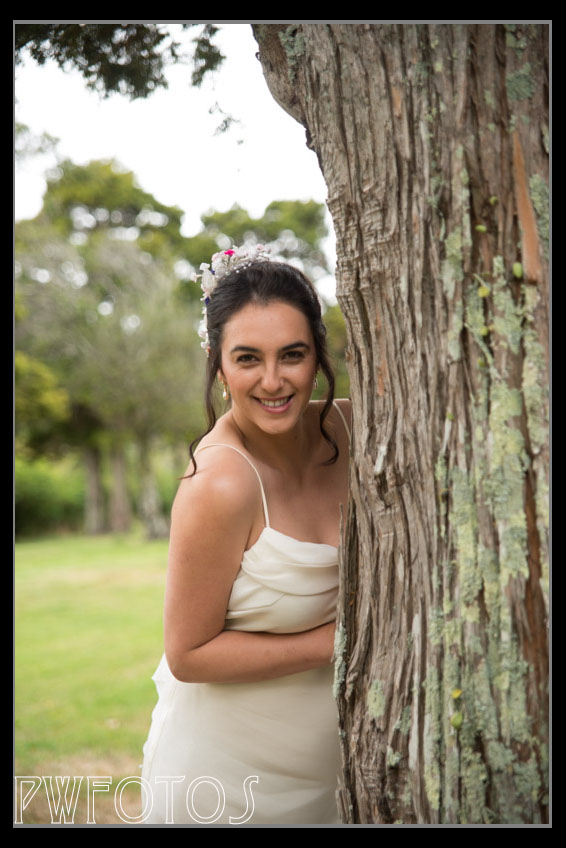
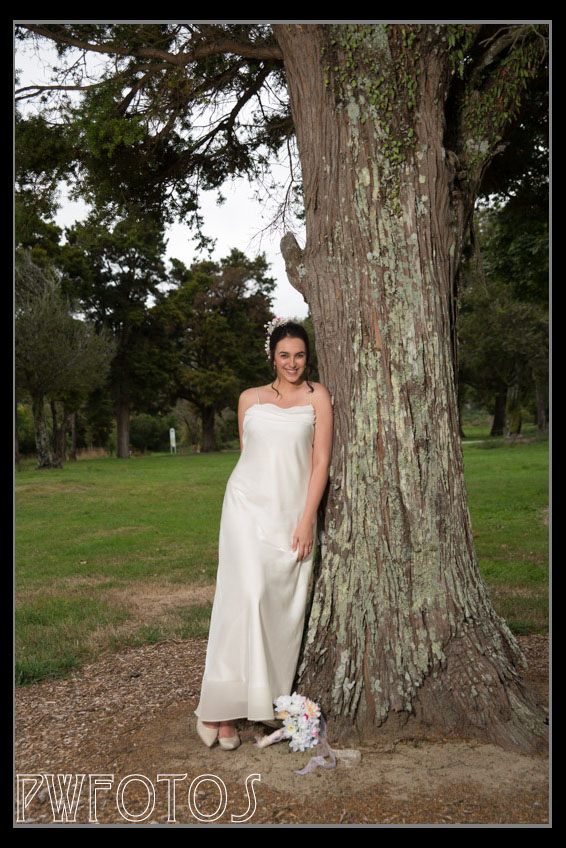
The final shoot for the weekend was to help out Grace Krishnan who is an Upper Hutt makeup artist. She has realised that in her portfolio she did not have any wedding makeup images, and given that weddings is actually one of the few areas where makeup artists can actually earn a living they were essential.
I dropped off a wedding dress that I had purchased for a “trash the dress” shoot and Grace found a model. She arranged to meet with the model at 2.00pm and I would arrive at 4.00pm. The original plan was to shoot at Percy’s Reserve in Lower Hutt and then down at Petone beach.
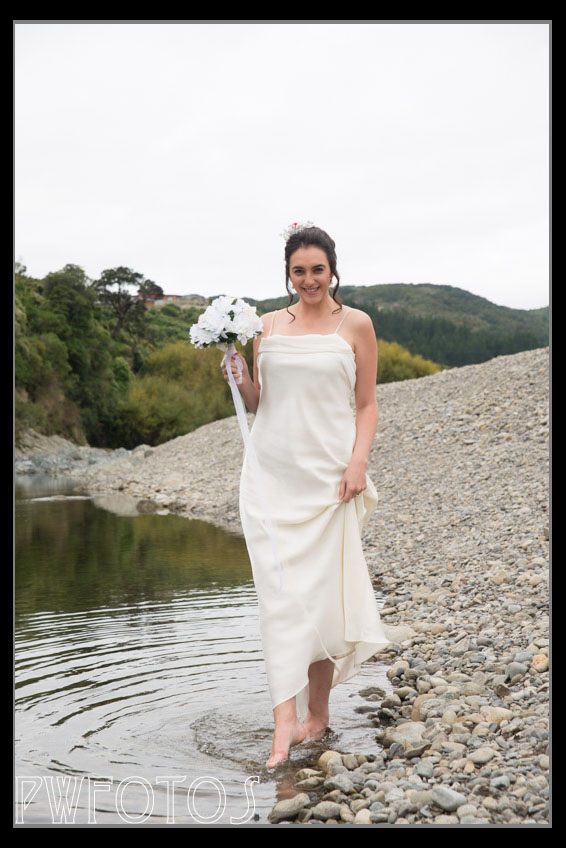
Unfortunately events conspired to work against us. When they put the dress on the model (Jade) they discovered that it did not fit properly and secondly was completely out of style. So they went off to the local SaveMart store and managed to buy another one for $24.00.
That trip however put the whole shoot behind schedule, and given that the light was much better in Upper Hutt than Lower Hutt we entered up shooting down by the river. As the light was quite dull we used a mix of techniques. For some a bare off camera flash was bounced off a gold reflector to give the impression of a warm afternoon glow. For others I put the flash in a Softbox positioned on the end of monopod and held high in the general direction of where the sun should have been.
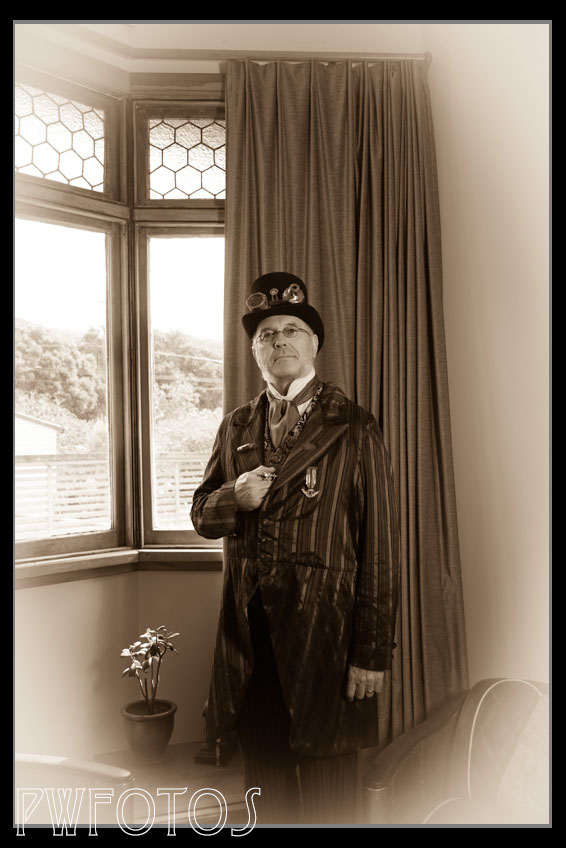
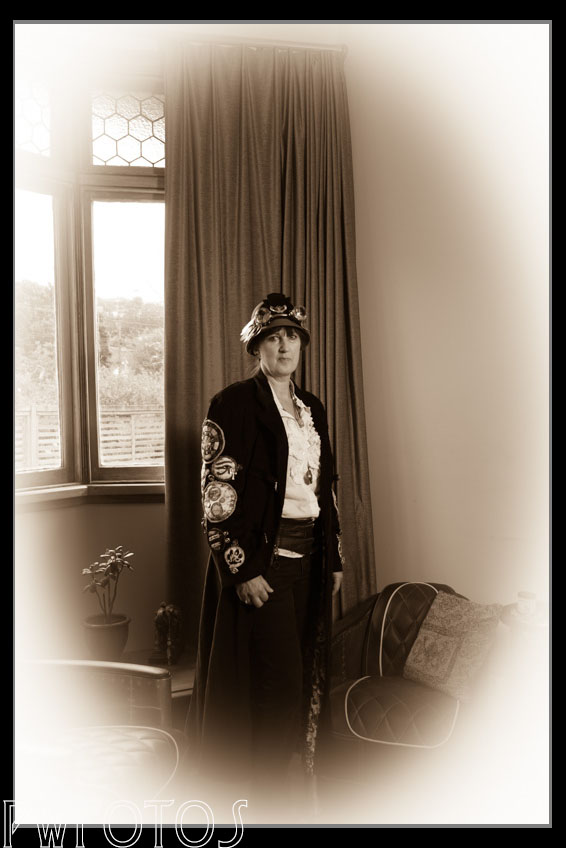
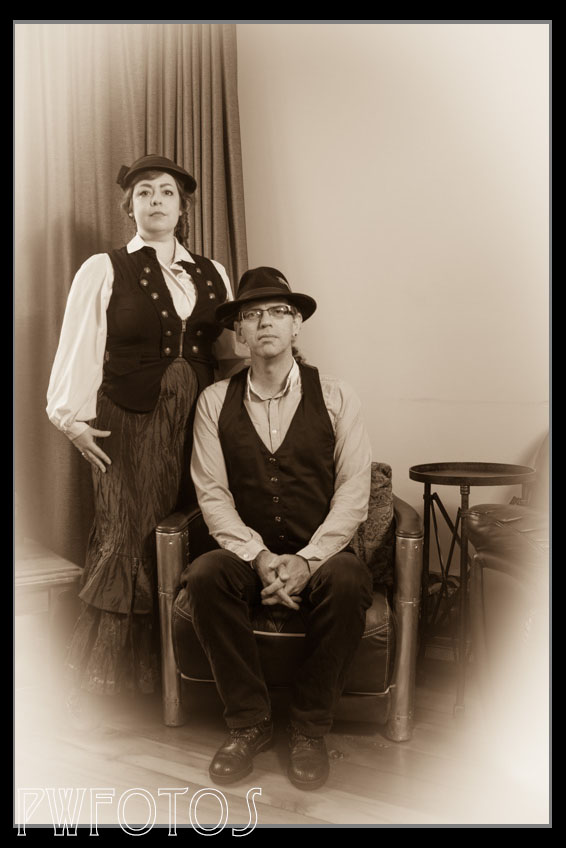
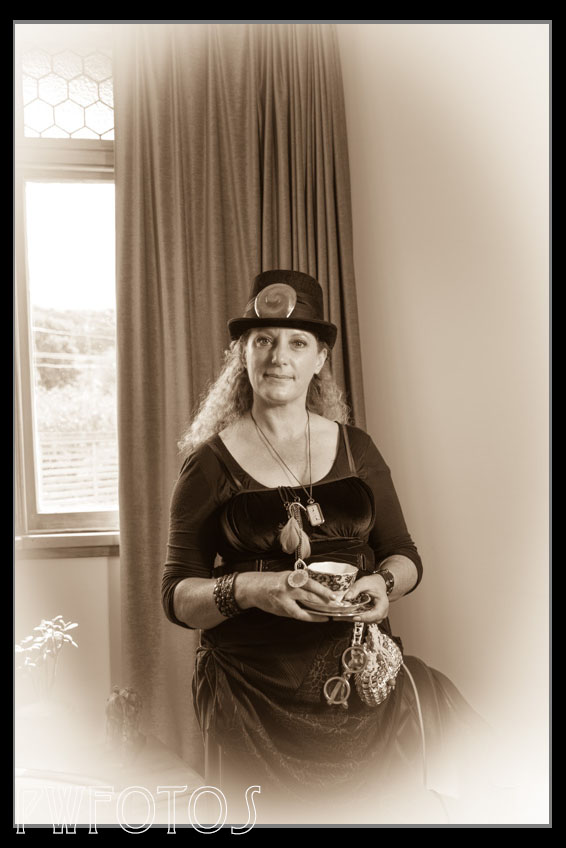
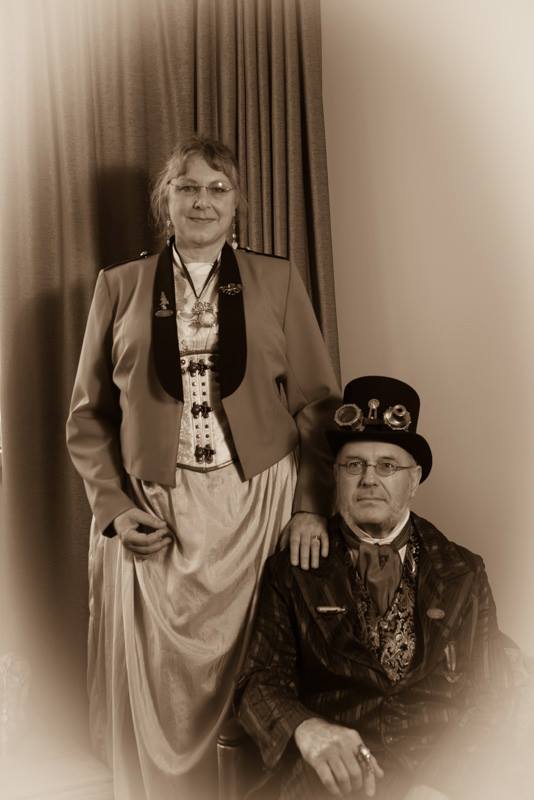
For some time I have wanted to get into more themed photoshoots and one that had sprung to mind is steampunk inspired. For those of you who have never heard of it, Steampunk is a role playing/costume science fiction type genre where Victorian era clothing and modern equipment is fused. However the modern equipment is made to look like it used the technology available to the Victorians.
Apparently there are two separate streams, namely one based on Victorian England and the other on the American Wild West.
Rather than seek out a model and hire the gear, I thought that it may be quicker to approach those people who are actually serious about it so I found the New Zealand Steampunk group on Facebook and posted a message.
I was then contacted by one of the Wellington members and told that they were having a high tea afternoon, and I was welcome to come along. This was being held in an old villa in Island bay. I took along my speedlights and a single white shoot through umbrella which was used to provide some fill light as the room had a large window to provide natural light.
In order to create a more authentic look the images were turned into Sepia toning. I was quite pleased with this starting point.
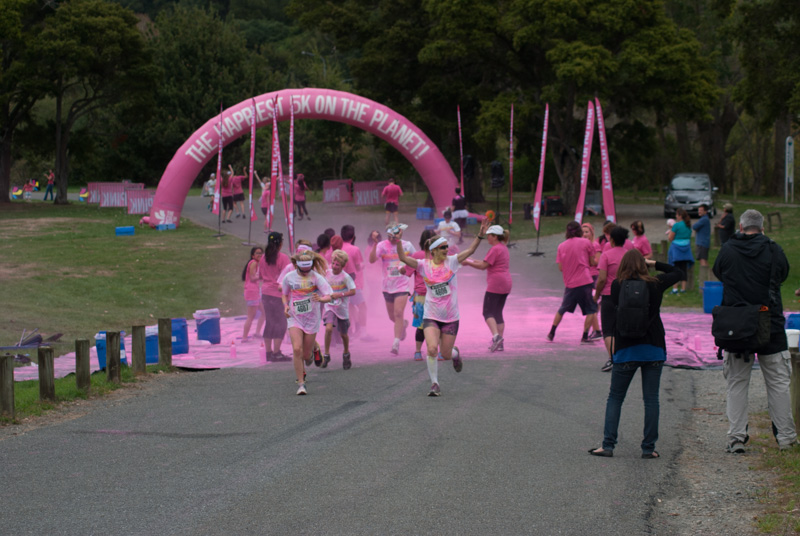
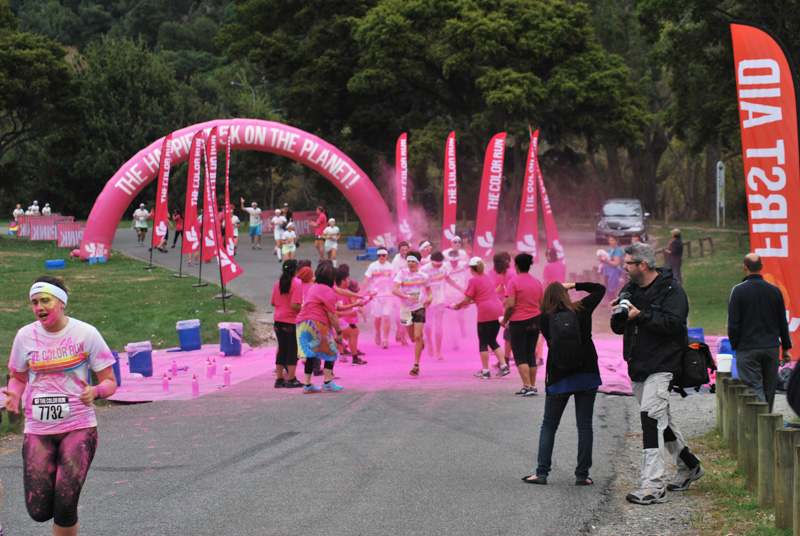
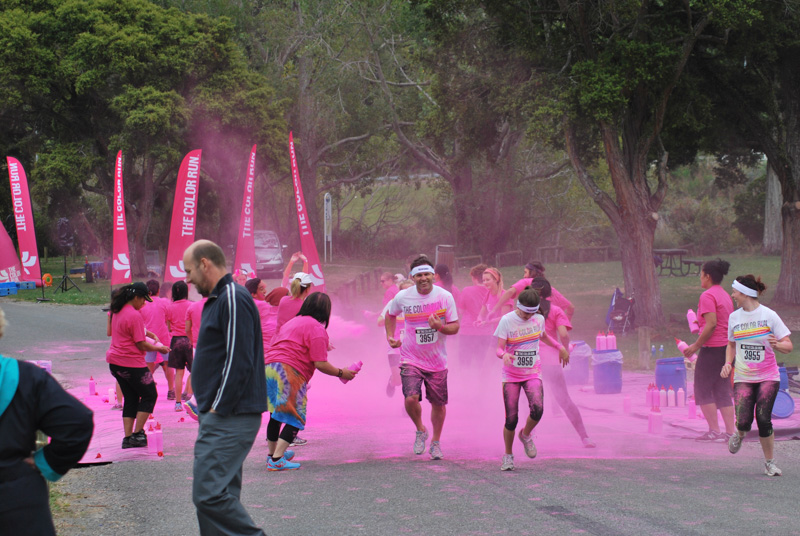
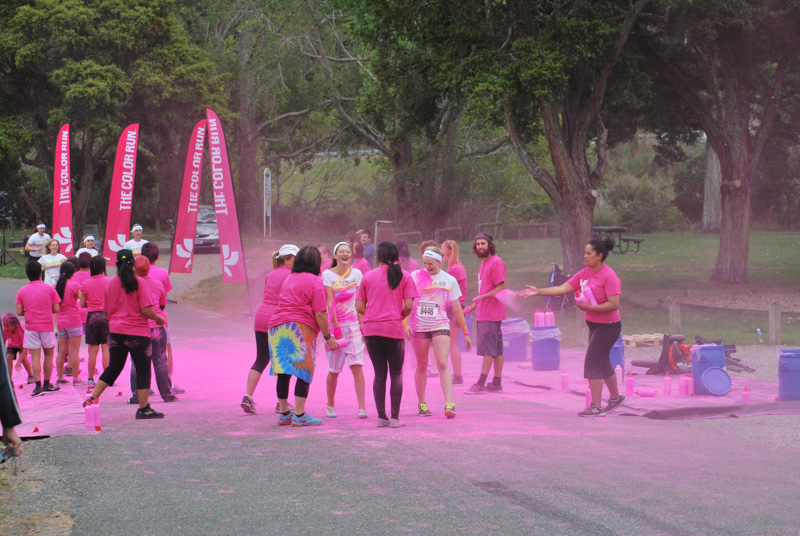
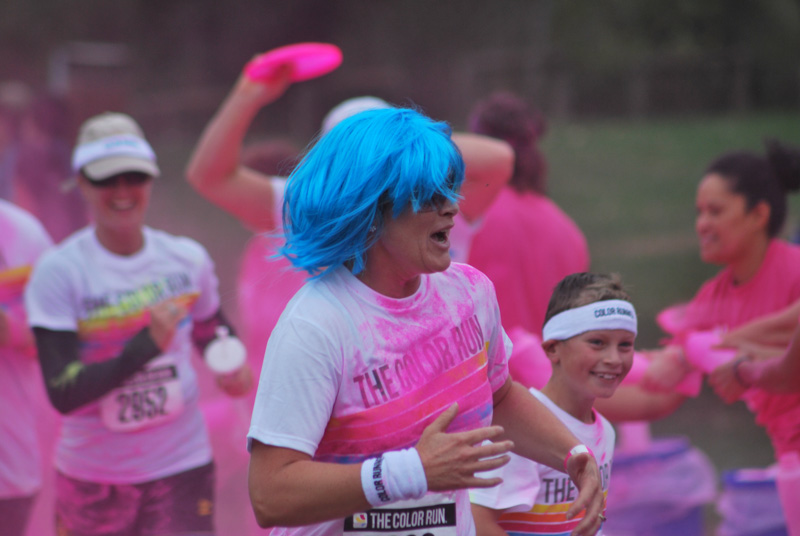
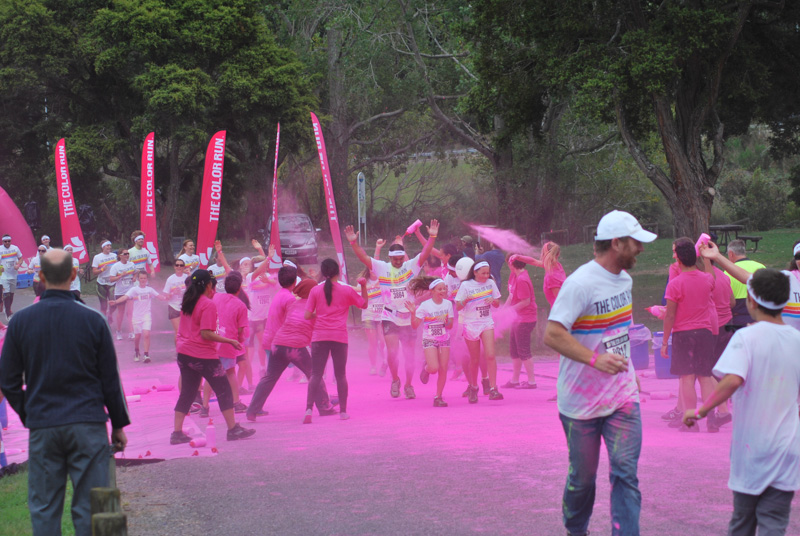
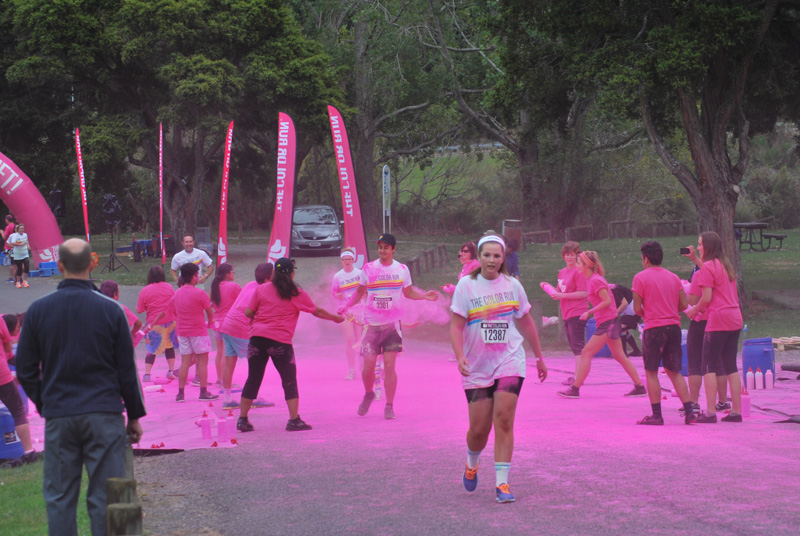
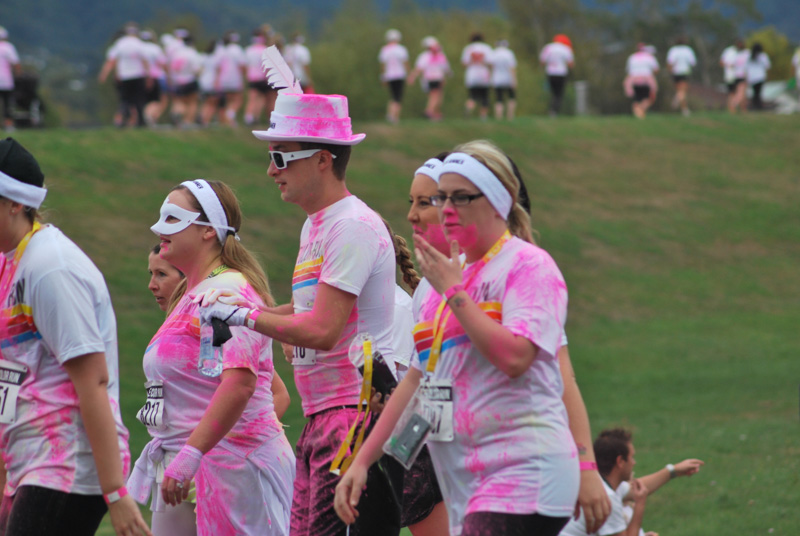
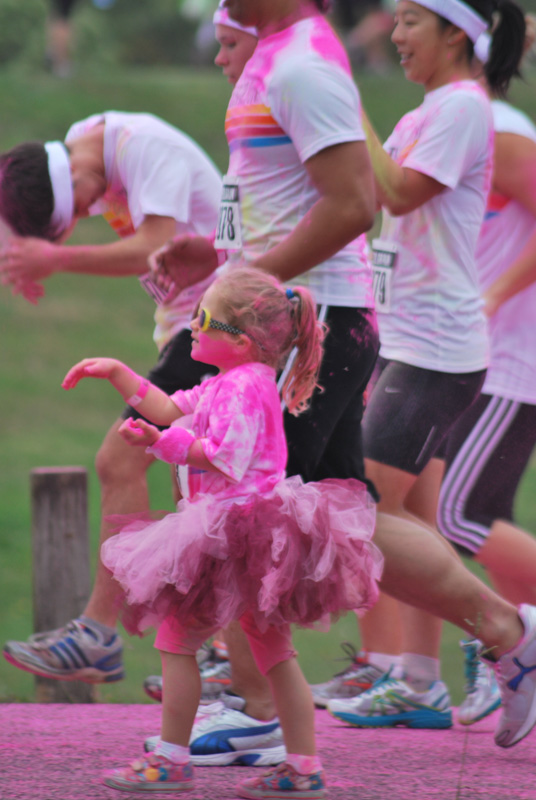
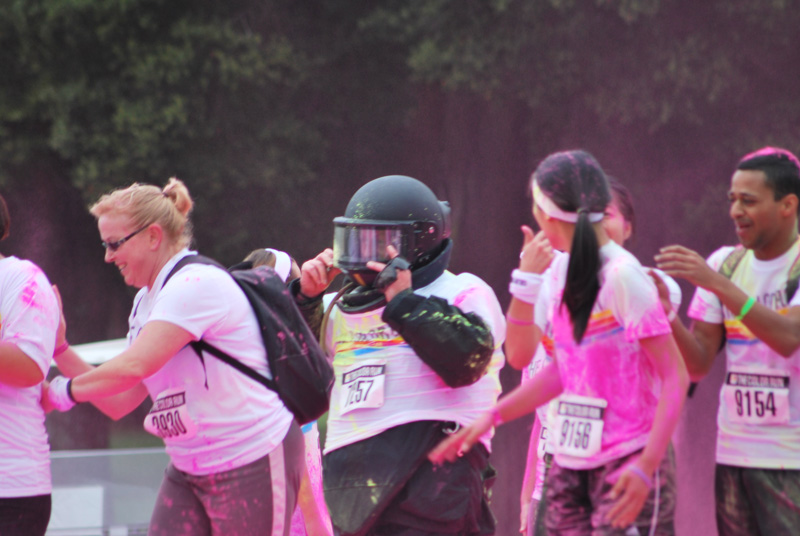
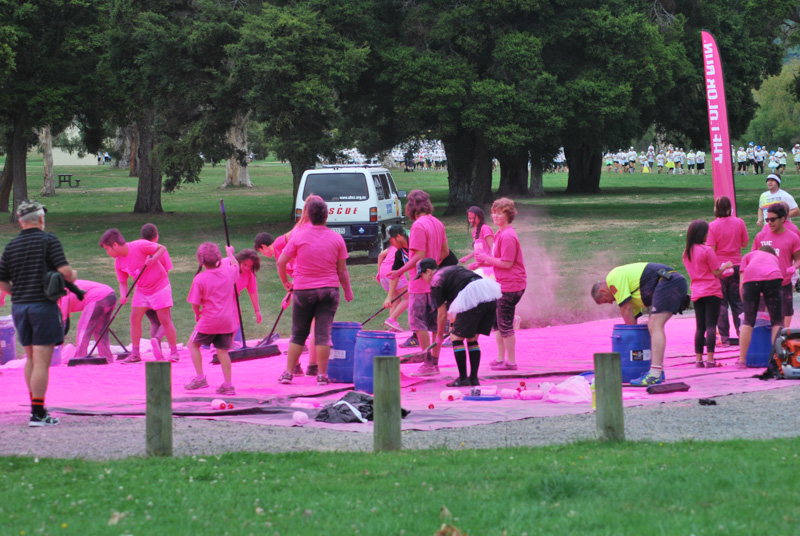
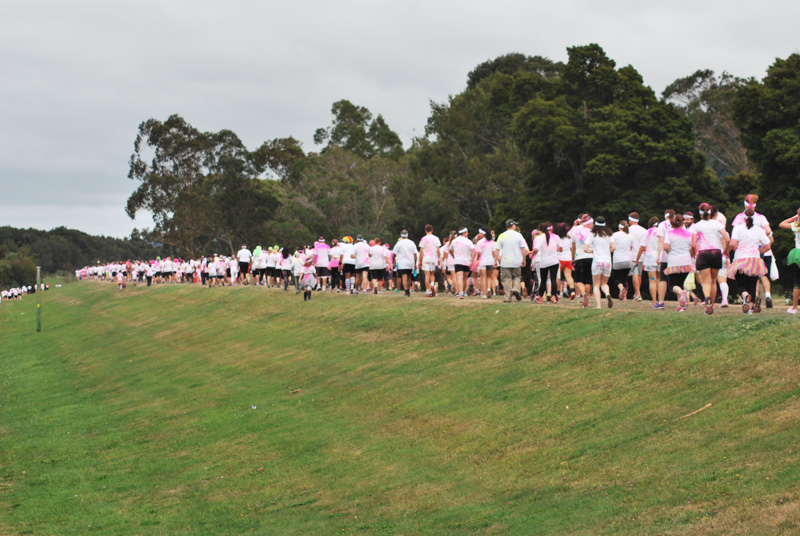
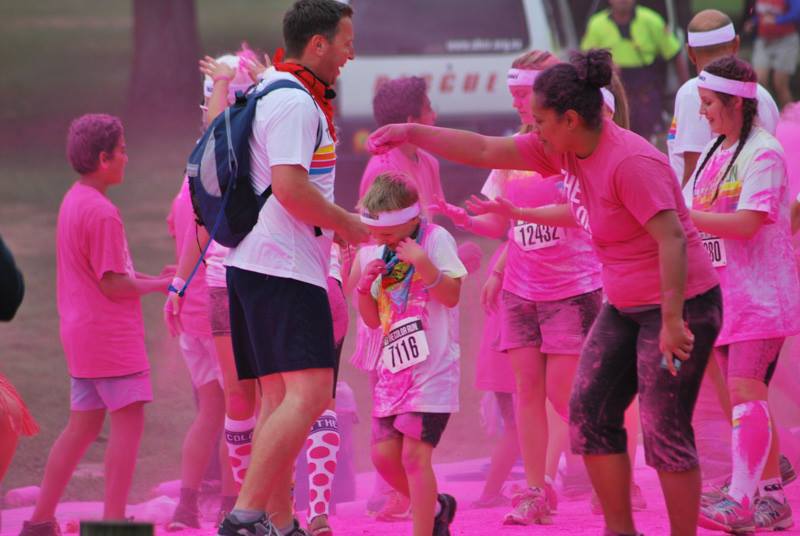
“The Color Run” is a commercial activity that originated in the United States although it has links back to a Hindi festival called Holi. Basically runners do a course and at particular sections of it coloured powder is thrown over them. I am sure that in the original form there was deep meaning to this activity but in the modern version it is all in the name of fun.
Actually I should probably change that and say that it is in the name of making money. Although a charity gets associated with each event the organisers are quite open then they are only receiving a contribution.
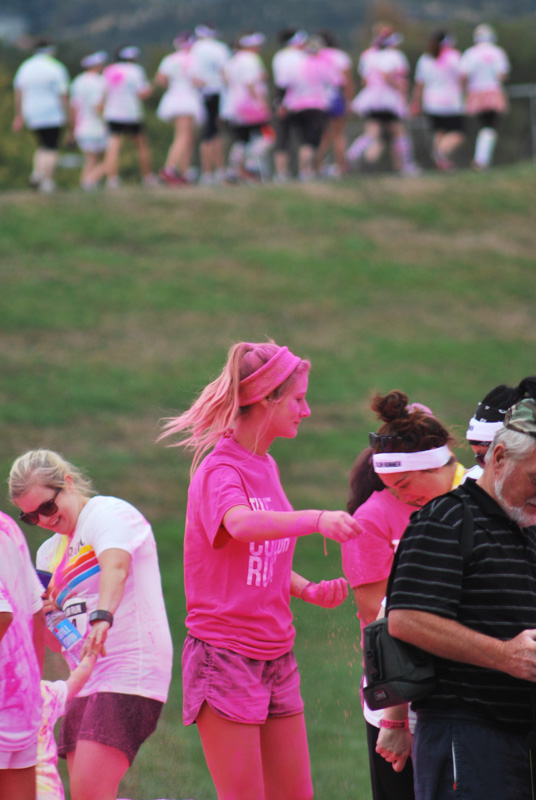
The Wellington event was held in Upper Hutt using a park that is very close to home so after checking the map I decided to go down, take a look and snap a few photos. The power used is a edible corn-starch which is very fine. It has a reputation of getting past the weather seals of cameras and lens so I was being particularly careful. The oldest kit lens in the collection came out and it was fitted to the D60 that is used now only for my photo a day work. I also stood well back and made sure that I stayed up wind of the competitors.
That way I knew that if it got damaged it would not be that bad. The major drawback is that the d60 does not have a built in focus motor, and neither did the lens, so the only option was manual focus.
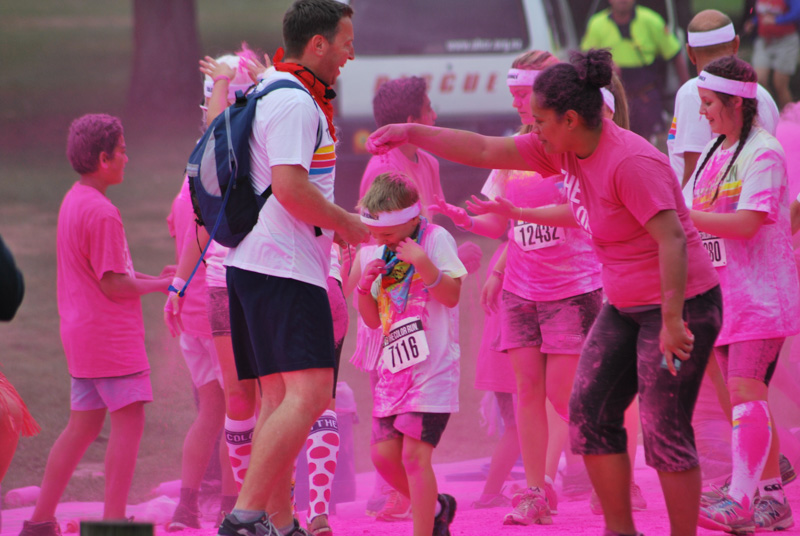
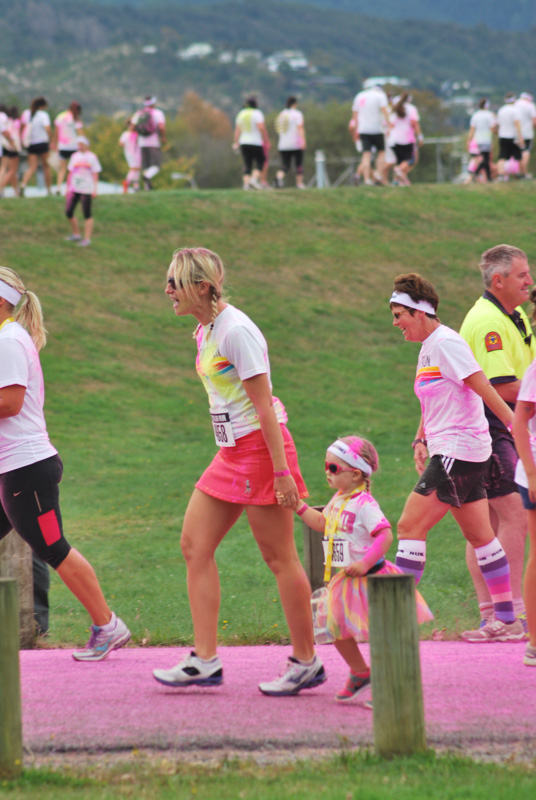
Now I have been to a number of so called “fun” runs but quite frankly this was the happiest one I had ever encountered. The people and the volunteers throwing the powder were having a great time and the photos show that.
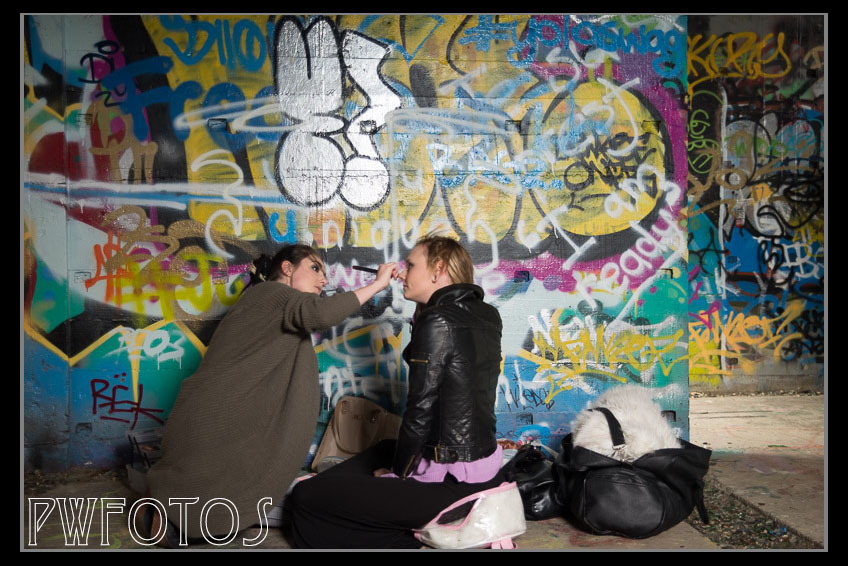
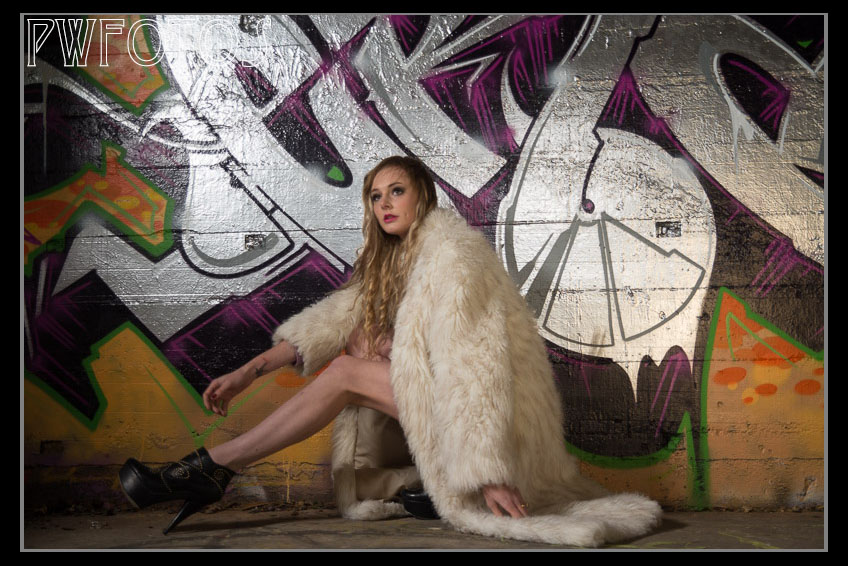
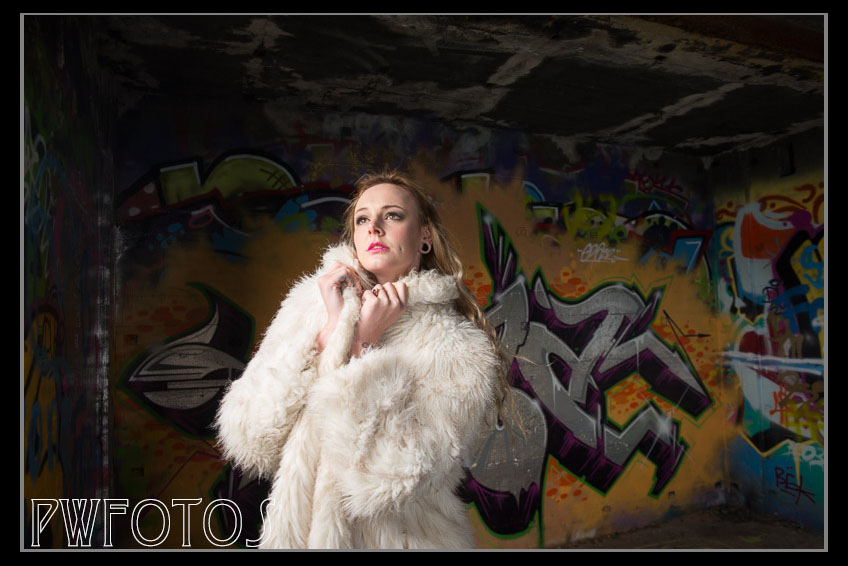
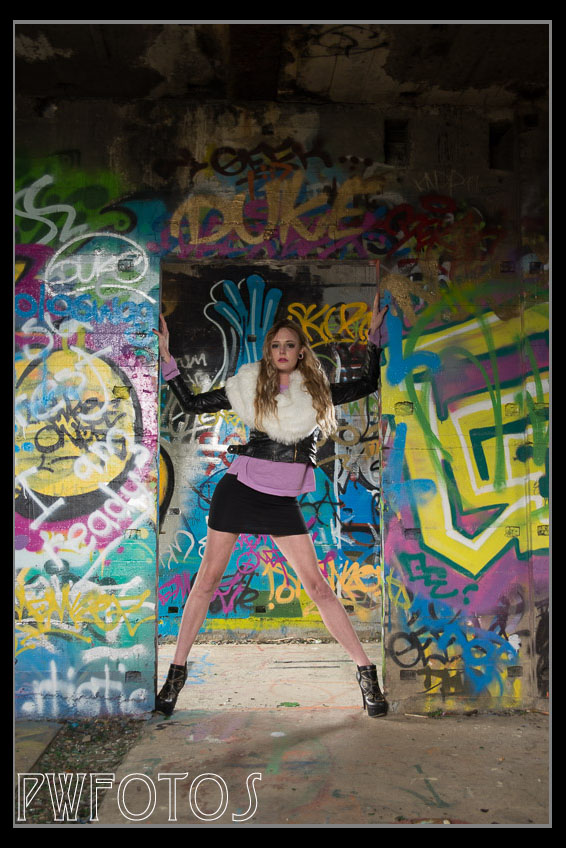
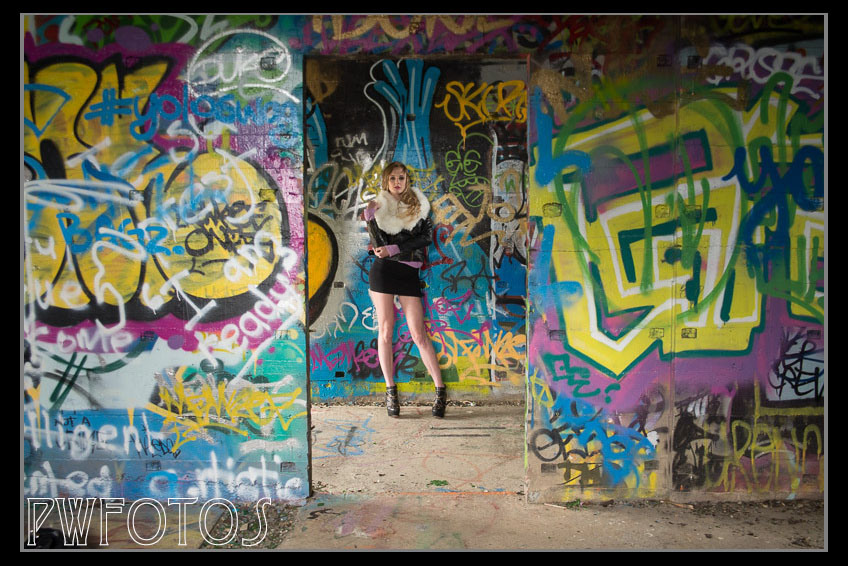
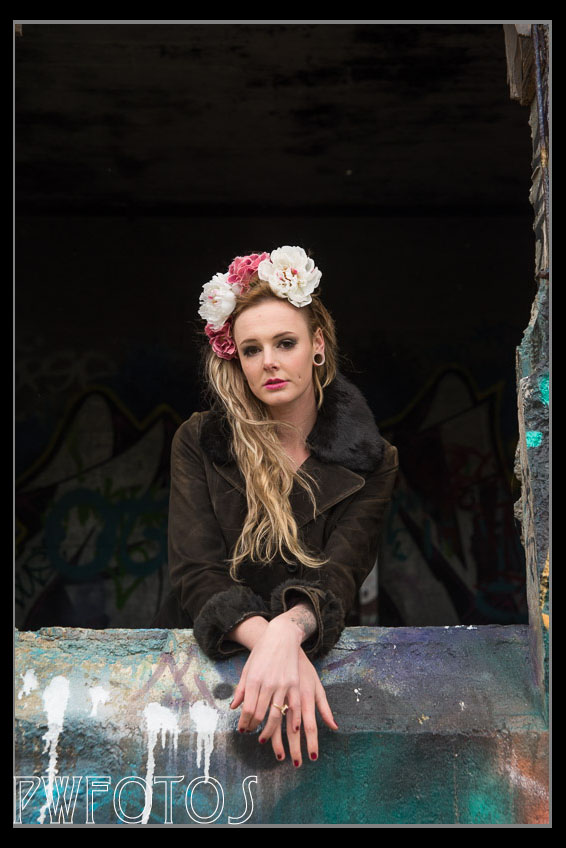
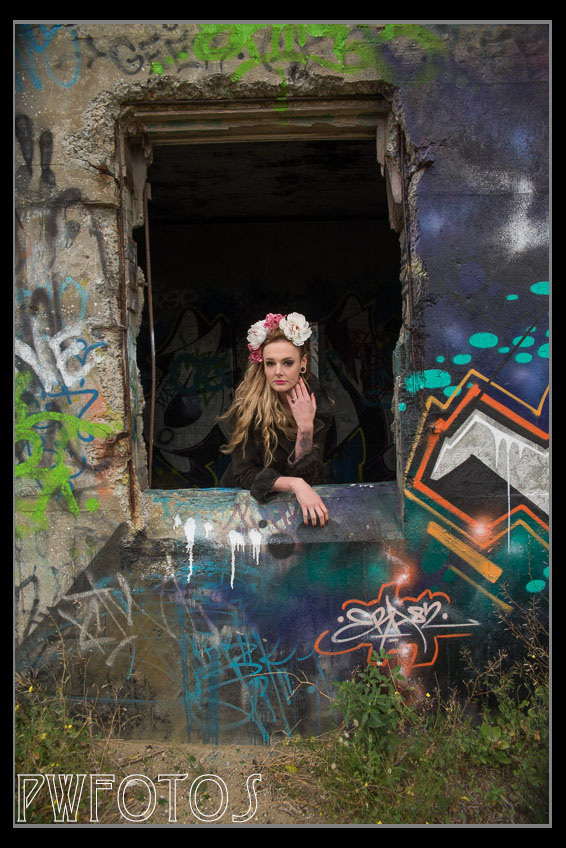
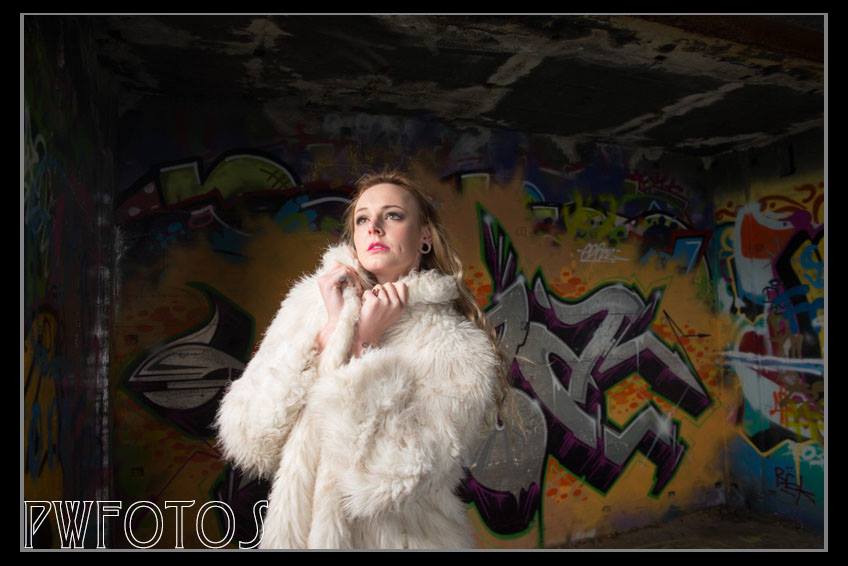
Palmer Head sits at the southern end of the Miramar peninsula and has great views over Cook Straight and the entrance to Wellington harbour. As such it was the obviously point for the placement of a gun emplacement in World War 2. The guns have long gone but the concrete buildings remain and thanks to graffiti artist are covered with a very colourful array of designs. The moment I saw them I wanted to shoot there. The opportunity came last Saturday with a shoot with Megan. She had a concept of a look that she wanted and I had agreed to shoot it. The look she was going for was actually based on nature but unfortunately the light on the day was not great and it was really the wrong time of year for much natural colour from the plants. In many of my shots I have actually worked with opposites and I saw this as a good option so we headed up to the gun emplacement. As often happens in Wellington the wind blew and being on an exposed headland meant that we were hit with the worst of it. Even inside the building there was a fair breeze going round and we ended up using a reflector as a wind shield so Sophie (makeup artist) could apply false eyelashes.
Sophie applying makeup on location
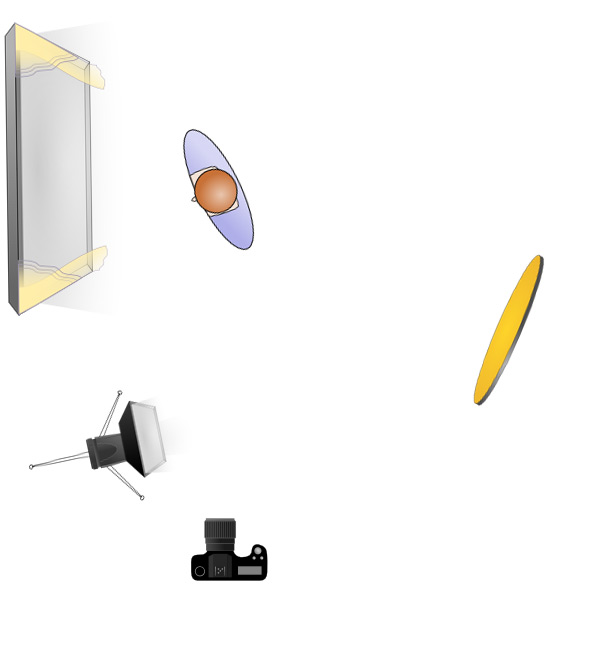
The main wall of the room had a large element painted in silver paint. I knew from past experience that such surfaces don’t come out well when flash is used. So I stuck the camera on the tripod and allowed long shutter exposures. To try to introduce some warmth into the image I had Sophie hold a gold reflector. This worked for a while until the cloud got heavier and the room got darker. I still didn’t want to use flash directly so I put the flash inside a Softbox and aimed that at the reflector like shown in the diagram below. We then moved to the doorway into the room. I had Sophie hold the reflector on the other side of the wall to bring in some extra light. We did try some shots outside but they lacked the punch I was looking for. We ended the session with Megan in another part of the complex, looking out one of empty windows, and me shooting from outside. I was really pleased with the images and I am sure that I will be back at the location in the future.
As photography is my passion and not my living the actual time that I can devote to it dictated by the working week. Occasionally that means that the weekends can get a little crowded. The one just gone is no exception with four separate photographic outings over the two days. I intend to write each one up as a separate blog post over the next week, but here is a teaser of the “sneak peaks”
The lovely Megan from Saturdays shoot at Palmer HeadsSunday Morning “The Color Run” in Upper HuttThe Colonial and Mrs Hudson from the Wellington Steampunk GroupJade looking lovely in a bridal makeup shoot on Sunday afternoon
In the days before digital only professional shooters working for newspapers and magazines, and wedding photographers, would have been concerned with planning how they were going to process their images. For the rest of us it was very simple. We had a 36 exposure film and once it was shot you sent to the lab for processing. A couple of days later you had (hopefully) 36 images back.
Skip forward a little over 15 years and now we have cards capable of holding in excess of 5,000 images and when you couple that with a spray & pray attitude to shooting then an average shoot could generate a lot of images.
In this blog post I am going to run through my workflow in the hope that it may be of some use to readers. By no means is this the perfect workflow and others may have different suggestions, all of which are quite valid. In reality workflow is about finding what process works best for you.
The flow below is from a typical model shoot for which I will shoot between 100 to 200 images, or for a wedding somewhere between 500 and 1000 images will be in the order. In the contracts that I sign I commit to give the other party completed images within 4 weeks, and I generally give them a high and low resolution version of the image. Usually I will also produce a sneak peak within 7 days of the shoot for posting in social media.
My workflow actually starts with the ethos that where possible I will try to get it right in camera. This means that once I get the model into position and even before I take the first image I looking for distractions or items that I may want to fix up later. While a lot of things are relatively simple to fix in the computer, the reality is that even a simple fix taking only 1 minute to fix in Photoshop adds up to a lot time if you have to apply it to 60 images. It is far better to spend 5 minutes at the shoot getting it right.
For a model shoot I will generally shoot everything onto one card but for a wedding I will use a separate card for each part of the service as well as using the second slot of my D600 to replicate the other card. This is just a safety procedure.
So after the shoot then this is the workflow:
I download all the images from camera to computer. If the shoot only involves a single card then this will be done via Lightroom (LR) import, however if it is a larger shoot (such as a wedding) I will use Bridge to load the images from the card, and then import into LR from the saved location. Generally I will create a new folder for the shoot and save all the RAW files into a subfolder. The LR import has a preset in it that adds all the copyright material. Also in order to keep my images better defined I have separate LR Catalogues for models, weddings and paid commercial work.
Once the import is done I ensure that a backup is taken of the drives.
I will then use the LR grid view and go through the images very quickly and look for any that have obvious errors with them. These get flagged as rejected and once the first review is complete are deleted from the machine. In the whole process these are the only images that are actually deleted from the machine.
I will then go through the images again and this time I will use the rating system. I will set the LR filter to display only those images without a rating set, so that I can jump around the shoot if I want. Images that I believe are suitable for editing receive a 3. Those that I am unsure of will receive a 2 and those that I do not wish to proceed with get a 1.
Once this process is complete I will then change the filter to only show those with a 3 and I will look at the set as a whole. If there are images that are very similar then I may downgrade some to a 2. If I feel that a particular look needs some additional photos then I will go back to the 2 selection and elevate one. For a model shoot this is generally quite a quick process however with a wedding it will take longer as I need to ensure that my total set captures the day and the people who attended.
Once I have selected my images for editing I will start the processing. Generally I will start with global setting such as exposure which if I adjust on one image I will then generally apply to all of the images from its set by synching the adjustments. After these global setting has been done then I will work on each using the other adjustment tools. I generally do not crop the images in LR because I prefer to do that in Photoshop (PS).
When the LR editing of an image is complete I will change it’s ranking to a 4. That way if I do not complete all the images in one session I can use the LR filters to show me where I am up to.
I will now export the images as full size jpg’s into a folder called “Finals” and in the process change the names and generally have “HR” at the start of it. This stands for High-Resolution and is the set of images intended to be printed. I will them open each document in PS and do any adjustments that I think are needed such as removing blemishes or objects I don’t want in the image. I will set the crop tool to 6in by 4in and then crop the images. I save them at Quality 12.
I now go back into LR and import in the High Resolution Images. I then select them all and Export them but this time I precede them with “LR” for Low Resolution. I will set the JPG quality to around 75% at 96dpi and I will set the physical size to be a maximum of 800 pixels on the longest length.
Once the files are complete I open these images in PS and run an action against them that adds a border and my watermark to the image. These are saved at quality 8.



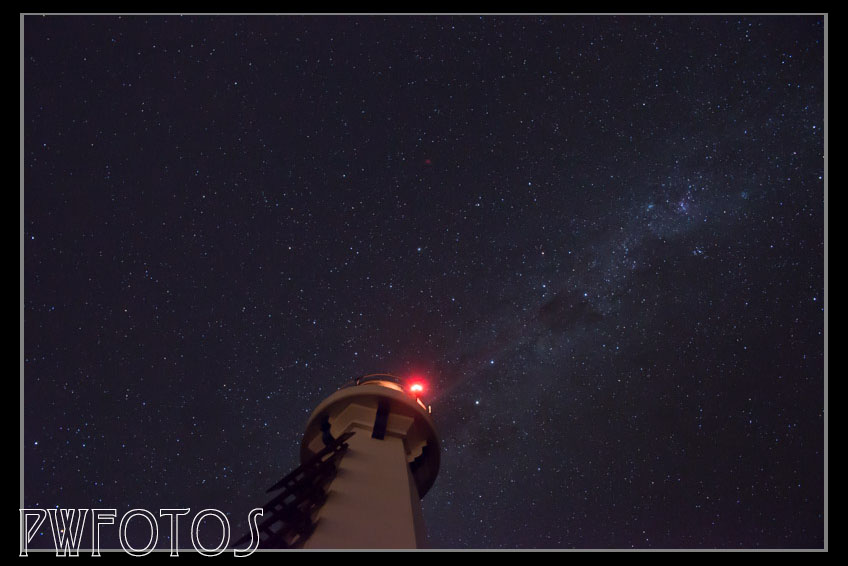
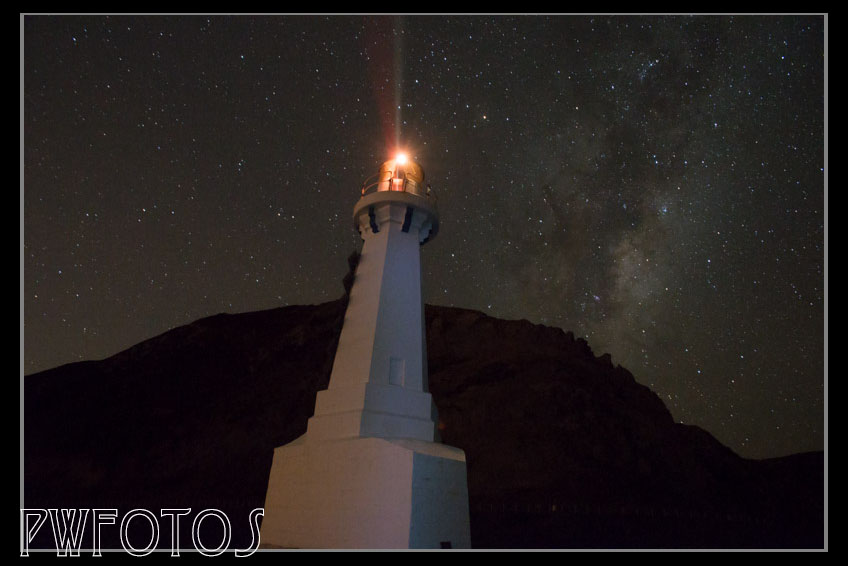
 I should have realised that what I was seeing on the back of the camera was not what I could achieve once I got the images back into Lightroom on the computer. The exposure in most was ok, although those taken at F9 had to be adjusted by two stops. I applied noise reductions at 50 on those that included the lighthouse and this really sharpened up the image. The bit change though was in white balance. I have it set in my camera at 5500k (which is daylight). I pulled the balance down to around 3000k and I started to see the actual colours of the sky and all of a sudden what I was seeing out there started to appear in the photos.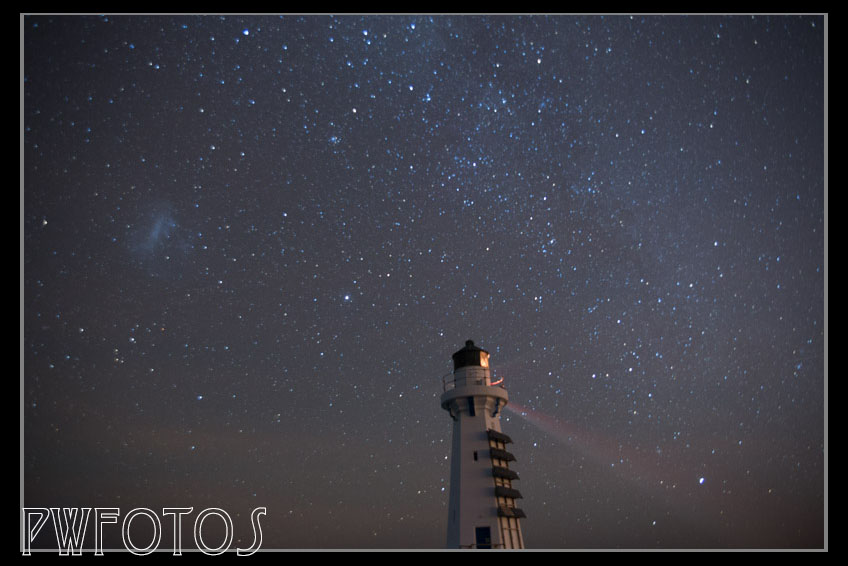


















 e a lot of things are relatively simple to fix in the computer, the reality is that even a simple fix taking only 1 minute to fix in Photoshop adds up to a lot time if you have to apply it to 60 images. It is far better to spend 5 minutes at the shoot getting it right.
 pwfotos