Category Archives: Articles

Choosing a workshop

Since the dawn of digital there are lots of photographers who have seen a market in teaching amateur DSLR users and have decided to enter it. With a fancy website or Facebook page there is plenty of demand. Courses range in price anywhere from $30 to $4,500.

The problem is that the old saying “those that can do, those that can’t teach” does not apply because for many they can “do” it, just that they cannot “teach” it.

A few weeks ago a friend forked out not an insignificant amount of money on a workshop that didn’t live up to expectations.

This got me thinking as to how I would evaluate potential workshops. I hope that these ideas will be of value to readers. Please note that I have both attended and organised a number of workshops so these items comes from “both sides of the fence” in terms of experience.

What is the level of the course aimed at relative to your level?
This is really important because it goes to heart about what you are likely to get out of the event. And you need to be honest. If you have absolutely no idea about what an f-stop is or the effect it has, then an advanced course will not be for you. Two things will happen. Firstly you will not be able to keep up, and secondly you are likely to slow down the whole course, which will not go down well with the other participants. I once attended a workshop on Photoshop retouching that people who ranged from those that had used to the program for years to some who had no idea how to use a mouse. Needless to say it was a painfully slow session and little was learned from it.

If you are a more advanced shooter, then the odds are that you will already know quite a bit of what will be covered. What you need to consider is how much you think you will gain from the “marginal” learning’s in the course.

How many participants are their likely to be?
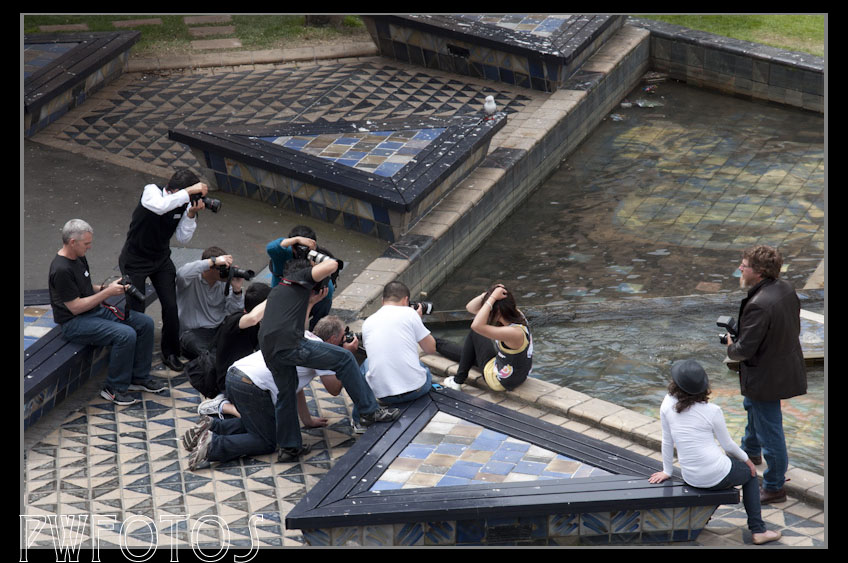
Too many on a course and your start to feel like the paparazzi

Generally for a workshop this will be stated because they will have set a maximum. From experience I have found that a ratio of one tutor to five students is the maximum that you want to allow for a hands-on course. Otherwise the group is too large to give everyone a fair go. 

Even if it is a seminar the smaller the group the more opportunity there may be to get the specific questions you have answered.

What is you learning style?
It is widely accepted that people have different ways of learning. Some pick up things better by seeing them in action, some by listening, some by reading at their own pace, and some by doings, or combinations of all of the above.

If you know which is you strongest area then that will help is deciding if the event is right for you, because if you learn best by doing, then a hands-on session will benefit you far more than a sit down seminar.

Check out the presenters
Now this is a biggie because ultimately the success or failure of the course rests with them. Don’t simply look at the event promotions website and references. Do a Google search on the presenters and find out what they are like. If possible see if you can find reviews from previous attendees that are not linked to promotional material, because quite frankly no one is going to put “couldn’t teach” on a promotional website.

It is very important that you look beyond they images, because unless it a show session only, you need to know that they can impart that knowledge to others. I know plenty of great photographers who could not present if they tried.

Also just because they are from overseas does not automatically make them an expert. In fact sometimes it can work against them because styles can be quite different between countries.

Is anything else offered?
Sometimes the value in a seminar can be extended beyond it so it useful to bear that in mind. The presenters of a glamour workshop I attended over a year ago maintain a Facebook group which is still active and they are available to answer follow up questions. Other presenters may have member only areas for former attendees.

Is it value for money?
I have left this one for last because quite frankly it is the most subjective. At its core are value judgements about how much you are going to get out of the course and how much you value your time.

I have attended two days workshops that cost $2,000 and thought they were great value, and yet attended a two hour one that cost $35 and thought it was a waste of time and money. So in terms of looking at the price consider the following:

  1. A smaller hands-on workshop will always cost more than a seminar but generally you will take more out of it because of the interaction with the presenter.
  2. Workshops that involve multiple people (hair, models etc) will be more expensive than a single presenter.
  3. Can what you learn on the course save you time in the longer term. This is particular important when you are more experienced because what you are going to pick up will only be a portion of the course. For example if you learned a technique that saved 5 minutes processing per image and you normally shoot 200 images a session, then that is the equivalent of 16 hours, and if your normal rate is $50.00 then that is $833.
  4. Is the charge reasonable? This does not mean is it cheap. If the tutor is a professional photographer then it is reasonable that the full amount earned on the course equates to the time they have put into it, plus any outgoings that are likely to be incurred. What is not reasonable is when there appears to be a super profit built in as was the case of a course I saw advertised for $1,500 per head. When I crunched the numbers there was $16,000 unaccounted for.
  5. What are the alternatives? For example a three day workshop will set you back thousands, but you can purchase a video of a three day workshop from CreativeLive for $US179.

The Gear Trap 3 – Light Modifiers

In this third instalment of the Gear Trap I am going to look at the various modifiers that are available when you are shooting with some form of artificial light.

Light is described as being hard or soft basically depending on how intense it is at the edges. If you look at the shadows cast by an object you can easily see this. Hard light will cast very sharp edges to the shadow, where a soft light casts shadows with a gradual fade off at the edges, or now shadow at all.

Whether light is hard or soft is actually a function of the size of the light source relative to the subject. It is through the use of modifiers that we can modify the light source. Below I will give you an introduction into the main sorts of light modifier. It is by no way a complete list.

Bounce Umbrella
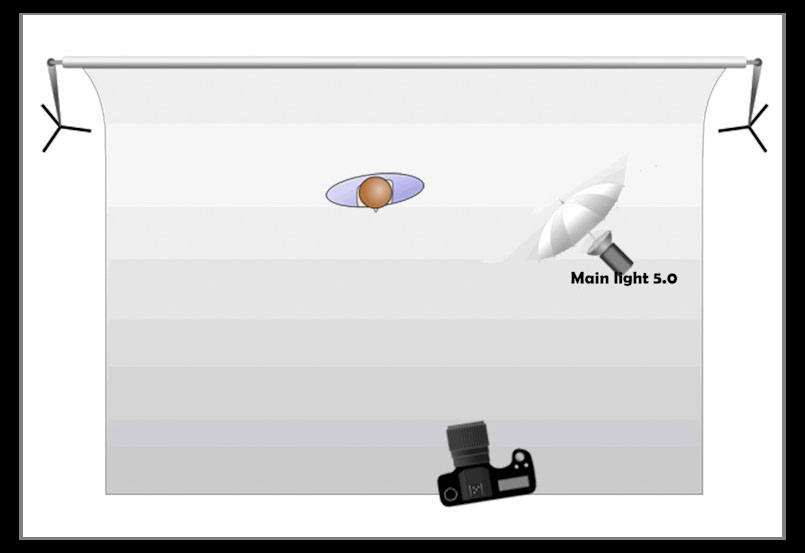
The bounce umbrella looks exactly like the one you would use to keep you dry in the rain with one big exception. They are generally lined with black on the outside with white, gold or silver on the inside. A white lining will reflect light at the same colour that it hits it, whereas the silver produces a colder (blue) light and the gold a warmer (red) light. The umbrella works by spreading the light out. Of the three linings silver does produce the harshest light.

A bounce umbrella main purpose is the spread the light source over a greater area. Its name comes from the way it is used. The flash unit is attached to the centre stem of the umbrella and is actually pointed away from the subject. The light hits the inside of the umbrella and then bounces make onto the subject.

Umbrellas can spread the light out but they are sometime a little cumbersome to use especially in crowded areas.

Shoot Through Umbrella
A shoot through umbrella is made from white material and the flash is mounted in exactly the same as the bounce umbrella but the whole unit is positioned so that the umbrella faces the subject.

Essentially a shoot produces a light similar to a softbox, and you can position the umbrella reasonable close to the subject. The major disadvantage that shoot throughs have is that unless you modify them there is no effective way the direct the light.

A nikon sb600 speedlight inside a softbox has filled in the details on this image taken late in the day.

Softbox
Softboxes are normally made of black material with the inside line with silver. The strobe goes in a small hole in the rear. The front is mush larger than the back and is generally covered with a white material. In some models a second white panel can be fitted between the light and the outer covering.

Softboxes come in all shapes and sizes. They produce a very soft light which is also relatively easy to control the direction of.

Beauty Dish
A beauty dish is a round metalic dish that is scalloped on the inside. The strobe is mounted in the middle. A panel directly in front of the strobe directs all the light into the bowl whereby it bounces out in lots of directions. This produces a light with few shadows. Beauty dishes were extremely popular in the 1950/60’s and were used to produced most of the Hollywood glamour images taken at the time.

A snoot has been used to provide a very focused light.

Snoot
This is a cone shaped devise that fits over the end of the light and directs in a much narrowed beam. It is very similar in concept to the spotlights that you see in the theatre. When used in such a way the light it produces is every hard, with little fall off at the edges. They are therefore used primarily as an accent light, or a hair light. A honeycombed grid can be fitted to them if you wish to soften the light slightly.

So what is the light modifier to use? Sorry but that is a question that will end up with the same answer. “It all depends on the look you want”. A particular 3 light set up may have a beauty dish as its main light, a softbox filling in some shadows and a snoot to act as a hair light (which is intended to provide separation from the background).

Also different subjects will require different modification. For example a women in her 50’s would generally not look as good if shot in the same light as a girl in her teens.

One final word of warning though. If you a looking to buy a softbox for your speedlight don’t buy the really little ones that clip over the flash as they make very little difference to the quality of the light.

The Gear Trap 2 – Lighting

In this second post on gear I am going to look at lighting because after lenses, lighting is another very common question on the Facebook group. They normally run along the line of ” I have a group of people coming in for a shoot. What lighting do I need?”

Unfortunately in all honesty this questions is almost one with the same answer as “how long is a piece of string” because quite frankly the answer lies in what you want to achieve. Lighting is actually more of an art than a science, and the ability to see and manage light is what sets the great photographers apart from the average masses. So in this post I am not going to provide a lighting solution, rather I am only going to look at the types of light available.

At the simplest level you need to have enough light hit the sensor of your camera to provide the level of exposure that you will need. This will either be from a natural source (ie Sun) or some artificial source, or a combination of both.

So the very first thing that you need to decide upon is what sort of shooting you predominately do. If it is mainly outside, or where there is a lot of light, then you may not need any additional equipment other than something that can reflect light. However, if you predominately shoot people or events that occur inside then some form of artificial lighting may be needed. I say “may” rather than “will” because it is possible to shoot inside using the light that is available if you shoot close to a window, or at a very wide aperture or use a longer shutter time.

Assuming that natural light is not available then you have three possible main light sources. These can be classed as

  1. Ambient Light
  2. Continuous Light
  3. Strobes

I will look at each one in more detail. I am going to split the strobes category into speedlights and studio strobes because although they are essentially the same light source there are important differences between them.

Sometimes any light source will suffice.

Ambient Light
This is the light that is available in an area. Inside this would mean any light coming in from outside or from standard room lights. I would not immediate discount the effects that be gained from what we would consider to be normal house lighting.

Pros

  • Does not need any additional gear, other than a reflector to use.
  • You can see what the light is doing.

Cons

  • Not necessarily available in the quantity, or location you need. You need to be very careful because our eyes see in a much wider exposure range than the camera can.
  • You can end up with big differences in the colour temperature of the lights. Our eyes will adjust for this but the camera cannot. Therefore it is vital you always take a grey card image to get the white balance correct.

Continuous lights
These are lighting that are turned on and stay on until turned off. Some are fitted with dimmers or have multiple bulb arrangements that enable the light output to be adjusted. For some you can also purchase light modifiers.

Pros

  • You can see the effect that the light is making on the subject.
  • You do not necessarily need to buy specialised gear, and as such the price you pay for them can be a lot cheaper. For example you can use the type of halogen work lights sold in hardware stores as cheaply as $20.00. For further information there is also quite a range of do it yourself projects on www.diyphotography.net.

Cons

  • The major disadvantage with continuous lights is heat. The units tend to get very hot, which can make them dangerous especially if you are working in an environment with small children around. Note however that in recent year LED panels have come available that get around the heat issue.
  • The light output will not be as powerful as that delivered by strobes.

Speedlights

Speedlights provide very portable lighting

These are the small external flash units that can sit in the flash adapter on your camera. There are generally models made by the camera manufacturers as well as cheaper models make by third party suppliers. The more advanced units can access the metering systems of the camera and adjust the flash power accordingly. I should say that you get the best lighting out of speedlights when you couple them with a trigger that enabled them to be fired when not mounted on the camera. Most have a manual mode that lets you adjust the power output in a range of six stops.

Pros

  • Very portable lighting solution especially when used in Off Camera mode.
  • Generally more powerful that continuous lights.
  • Can access the metering system on the camera.

Cons

  • Not as powerful as studio strobes, and you can run into colour issues once the batteries run down. This can also affect the recycle rate (the time it take for the flash to recharge)
  • You do not see the effect of the light until the flash fires.

Studio Strobes
These are the big brothers of the speedlight which were generally used in a studio, hence the name. They come in a wide range of power output from 200watts up to 1200 watts. Apart from the very cheap models most units come with a second light referred to as modelling lamp, because its purpose is to give you an idea of how the light will fall.

Pros

  • Most powerful of all the light sources
  • Provided the units have modeling lamps them you can see the effect of the light.
  • Generall consistent light output and colour each time they are used.

Cons

  • Unless you buy very expensive units that have batteries most studio strobes need a power supply available.
  • They can be expensive if you buy well known brands rather than “Trade-me” models.

Hopefully this information is useful to you. Light modifiers will be the topic of the next post in this series.

Using a ND filter to control aperture.

When people think of the use of Neutral Density (ND) filters it is usually in relation with landscape photography and particularly in terms of producing milky effects in water. This is because the ND filter allows you to set a slower shutter speed that would be possible due to the amount of light causing an overexposure.

But most people would not think of using them to control the aperture that you want to shoot at so that you can produce shallow depth of field (DOF). But they can be used exactly for that purpose. And what’s more you can use the cameras light metre to work it out.

It is really simple but you do need to work in manual for the final result.

Let’s assume that you have a lens that can shoot at f2.8 and that is what you want to use to achieve a shallow DOF to blur the background. If you have a ND8 filter then this will restrict light by the equivalent of 3 f-stops. On the f-stop range the full stops are:

1    1.4    2    2.8    4    5.6    8    11    16    22

So going 3 stops from 2.8 is 8.

Therefore to shoot this, firstly set you camera in aperture priority and set it at f8. Take a photo without the filter in place and in the image information look at the shutter speed that the camera chose.

Now go into Manual mode and enter that shutter speed, and then change the aperture to f2.8 and then attach the ND filter.

Now some of you may be wondering why when I was in aperture priority I didn’t just enter f2.8 and let the camera come up with the matching shutter speed. Very good questions indeed.

If I was shooting outside I could do just that, however I may wish to still have some movement in the shot. If a setting of f8 gave me a shutter speed of 1/200, then f2.8 will give me 1/1600 which will effectively freeze everything.

If I am in the studio under flash such a shutter speed would be impossible. This is because cameras have a maximum shutter speed that can be used with the strobes. This is either 1/200 or 1/250 depending upon the make and model of the camera. If you exceed that speed what happens is you get the shutter obscuring part of the image. This value is referred to as the maximum sync speed.

And in confined spaces it is often difficult to get the power level of the lights low enough to keep below the maximum sync speed when the aperture is wide open.

When using strobes you do the calculation the other way around. Set your camera in shutter priority and take photos your subject. From the information the camera produces alter either the shutter speed or the power and/or position of the lights until you achieve f8. Then go into manual select that shutter speed, set the aperture to f2.8 and put the filter on.

Obviously the process of setting a f-stop with studio lights is a lot easier if you use a separate light meter rather than relying on your camera.

Symmetry

According to some experts we apparently relate our ideas of beauty to symmetry and the closer that each side our face mirrors the other, the more beautify we will be deemed to me. Apparently the actor Denzel Washington has a perfectly symmetrical face.

Now most of us do not have symmetrical faces so it is quite fun to see what we would look like if we did. With the magic of photoshop and a willing volunteer it is quite easy to create this.

The steps are very easy.

  1. Position to camera at nose level and have your subject face directly into the camera. It is important that their head is perfectly vertical without any lean.
  2. Take the resulting image into photoshop and place a guide on the image that vertically intersects to noise.
  3. Select the area on the right hand side of the face, and copy it into a new document.
  4. Paste the image again but on this second layer, flip the image along the horizontal axis.
  5. Then align the two sides up.
  6. Go back to your original image and repeat the process for the left hand side.

You end up with three images to compare, namely the original and then right side symmetry and left side symmetry. If the persons face is mainly symmetrical then there will be very little difference between the three shots. However this is normally not the case and you can end up with faces quite different from the original.

ImageNation 2012

Depending upon your point of view the Advertising & Illustrative Photographers Association (AIPA) is either complementary or in complete competition to the New Zealand Institute of Professional Photographers (NZIPP). As the name implies AIPA represent commercial photographers who mainly shoot for corporate clients and do not concentrate on such areas as personal portrait or weddings. The reality is that New Zealand is so small a market that very few people truly specialise in a single area and therefore many commercial photographers belong to both organisations.

Each year AIPA host a two day conference in Auckland called ImageNation. Basically they bring together a range of photographers who are the top of their game to share some of their approach.

I saw the 2011 programme too late to really take advantage of it but decided that I would try to get to this year’s event. By luck I was able to schedule a work trip to Auckland that took care of travel costs so I only had to pay the $161 early-bird registration which for a full two day event is extremely reasonable.

So you may ask how is attending this industry conference relevant to someone who is not full time employed as a photographer. The answer is really simple. It provides you with inspiration and ideas that can be easily translated. I say this because while the majority of the speakers shot commercially, the images that they showed also included images that they had shot personally.

The whole gamut of photography was covered including fashion, landscape, architecture, sport, travel and people. The styles covered everything from macro to abstract to documentary. In fact weddings was about the only area not covered.

At least a third of the audience was made up of students from the photography courses in Auckland so many of the speakers angled their talks with tips for them. As most of these are pertinent to the way we shoot I have outlined them.

  • With portraits do not immediately leap to using a wide aperture to blur out the background. Instead see if the background will add to the image and if so place your subject so the background and subject support each other.
  • You really have to push hard to turn what you have visualised in a shot to turn it into reality.
  • It’s often the mistakes where the magic happens so don’t be too hung up about always getting it right.
  • Don’t be snap happy. Aim to shoot the best 20 images. When selecting images to show someone be ruthless and only show you top one. Don’t give the client too many images to choose from.
  • It is important to shoot self-projects for yourself on a regular basis as this ensures the passion stays.
  • Don’t try to be something that you are not. If you are asked to shoot something you have never done before be honest in your ability.
  • Never give away the copyright in an image. Even if you are not charging for it, make sure it is clear that you are giving away a free licence to use the image.

And for those of you who do make some money from photography:

  • The value you bring to the marketplace is the difference between what you and the client knows.
  • Never give a price out over the phone and never reduce a price given without the client giving up something.
  • Be prepared to say “No” because the act of saying “No” will actually build your business.

One thing that may interest some (even if the conference doesn’t) is that each year they run a competition for submitting a photo essay. This is a set of images that portray a story. The grand prize is worth around $5,000 but there are a lots of other smaller prizes. More information on the conference and the competition can be found at their website (www.imagenation.co.nz).

The Thorny Issue of Copyright *

Over the last fortnight I have been involved in two separate discussions about copyright issues with regards to photographs. The second occasion was prompted by the following situation:

A semi-professional photographer who specialised in new born images took some photos of a baby and was paid for the work. The mother signed the standard contract that the photographer insisted on, that stated that the photos were not be used for commercial purpose. It provided that they could be displayed on Facebook, and tagged. There was, however, no mention in the contract about who owned the copyright in the image.

The photographer was therefore surprised when a couple of weeks later they happened to receive a flyer in the mail from a local real estate agent that contained one of the pictures in it. It was used in story about the real estate agents current activities as it turned out that she was the grandmother of the baby.

The photographer contacted the real estate agent looking for credit and explaining the situation of copyright. The agent basically told her to “take a jump” but admitted in the process that she had actually grab the photo off Facebook and then edited it to remove the watermark in the corner.

So what could she do. Despite several people saying sue the pants of the real estate agent, the reality is that there is probably nothing the photographer could do, because under current New Zealand she didn’t actually own the copyright in the image that was used, and as the grandmother never signed the original contract there was no breach there.

Copyright is an extremely complicated area of law. It is also often misunderstood.

Copyright is a set of rights that exist under law to protect the interests of people who create something. It has to apply to a physical object though and not an idea, and must apply to an original work.

Under New Zealand law copyright is automatically granted to the person who creates the work and exists from the moment that the piece is created and expires 50 years after the entity who owns the copyright ceases to exist. Unlike some other countries, in New Zealand there is no requirement to register the copyright, therefore putting the ©symbol on a piece of work is largely irrelevant.

Based on the statements above you would therefore say that the photographer owned the copyright and therefore the Agent had breached copyright.

The problem is that copyright is not that simple, and the major issue for photographers particularly is in a little clause about commissioning. Put simply commissioning is when someone else asks you to take a picture. While it would be usual for the photographer to receive payment in some way, that is not actually a requirement under the law.

The default position under the Copyright Act is that if you are commissioned to take a photo then the copyright created actually belongs to the person who commissioned the work. This can be contracted out of, and this is what most professional photographers will do. They have a clause in their contracts that state that they retain copyright in the image.

So back to the original situation. With no copyright clause in the contract, it was the mother who actually owned the copyright in the images. She posted them on Facebook and probably allowed the grandmother to download them. There is no contract breach and no copyright breach.

The area of commissioning was going to be looked at by the Labour government in 2008 and they had an Amendment Bill in train. They lost the Election and the National Government elected not to take the Bill further. It is still being looked at.

So in summary

You own the copyright in an image you take, unless someone asks you to take it in which case you need to get them to sign something stating that you retain copyright.

* Please note that this article is based on my personal understanding of law, and talking with professional photographers. I have not consulted a lawyer (as they cost too much) and therefore the advise contained should only be taken as a guide.

The 365 Project – One year on

Last year I wrote an article in the newsletter about the 365 project that a number of us had started on. For those of you unfamiliar with the concept, you set a personal challenge to take at least one photo a day for a whole year.

While initial interest was high, so was the attrition rate, and by the end of 2011 only Brian, Helen (who has just joined the club) and myself were still shooting.

Through the benefit of Facebook this little group was also expanded to include several other shooters from other clubs around the region. We have met twice for dinner to discuss how we are tackling the project. Last month we met and several of us have converted our photos into photo books. It was amazing to see the diversity of the images that had been taken.

When I wrote the original article I said that one of the advantages of the project was that it forced you to try out different types of photography and particularly that it will stretch you in areas where perhaps you do not consider you have a knack.

That was certainly the case for me. I would freely admit that I mainly like shooting people and events but when I broke down the images I had taken I discovered that the range was much wider. In fact I shot xx landscape shots when I don’t particularly like landscapes.

For me the major advantage is the fact that by forcing yourself to think of taking something each day, you actually challenge yourself to get better with the photos. What they say “that practise makes perfect “is absolutely true. The images below clearly show this. It is essentially the same subject shot a year apart. The image of the left was shot on 26 January 2011 while the one of the right was shot on 10 January 2012.

So I urge anyone to give it a go. And for anyone who says that they don’t carry a camera all the time I would challenge you on that. Most people have a camera on them at all times in the form of there cellphone. Five of the images in my 2011 set were shot with my phone and I very much doubt any of you could pick them out.

Tips on Producing Composite Images

A composite image is one where you take two or more separate images and then merge them together to produce a final image. In the good old days of film this was achieved either in camera by setting a double exposure or in the darkroom by overlaying negatives. Both techniques required a great deal of skill. Today with digital and programmes like Photoshop the process is a great deal easier.

I recently organised a shoot to produce a composite image and I thought that I would share some of the tips that I learned as I did the process. I will admit that most of these tips have come about because of things that I did not do, and which made my job of producing the final image more difficult. These tips are all about the stuff you will do before the image gets to the computer.

  1. Have a clear goal of what you want to achieve
    Picture in your head what the final image will look like. It is often a good idea to sketch out what the final elements will be because when you start shooting you will not be seeing your final image in front of you. Don’t worry if you can’t draw. The sketch is also a really good tool if you are working with other people as it lets them get a better idea of what you are trying to achieve.

    In the case of my shoot what I was trying to do was to get an image where I was capturing a reflected image of a model but where the reflection was different to the original. One of the final images is shown here.

  2. Plan your elements
    By this I mean think about such things as backgrounds, elements that will be in the image and the order in which you need to shoot them. In the case of my shot the only thing that I knew I would be changing was the reflection. That meant that I should have been able to swap out a solid block of the image. This is a lot easier to do without having to worry about separating the main element from the background.

    However if you are planning of bringing in an element from one image to another, then when you shoot that image, making the background as different as possible from the element will make it so much easier to separate.

    It also pays to take a shot of the background of your final image, with none of the elements in it. This will provide you with an overlay should you wish to completely remove something later from the image.

  3. Allow plenty of time for setup.
    If you don’t want to spend hours on the computer, it pays to take some time up front getting your camera and the image elements into the rights position to give you what you want. In the case of my shot the elements included the room, the lighting, a mirror, the model and several changes of clothes.

    Rather than waste the models time, my daughter ended up being a stand-in while I worked out where the place the camera, the mirror and the lights.

    If you are using people in different parts of the shot place markers on where they should be standing.

  4. Set your lighting for all elements in the final shot
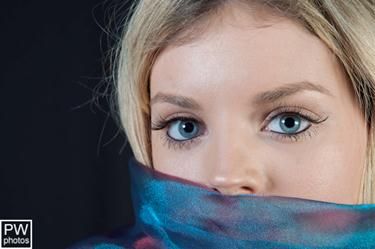
    This was the single biggest mistake that I made. I set the lighting originally to get a perfect exposure on the model in front of the mirror. Then when I started the reflection shots I changed the lighting so that the reflected image was perfectly exposed.

    This was a big mistake because the level of light changed on all of the background elements. This made merging the edges of the two images much harder to match.

    As part of your setup you need to bring the different elements into the image and light them all in such a way that you are happy with the overall result rather than individual elements being perfect, and then don’t change the settings.

  5. Use a tripod
    The key to good composites is that the angles need to be consistent. The only way to achieve this is with the camera on a tripod. Later version of Photoshop look for common elements in image when you stack them which makes line ups a lot easier.
  6. Don’t touch that dial
    Finally if you are compositing a scene, then once you take your first shot the only thing you should be touching on your camera is the shutter release, because every other dial on it will affect the image is some other way.

Photo credits:

“Kiwi Apple” by Chris Parkin, “Reflection of the Soul” by Paul Whitham

Tips on Shooting People

As some of you will know over the last year I have been shooting a lot of models. Now I do not claim to be an expert in this regard, and we have members with way more experience than I have, but I thought I would share some tips that I have gathered both from reading articles as well as practical experience that I hope you will find useful. While the tips are specific to shooting people, many of them apply to other subjects.

Get to know your subject

It pays to plan to spend at least the first 10-15 minutes of a session not actually taking any photos. During this time you actually talk to the subject about either what they want from the shoot or what you want from the shoot (or both).

If you are shoot full or half body shots of women (and they are the client), it is important to ask them what parts of their body they like and what they do not like. Now this will be very subjective and quite often the person will come up with things that you cannot see (or necessarily agree with).

The reason that this step is important is that if you present someone with an image that has an area they do not like prominently displayed, the odds are that they will not like the image (unless you are an incredible good photographer). People are also much more comfortable having their image taken when they believe you will be emphasising their good points.

Have a close look at your subject

Again you do this without the camera because the second you pick that up you are likely to miss things and you should do this each time you significantly change a pose.

Now if you are a married man you will know that your wife probably doesn’t like you staring at beautiful young women who may or may not be wearing many clothes. However in name of art this has to be done.

Basically you are not actually looking at the subject but rather the individual elements that will eventually form part of the image. You are looking for two different types of issues

  1. Body Shape
    Supposedly the ideal of beauty is that the body has perfect symmetry running in a vertical line across the nose. The reality is that few people have this and one side of their body will be a slightly different shape to the other. The old adage that a person has a “best side” is actually true in fact.

    For example noses very rarely run straight but often curve towards one side of the face. If you shoot the nose with the curve running towards then you end up with a nose looking larger that the same shot with the face turned the other way.

    If you examine the images below you will see what I mean. Bruce through Karate and Rugby has broken his nose several times so that it angles off to one side. Notice how the nose appears larger from one direction than the other.

  2. Wardrobe issues

    By this I means the likes of labels, tags, hanger strings, bra straps hanging, and loose threads. Before taking the shot you should also ensuring that clothing that should not be in shot is not.

    While you can fix a lot of these issues in Photoshop, if you can eliminate these issues at the time of the shoot you will save so much time. Obviously there are times when you simply can’t avoid an issue but at least you are pre warned that you will need to fix in post.