Category Archives: Halloween

Corpse Bride – Part 4 back in the Studio

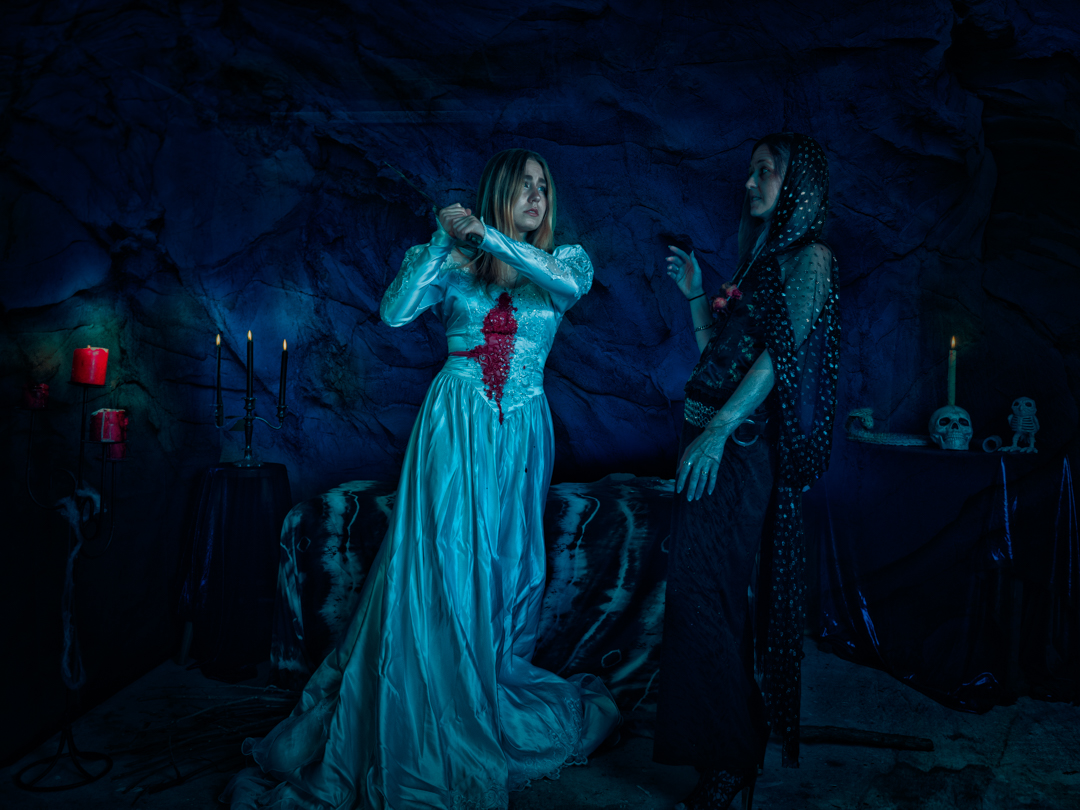
This is the fourth and final post from my 2022 Halloween themed shoot.

After we had finished outside the other two photographers decided that they had enough images. So we moved back into the studio and I shot on my own. 

I started taking individual photos and let the models interact as they liked. Devon got right into character again and produced some great images.

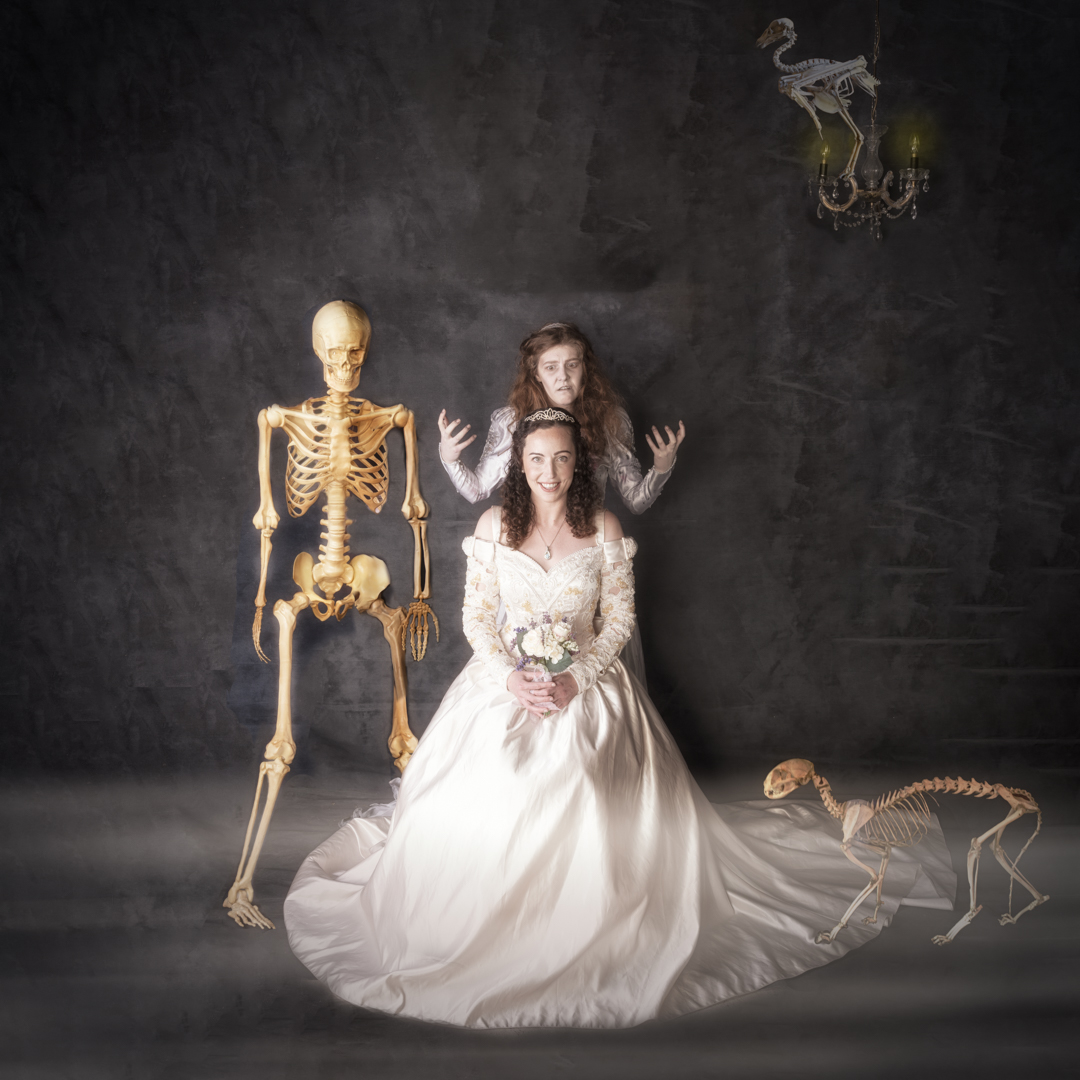
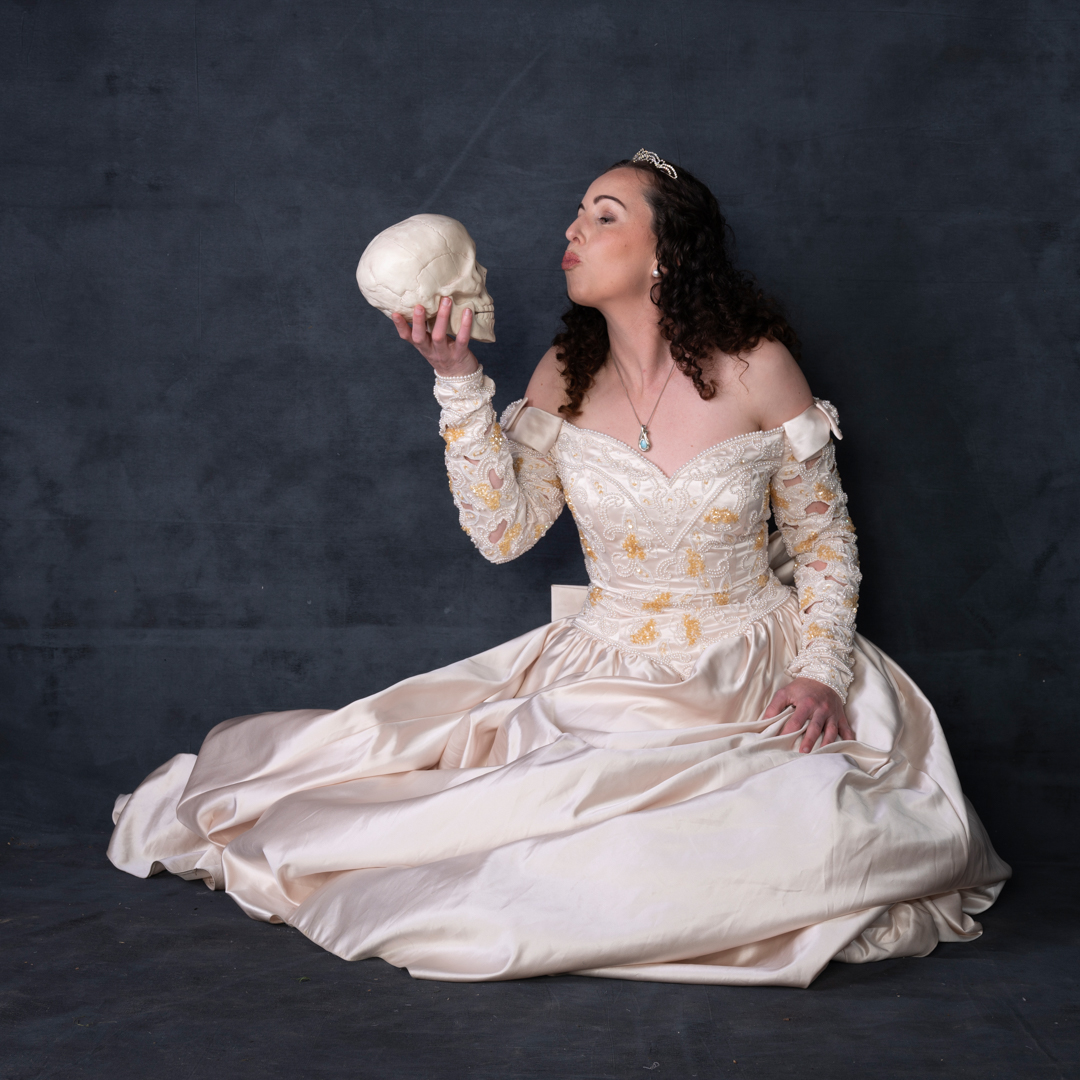
With Katie I suggested that she mentioned we were doing her formal wedding photos. As usual my cat Beanie decided to make an appearance and ensure she got into at least one shot. When then added with the slight edition of a skull.
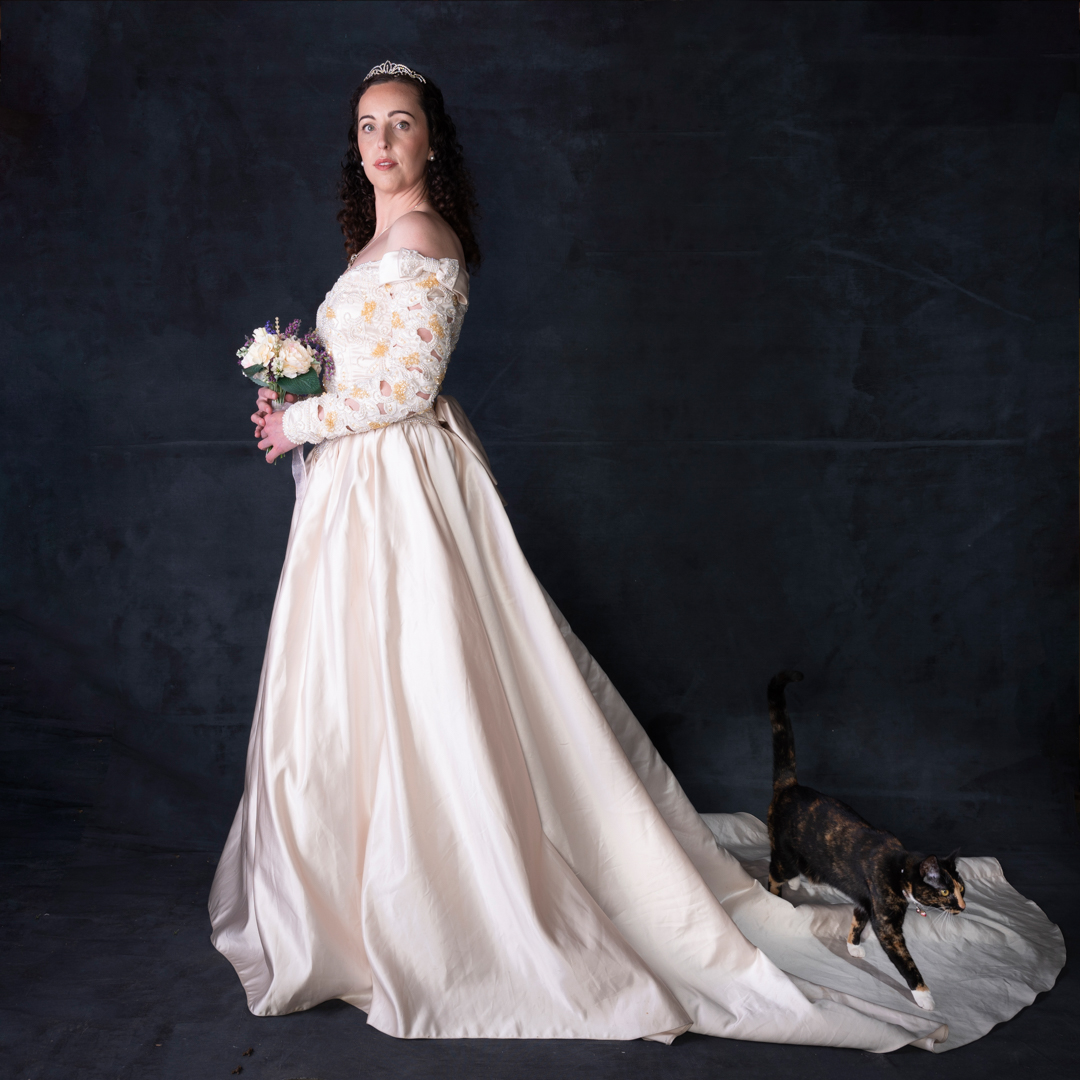
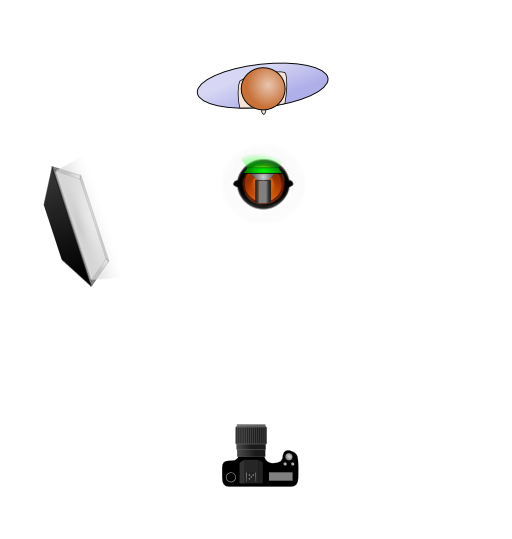
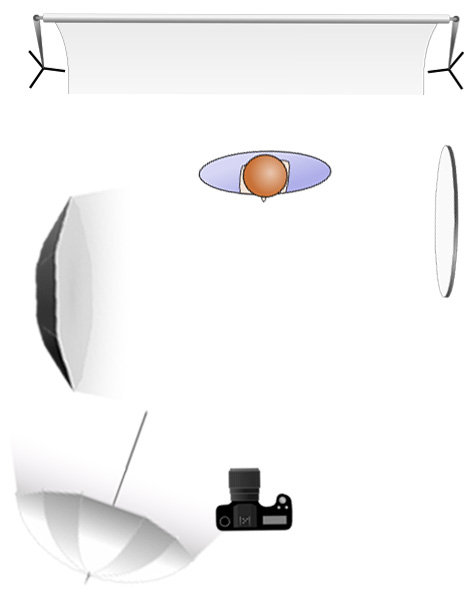
The main light was my Godox AD600 in a 1.5 m octabox positioned at a 90° angle camera left. This provided for in coverage and insured that we got catchlight in the eyes. A reflector camera right provided a bit of fill on that side. At the rear of the room an Elincron D400 fired into a 7″ umbrella with a diffusion panel to further provide fill.  
I have bought a almost full size skeleton and so Devon had fun interacting with it.

Yhe month before the shoot I had travelled to Christchurch and spent some time in the Christchurch Museum. In one of the rooms they had animal skeletons on display. I thought these could be useful. So, I took a couple of photos. I then composed them into an image with Devon and Katie. I was quite pleased with the result
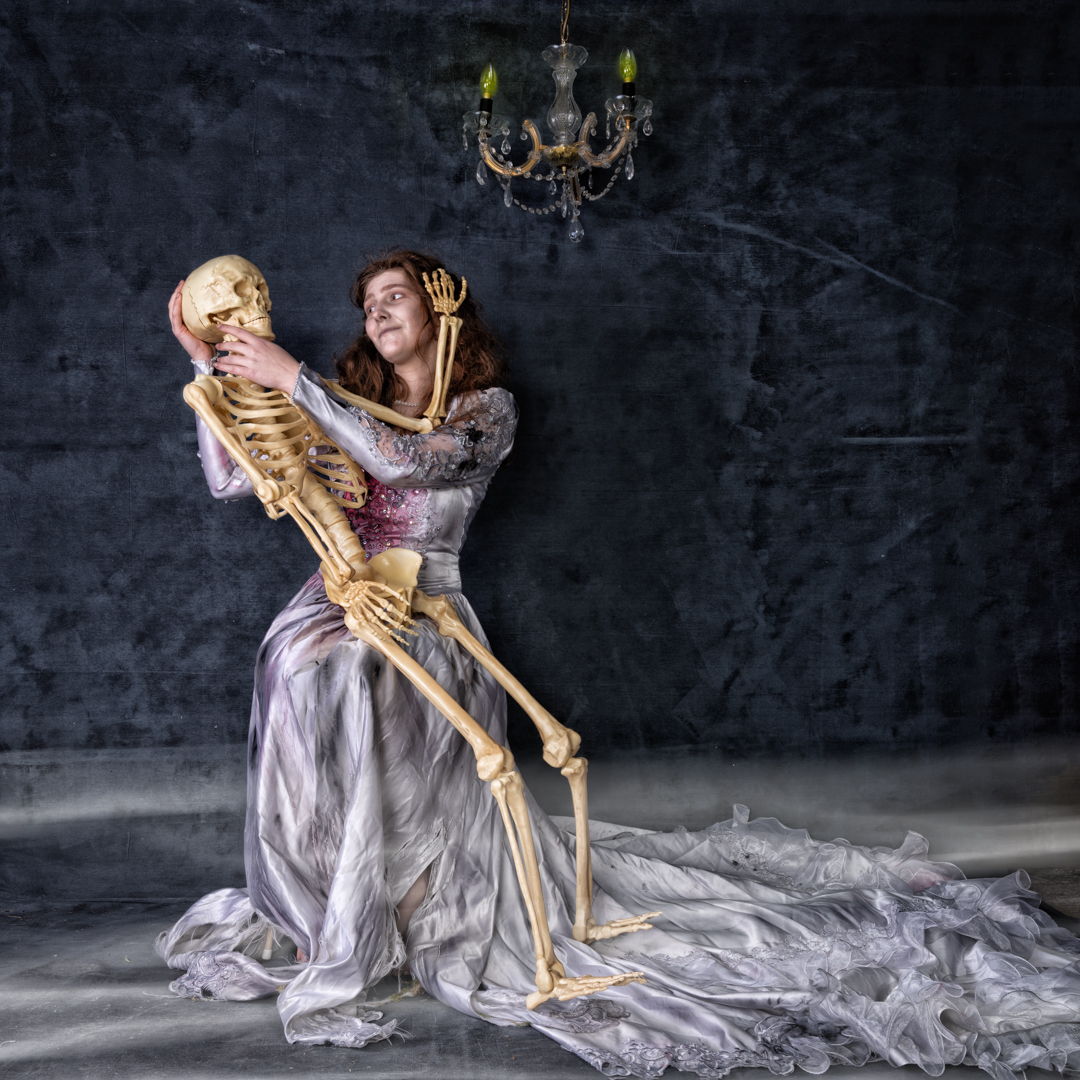
All of the images we shot with my Nikon Z6ii camera using a 24 -70 4.0 lens. camera was in manual mode set a 1/200s f8 at ISO100. 

In my camera collection I have an old double lens camera . The camera doesn’t work but models seem to find it interesting. Therefore I have used it as a link image by getting them to imagine using it to take a selfie.

Corpse Bride – Part 3 Outdoors

This is the third post from my 2022 Halloween themed shoot.

After getting the shot for the ghost image, we then brought Katy into the image and we had Devon interact with her in a most threatening way. 

As mentioned previously the area was in shade and I was finding that there was not enough light. So I brought out my Godox V1 speed light in a small 24 inch soft box and positioned it camera right.  This added sufficient light for what I needed.

All of the images we shot with my Nikon Z6ii camera using a 24 -70 4.0 lens. camera was in manual mode set a 1/200s f8 at ISO100. 

Most of the final images from this sequence received relativey simple adjustments in photoshop but the main one received an extensive edit. The video below shows the layers in the Photoshop file.

The first step involved removing items that had come into frame such as flex leaves. Although Eden had done a great make up on Devon I decided for this image I wanted more. So I added a hue/saturation layer and completely desaturated Devon.

I then dodged down the highlights on Devon’s face. This was done by creating a 50% Gray layer setting the blend mode to soft light and then painting with a black brush. After this I add a Colour Lookup layer the image using the moonlight option. This was then lightly masked around my character and the layers opacity was set to 57%

Finally I created a stamp visible layer and on this used Color Effex Pro to get the final look I was going for. 

Corpse Bride – Part 2 Ghost

This is the second post from my 2022 Halloween themed shoot.

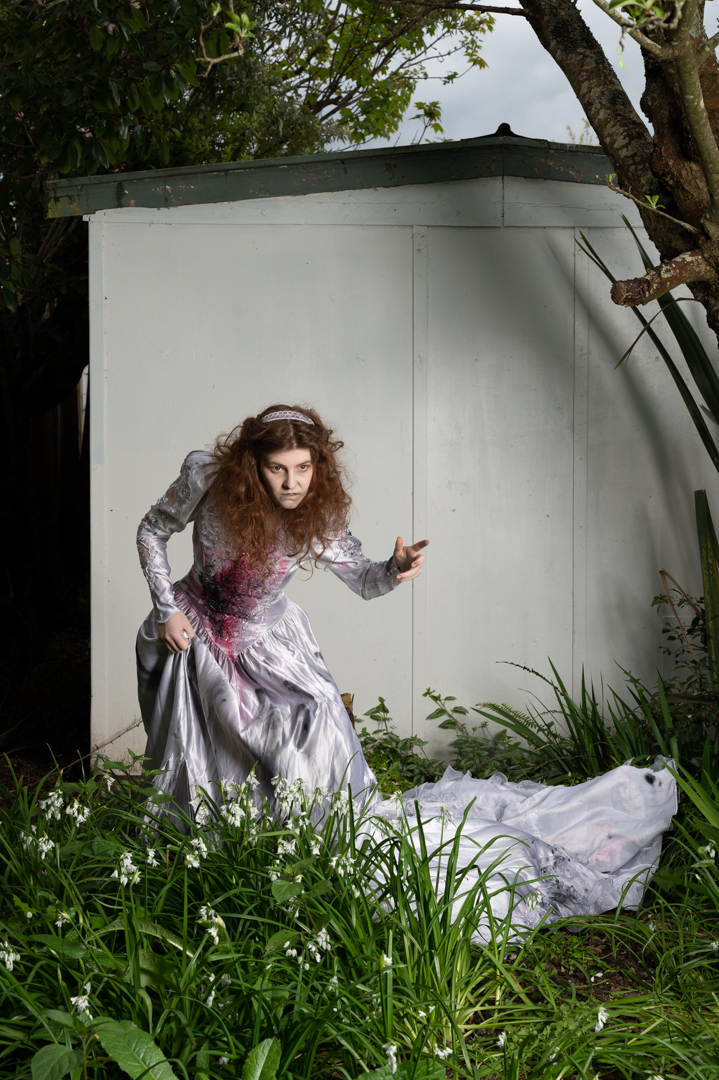
If I’m going to the effort of costuming a model I want to get the maximum amount of shots from the session. Given that the theme was corpse bride I thought that it was quite appropriate to have her as a ghost in a graveyard.

Not far from home is an old church with a section a small section of graves that date from the late 1800s. I am always mindful of the sensitivity about shooting in graveyards. For this reason I decided that I would composite the image rather than take Devon to the site.

The actual show was scheduled for a Sunday so on the Saturday I went to the graveyard at around the same time that I figured we would be shooting the next day. I did this so that light would be as close as possible to that on the day.

The back of our old garage has a plain wall and the ground was covered in onion plant. This had two advantages. Firstly, the wall made it easier to cut Devon out from the background. Secondly the plants covered her feet. Composing a person’s feet into an image is one of the most difficult parts of the process. Therefore, if you can cover them or not show them it makes the process much easier.

The area that Devon was in shade and I was finding that there was not enough light. So I brought out my Godox V1 speed light in a small 24 inch soft box and positioned it camera right.  This added sufficient light for what I needed.

All of the images we shot with my Nikon Z6ii camera using a 24 -70 4.0 lens. The ones in the graveyard were shot at f8 ISO100 using aperture priority which set a shutter speed of 1/80s. For the ones in the garden the camera was in manual mode set a 1/200s f8 at ISO100. 

Once ahead of the images it was a matter of choosing the best background and the best image of Devon and bringing them together in Photoshop as shown in this video.

Once Devon had been positioned and masked I applied both exposure curve adjustment to her. This was to balance her more to the background. Once I was happy with that I created a stamp visible layer (SVL) onto which I applied the moonlight LUT which is one of the standard colour look up tables. After that I tweaked the hue/ saturation particularly around Devon.

Once this was done another SVL was created. I did a slight brightness correction before creating another SVL where I masked out everything but Devon. This layer’s blend mode was set to softlight so that the effect was very subtle. Finally I created another SVL and on this used Color Effex Pro to get the final look I was going for. 

Corpse Bride Shoot – Part 1

Each year in October I plan a Halloween themed shoot. In 2022 I decided to reuse a dress from the previous year and create a corpse bride shoot. I knew that Devon would be perfect for the shoot and was really happy when she agreed to do it. The original concept was only to have her in it. During the fashion shoot with Katie, we were talking about the shoot and Katie sh said she would be keen to take part.

So we modified the concept so that the corpse bride was unhappy that her groom was marrying someone else. I reached out to a friend who has a whole collection of wedding dresses and brought four to choose from. I also enlisted the assistance of Erin Gibbons to do both bridal and horror makeup. 

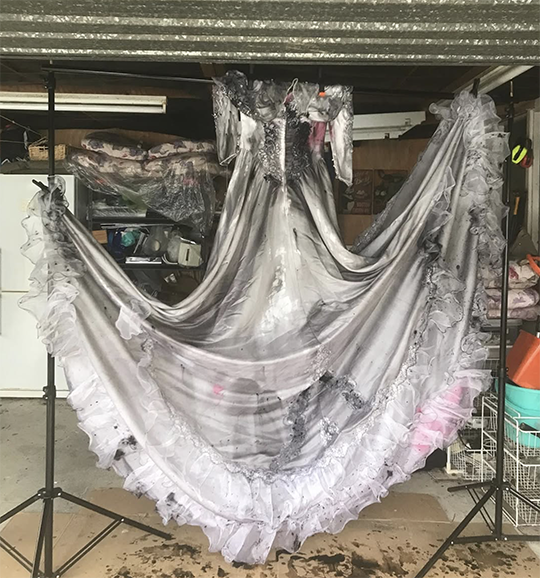
I took the dress and further distressed it. First, I soaked it in diluted black poster pipe. Then we added rips to it.

Normally I shoot alone but for this session I invited two other photographer friends to take part. Rochelle lives in Palmerston North and has a wicked since of imagination. Toya mainly shoots birds. As she had invited me to shoot on a number of occasions. I felt it was appropriate to return the favour.  

The initial set was set up in my garage as it had sufficient room. I used the canvas backdrop that I had painted previously. From the roof I hung a chandelier to add a little extra element.

The main light was my Godox AD600 in a 1.5 m octabox positioned at a 90° angle camera left. This provided for in coverage and insured that we got catchlight in the eyes. A reflector camera right provided a bit of fill on that side. At the rear of the room an Elincron D400 fired into a 7″ umbrella with a diffusion panel to further provide fill.  

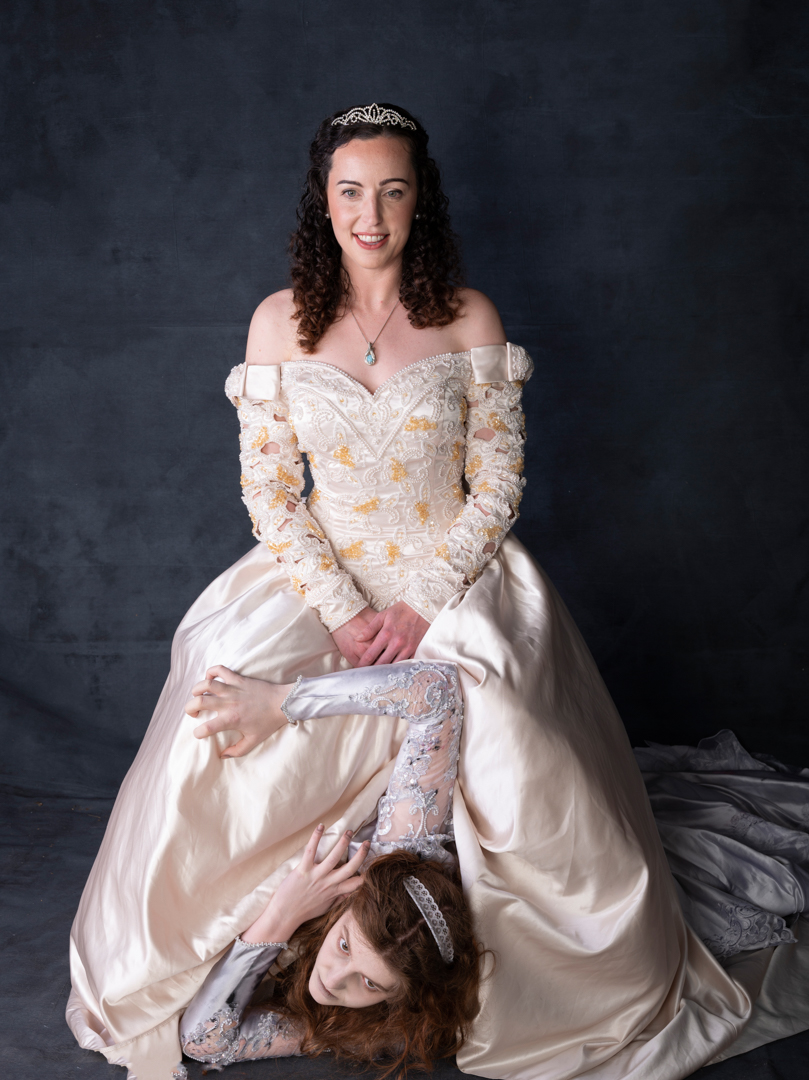
Devon was told to act like she was a ghost and two interact with Katie by trying to annoy her. Katie was told to look like she was completely unaware of Devon. Both pulled off these rolls perfectly.

All of the images we shot with my Nikon Z6ii camera using a 24 -70 4.0 lens. The camera was in manual mode set a 1/200s f9 at ISO100. This is my standard setting for studio work. It provides a reasonable depth of field as well eliminating all ambient light. This means that I am in full control of the light.

My original plan was to set up the lighting. Then, I would allow each of us to take turns with the trigger. While I am totally comfortable with flash, the other two were not. We discovered that if we opened the rear door of the garage it let in enough light for them to capture their images without affecting mine.

Everyone enjoyed this part of the session and some great images came from it.

Halloween 2021 – Part 5 (The Witches Death)

This is the fifth and final instalment in my 2021 Halloween Themed editorial. The story continues:

But just before the blade can hit Red comes out of the trance. The Witch had forgotten that the spell only lasted so long. She fights with the witch and stops the knife.

Red stands and picks up a sword lying nearby.

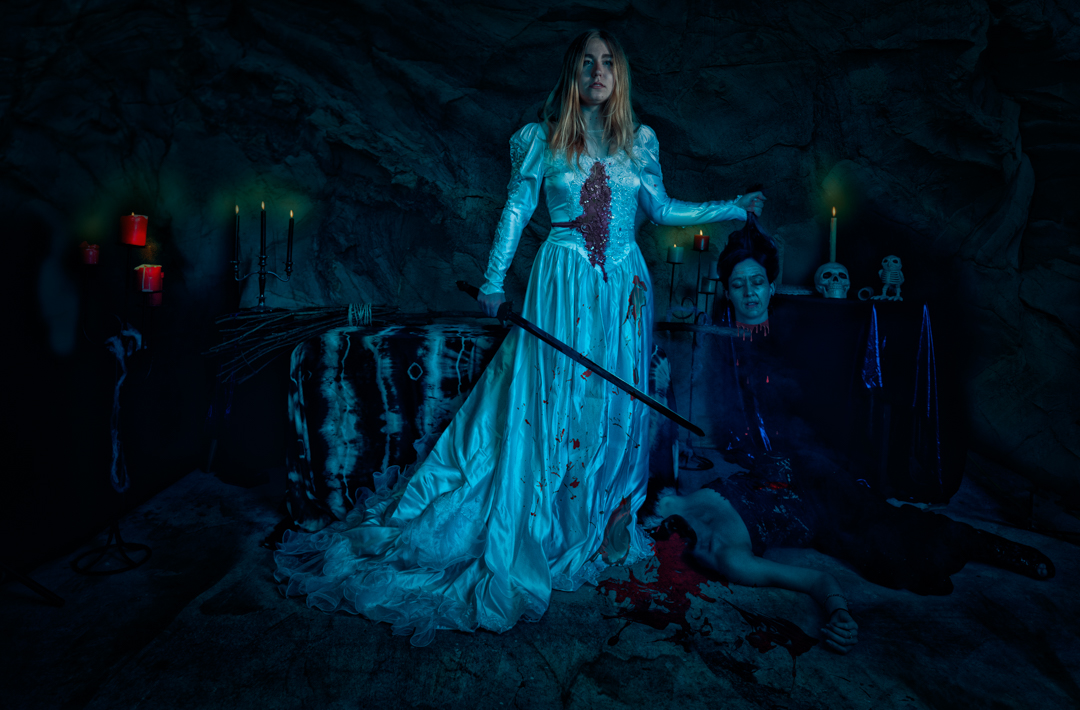
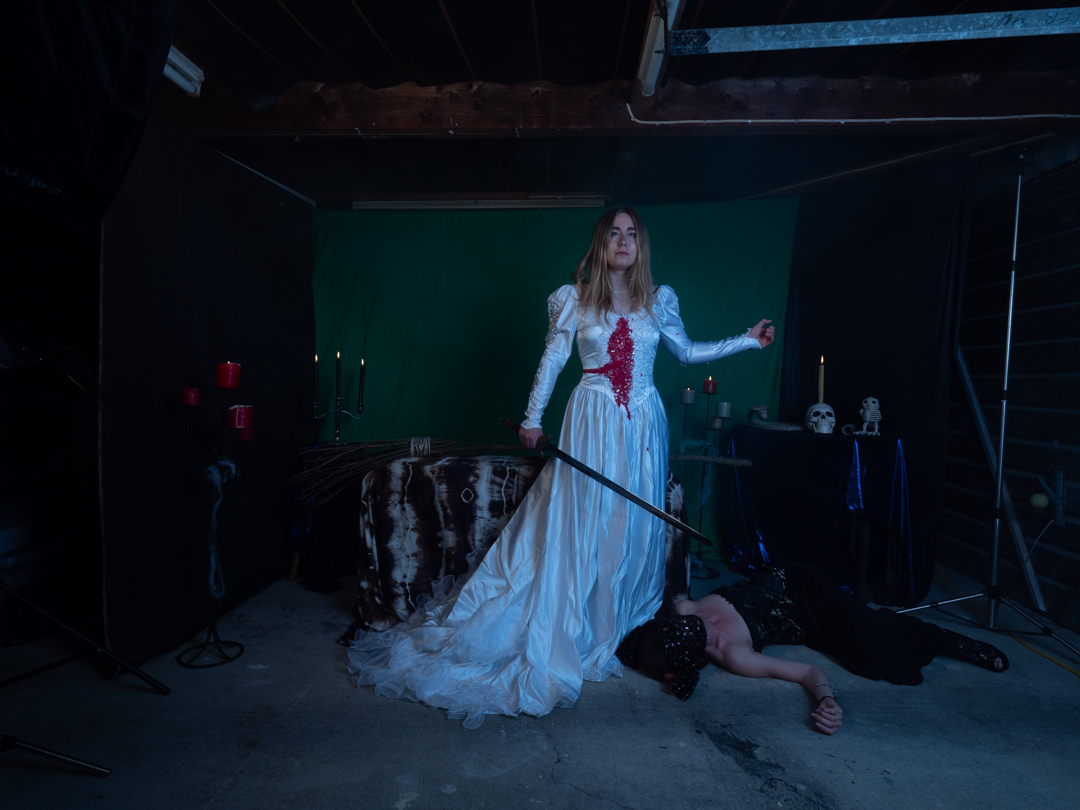
Before the witch can react she swings it removing the witches head from her shoulders. Triumphantly Red picks up the witches head. As with most fairytales good has triumphed over evil. But in our modern fairytale the damsel in distress does not need a prince to save her.

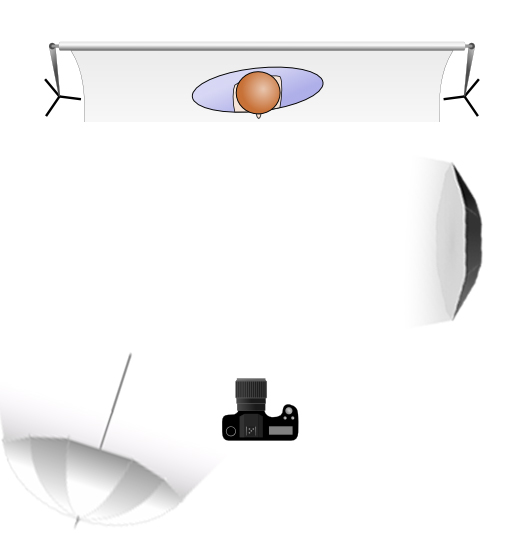
The lighting for this part of the shoot was a two light set up. The main light was positioned camera right at a 90° angle to the subject and provided the main illumination. At the rear of the room I had a 7 foot umbrella with diffusion set at a low power to simply fill in the shadows

These image were shot at f8 1/125s ISO200 to ensure that I had sufficient depth of field. The main difference from the previous setup was that the camera was now placed on a tripod to make the composite easier.

We shot two images were Lexy held the same pose but where Sian changed positions. For the body part I covered Sian head to make it easier in post.

In Photoshop it was a matter of putting both images in a document and masking the Sian’s body from the top image, and then creating the blood and open wound.

Then the image received the same treatment as the rest in the series. Overall it was darken and the rock texture was added to the rear. The image was then run into Nik Color Efex Pro to create the high texture image. Finally the moonlit LUT was added.

I was really pleased how the overall series went and everyone seemed to enjoy the series when I released them each day leading up to Halloween.

Halloween 2021 – Part 4 (The sacrifice)

This is the fourth instalment in my 2021 Halloween Themed editorial.. The story continues:

The Witch takes Red back to her lair and puts her in a wedding dress so that she can be a bride sacrifice to Satan the Witches Master.

The witch pour blood over Red and it about to make deep cut.

For this part of the shoot I built a small seat inside the garage in positioned various prompts around the scene. I chose a green background because I knew that I was going to replace it and I hoped that using green would make it easier.

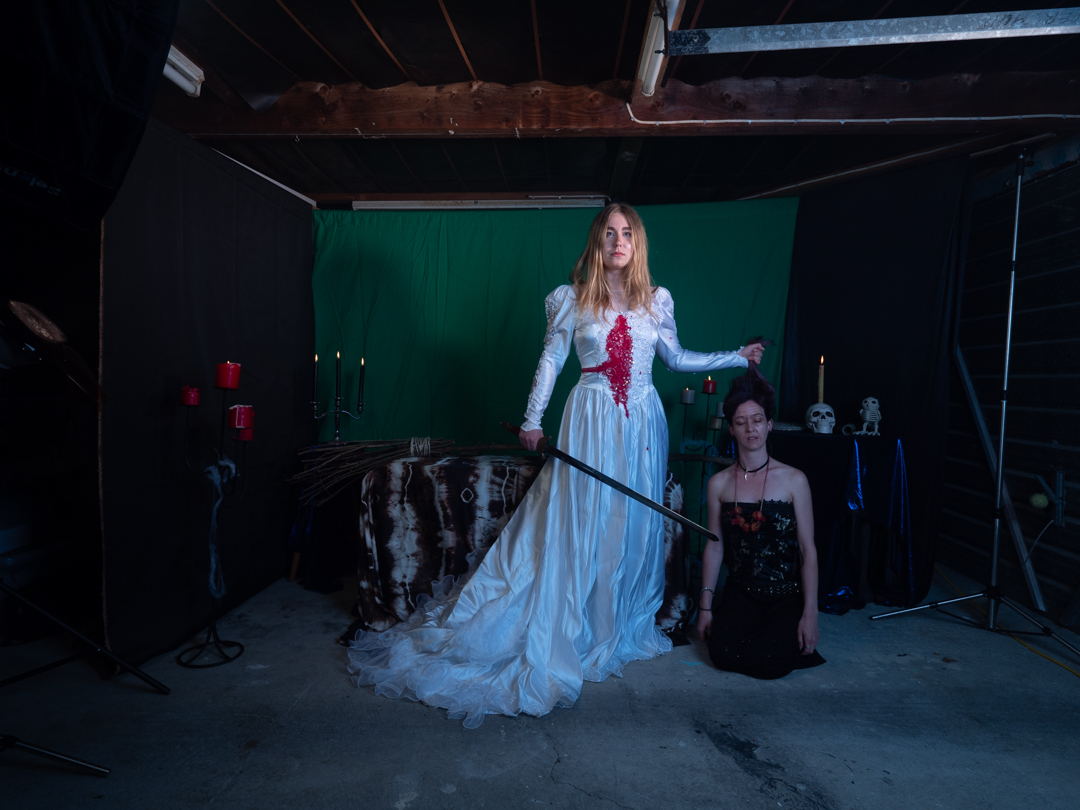
The lighting for this part of the shoot was a two light set up. The main light was positioned camera right at a 90° angle to the subject and provided the main illumination. At the rear of the room I had a 7 foot umbrella with diffusion set at a low power to simply fill in the shadows The image above shows what the shots look like straight out of camera.

These image were shot at f8 1/125s ISO200 to ensure that I had sufficient depth of field.

In Photoshop the image overall was darken and I added a rock texture to the rear. The image was then run into Nik Color Efex Pro to create the high texture image. Finally the moonlit LUT was added.

In the next instalment we wrap up the story.

Halloween 2021 – Part 3 (Red meets the Witch)

This is the third instalment in my 2021 Halloween Themed editorial.. The story continues:

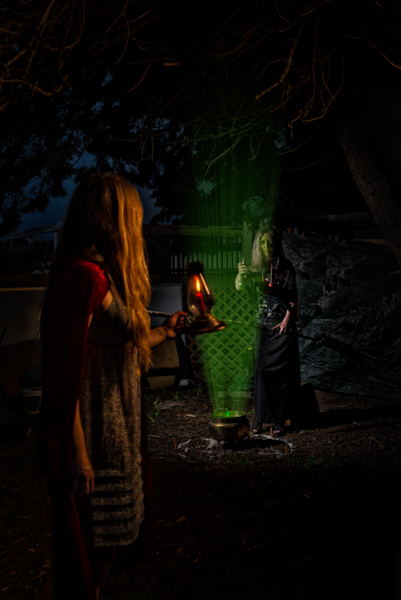
“Red wanders into the forest. Hearing a strange sound she ventures towards it and sees a green glowing light and a strange lady hovering over a glowing cauldron.”

“The witch looks up and sees the candle awakening red to come closer. But when she is in range the witch casts the spell over read and she loses full control of yourself.”

The challenge with lighting this image was that I only wanted to bring the two characters out from the background but I did not want a lot of spill as that would ruin the impact. Therefore using a single large light source would have not achieved my look.

The lighting on the witch was the same as in the previous post and used a speed light in a small square soft box. I added a second Godox speed light in a 65 cm round softbox positioned camera right and just in front of Red.

The settings were slightly changed to f4.5 1/60s ISO100.

For the shot where the Witch puts the spell on Red, I changed positions and moved the Godox speed light in a 65 cm round softbox to be positioned camera left and just in front so that it would light up both of the subjects.

While the softbox was coming into the shot, I knew it would be an easy fix to remove it in post. Plus with it being so close to the subjects I knew that the fall off of light would be quite dramatic.

In post I cropped it down , darken down the background and then added a glow emanating from the cauldron using a mist brush that I had downloaded. I also applied a Moonlight Colour Look Up (LUT) which is one of the LUT’s that comes standard in Photoshop.

In the next post we move back inside for the sacrifice.

Halloween 2021 – Part 2 (The Witch)

This is the second instalment in my 2021 Halloween Themed editorial.

The story continues:

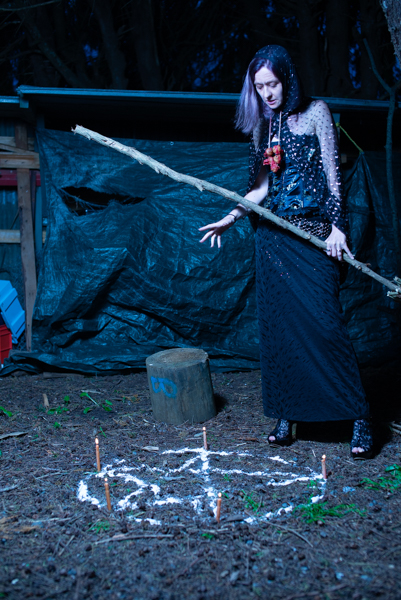
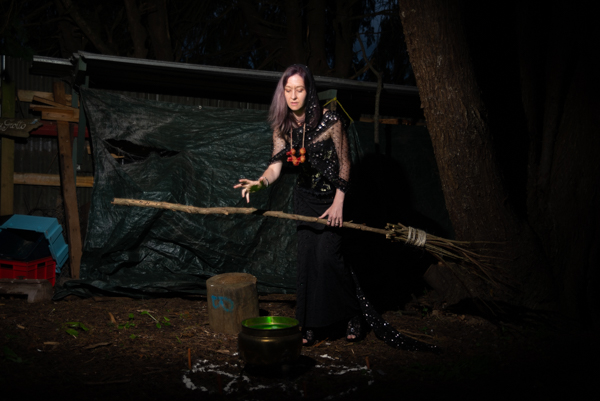
“Deep in the forest the witch begins rituals for All Hallows Eve brewing up a strong potion and hoping that a suitable victim for her planned sacrifice will come along.”

In my original planning for the shoot I wanted to have three witches reminiscent of the scene in Shakespeare’s Macbeth. Unfortunately I was not able to achieve that and Sian was the only one who was available. We had shot together before so I knew that she could bring the character to life. I constructed a mini see it in the back of our section and made her witches broom.

Please note that most of images shown on this page are outtakes that were not used so they have not been processed. with shoots like this you do end up with a lot of images that you will not use especially those when you were trying to achieve particular lighting look.

I used a single Godox speedlight is a small square soft box positioned camera right to illuminate Sian. A lume cube was placed inside the cauldron with a green gel to cast light from below. Halloween is one of the few occasions where you can get away with lighting a subject from below.

The settings on the camera did not change from the first shoot namely 1/100s f2.8 ISO100.

As the series was in intended for Instagram in post I cropped it down to a portrait orientation, darken down the background and then added a glow emanating from the cauldron using a mist brush that I had downloaded. I also applied a Moonlight Colour Look Up (LUT) which is one of the LUT’s that comes standard in Photoshop.

In the next episode Red meets the Witch.

Halloween 2021 – Part 1 (Red)

Each year in October I challenge myself to shoot something with a Halloween theme. Back in 2021 I took this one stage further and decided to shoot another story similar to what I had done earlier with the Dressmaker series. This is the story of Red and the Witch a modern interpretation of fairytales. It will be split over five posts as each used differing lighting techniques.

The story begins:

“Red was not the brightest girl in town and she had to habit of ignoring any type of warning that she was given. The main one was to not venture into the dark forest after dark and especially not around all hallows eve. Of course that is exactly what she did.

I placed the casting cool on Facebook and Lexy was one of the ones who responded to it. In looking through the pictures it was obvious that she would play read.

We set up in the garage and she was lit using a 65cm round soft box with placed camera right. This insured that the light fell only on the model and did not spill into the background. The shorts were taken at f2.8 ISO 100 1/ 100s. The candlelight is real and was not advanced. They glass container that it was in dead cause a problem with reflection of the lights. Unfortunately there was nothing I could do about this other than toning it down.

The image was proceed through Nik software to increase the texture and boost saturation. You can see the original version below.

In the next instalment we meet the witch.

Marianne Levitation Shoot

One of the things that I am very mindful of when working with models on my personal projects is that the images produced from them may not be what the models would necessarily put in their portfolios. For this reason I always offer them a second shoot where we will photograph their concepts. This was the case with Marianne who was my model for Pisces in the Zodiac series.

Marianne requested that we do a levitation shoot, as well as one involving a water look. Close to us is a disused scientific complex that I could get access to so I decided this would be a perfect location for the shoot.

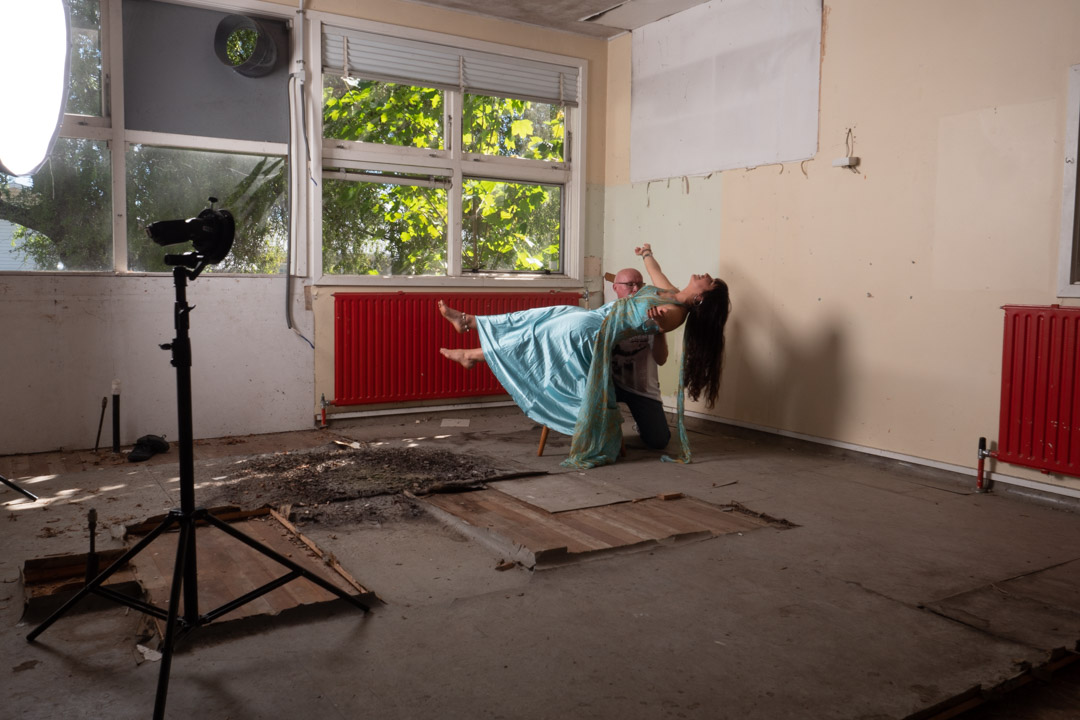
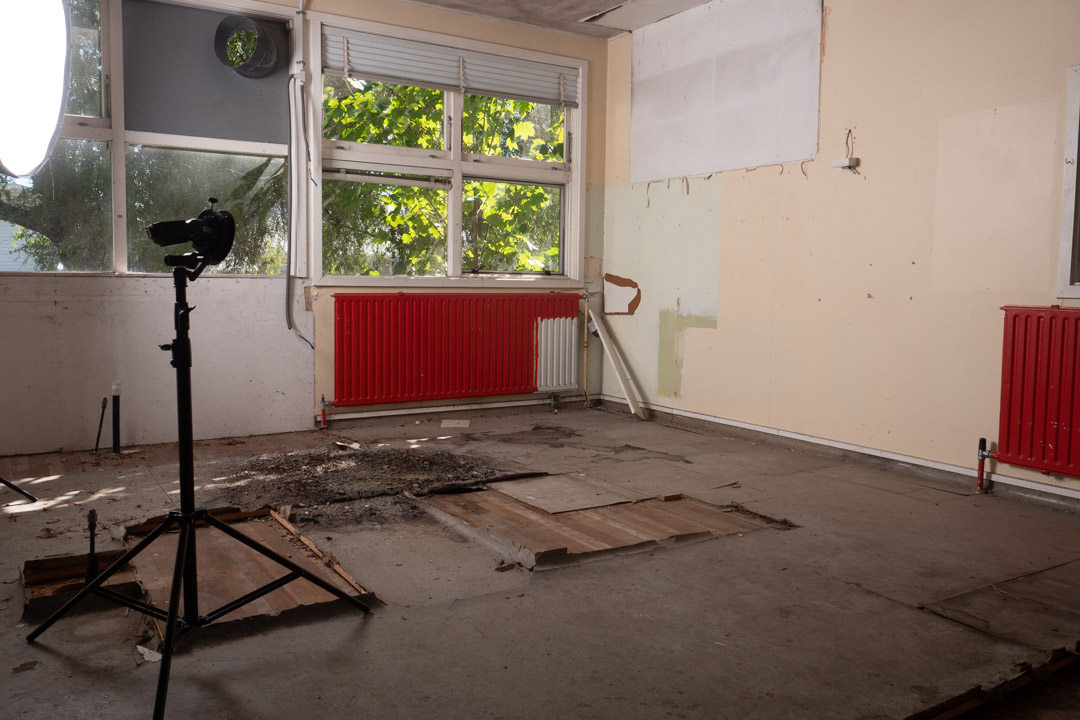
Levitating a person is a relatively simply process and much easier than the food mentioned in my previous post. In its simplest form you take an image of the empty area and then have your model lie across a chair or stool. You them blend the two images together in Photoshop and mask out the support.

We used the dress from the Aquarius and Cancer shoot as it was quite flowy. This makes hiding the stool a lot easier and also makes the shot more believable if fabric is falling down.

The issue that we ran into was that Marianne could not balance herself far enough out. The solution was then to set the camera on a timer and I would support her. Her hair did present a problem so we ended up shooting with me in two locations and bringing those together in post.

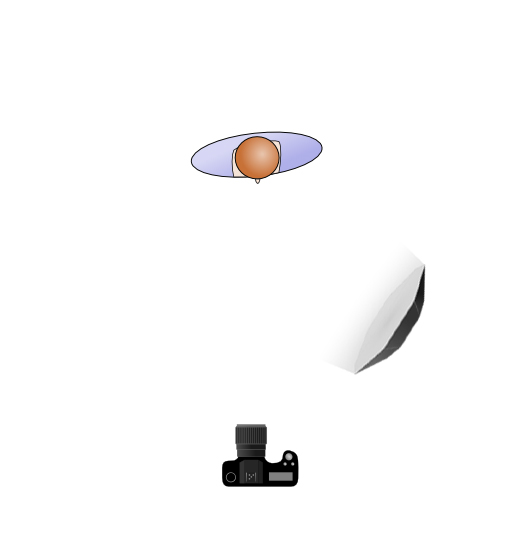
I generally shoot my blank image at the end of the shoot so that I can be sure that the light falling on it is the same as for the other images. As can be seen in the images we were using two lights, in addition to the small amount of light coming in from the windows. The large light was in a 1.5m octabox to provide fill and the main light was a bare flash at a low power aimed at Marianne’s hair.

To make the job easier I also took a second blank with the light stands pulled back as you see they are not present in the final image.

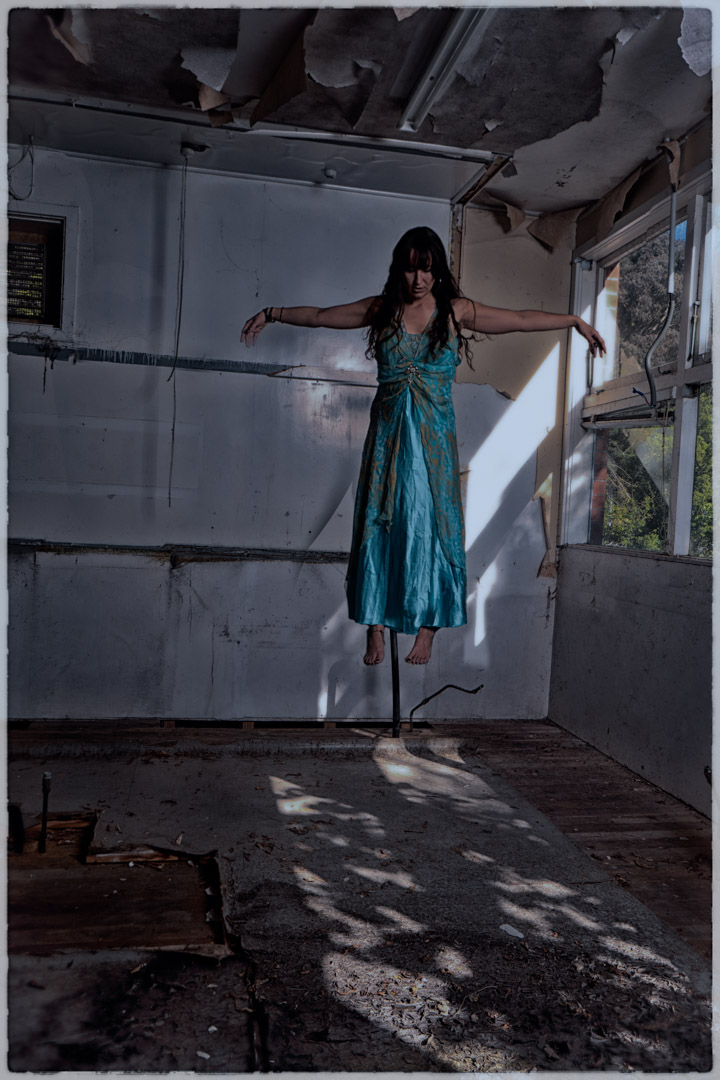
We then turned around to produce another shot. Unlike the first this area was getting a lot of light from outside and I wanted to incorporate that in the finished result. So I set my camera at 1/100s f8 so that it would not completely overpower the light. I then positioned the Octabox camera left but had it on a very low power to only lift the shadows and not remove them completely.

The concept behind this shot was to be a lot darker and spooky so I had Marianne stand on the stool with her arms stretched out and head down.

To get her feet dangling we then moved the stool out and had her sit on the top of a ladder. While this was not in exactly the same height as the stool, it was reasonable close.

Back at the computer the three images were merged together. As she was in a long dress this make blending the feet and the rest of her much easier. I decided to exclude the lace at the back of the dress.

I used Nik Software to really darken down the image and in the process made it look like it was shot at night with the light of the moon.