I love playing with reflections in camera and also water. It was no surprise that my first shoot of 2022 would involve both of them.
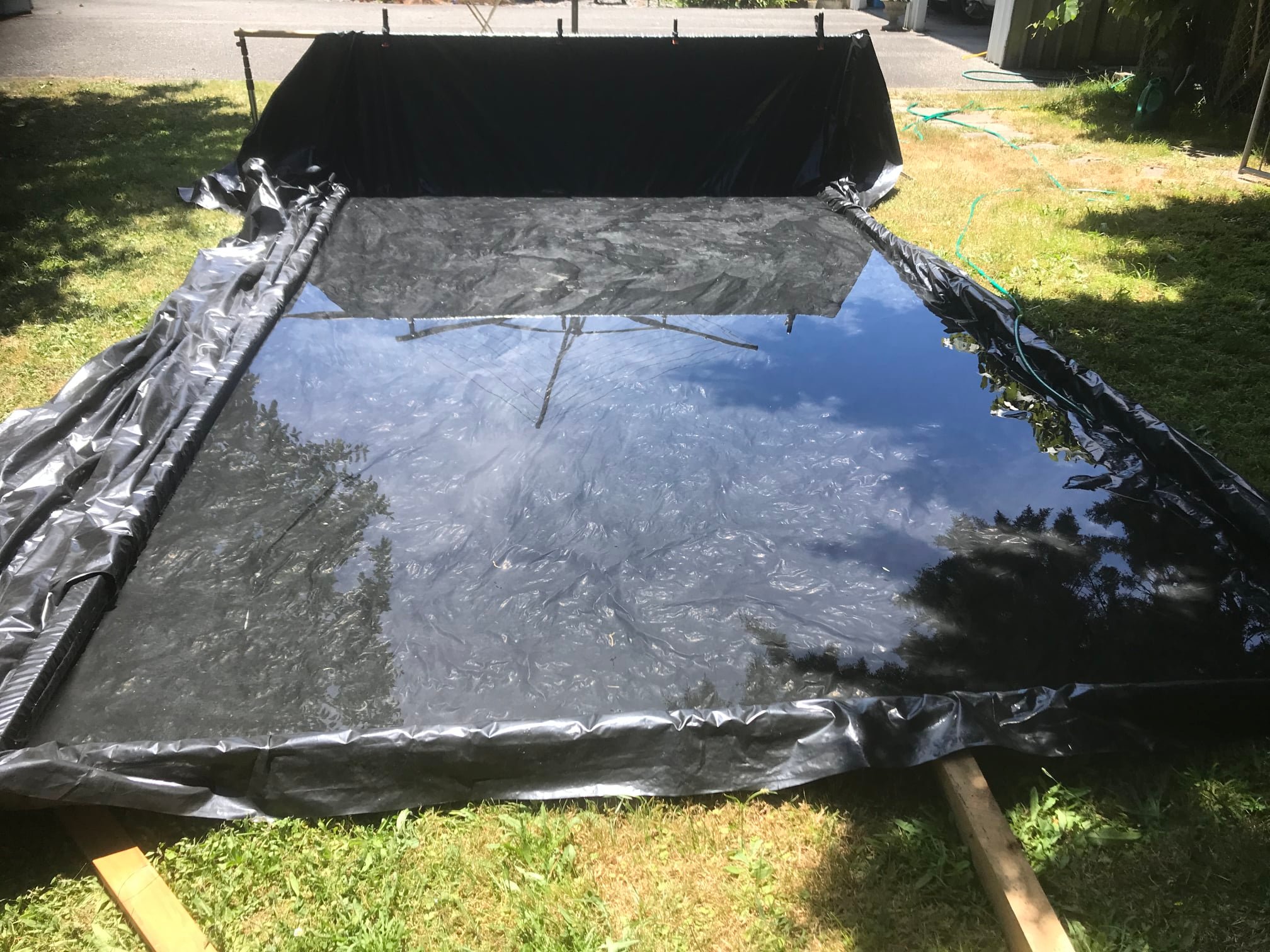
I used a long length of black polythene sheeting and several lengths of 4 x 2 timber. With these materials, I constructed a reflecting pool in the back garden. I filled it up with about 2 inches of water. I then left it to heat during the day. As it was the middle of summer the water managed to get to a very balmy 42°C which is 107.3°F for my American readers.
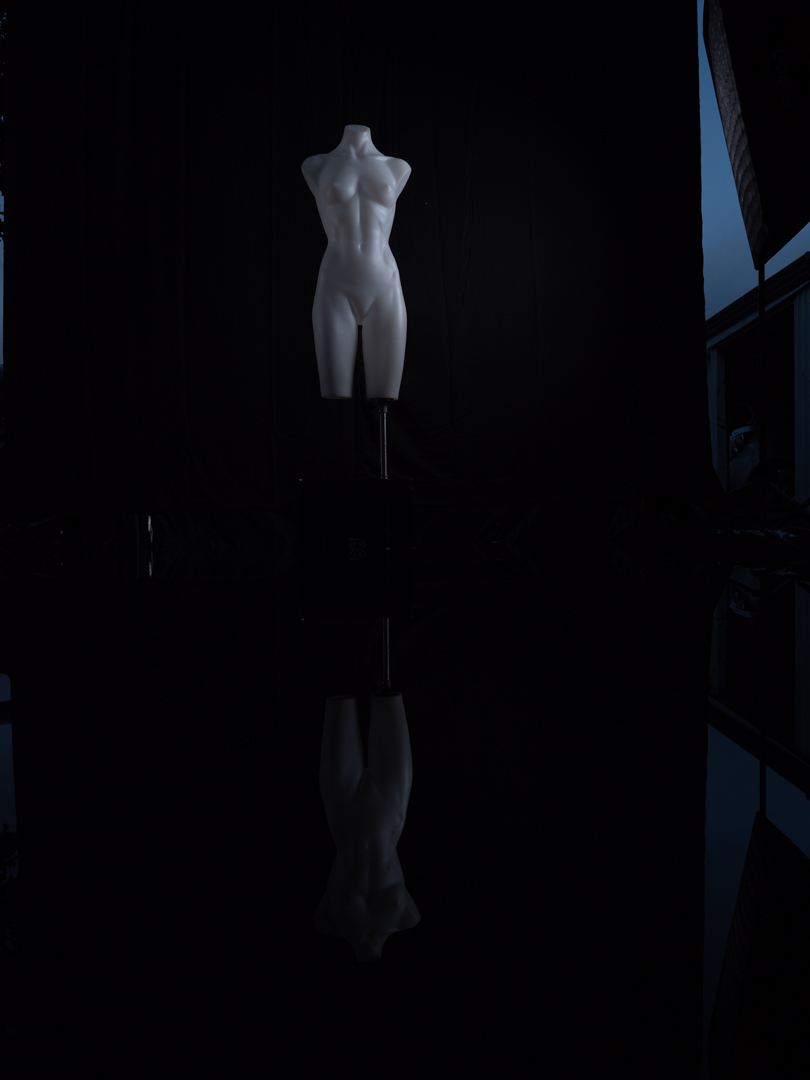
Sian had agreed to be my model for the shoot which was booked for 5 January. To avoid wasting her time, the pool was built the day before. That night, I moved my mannequin out and lights out. I did this to set up lights and determine what settings were needed to capture the images I was after.
I initially tried a single light from the end of the pool. I discovered that it was not strong enough to give me a strong reflection.
So I ended up positioning two gridded soft boxes on either side. In addition a softbox was positioned just to the left of the camera. This gave me the look it was trying to achieve.
The camera settings were my usual when I wanted to control light and have a decent depth to the field. (1/200s f8 ISO200 using a 50mm equivalent on my Lumix G9).
Running a test shoot under the same lighting conditions as you plan to use is advantageous. It enables you to identify issues early and also make the shoot smoother. Any problems that need rectifying can then be addressed.
I noticed that the black plastic at the rear of the pool was picking up too much light from the strobes. This was proving to be a distraction and needed to be eliminated. This was simply achieved by running the fabric background into the water.
This post covers the last shoot I completed in 2021. It was a collaborative effort with local stage actress Mandy.
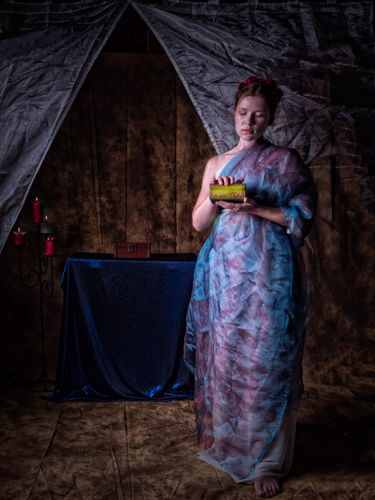
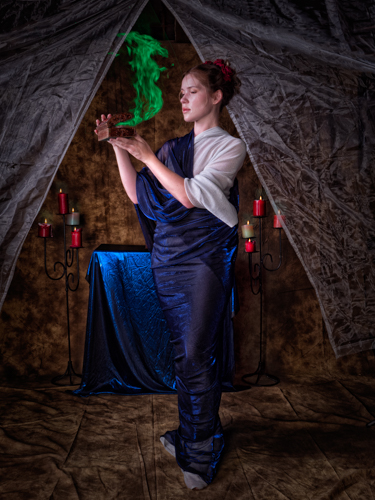
In Greek mythology Pandora was the first woman created. Her curiosity led her to open a jar that Zeus has filled with a whole lot of bad things. As a result mankind was subjected to all of them.
Mandy wanted to bring the myth to life. I knew this would mean some elements would be shot in camera, and others would be created in the computer.
I built a muti-layered set in the garage using lengths of lace. We also fashioned a simple robe for Mandy to wear.
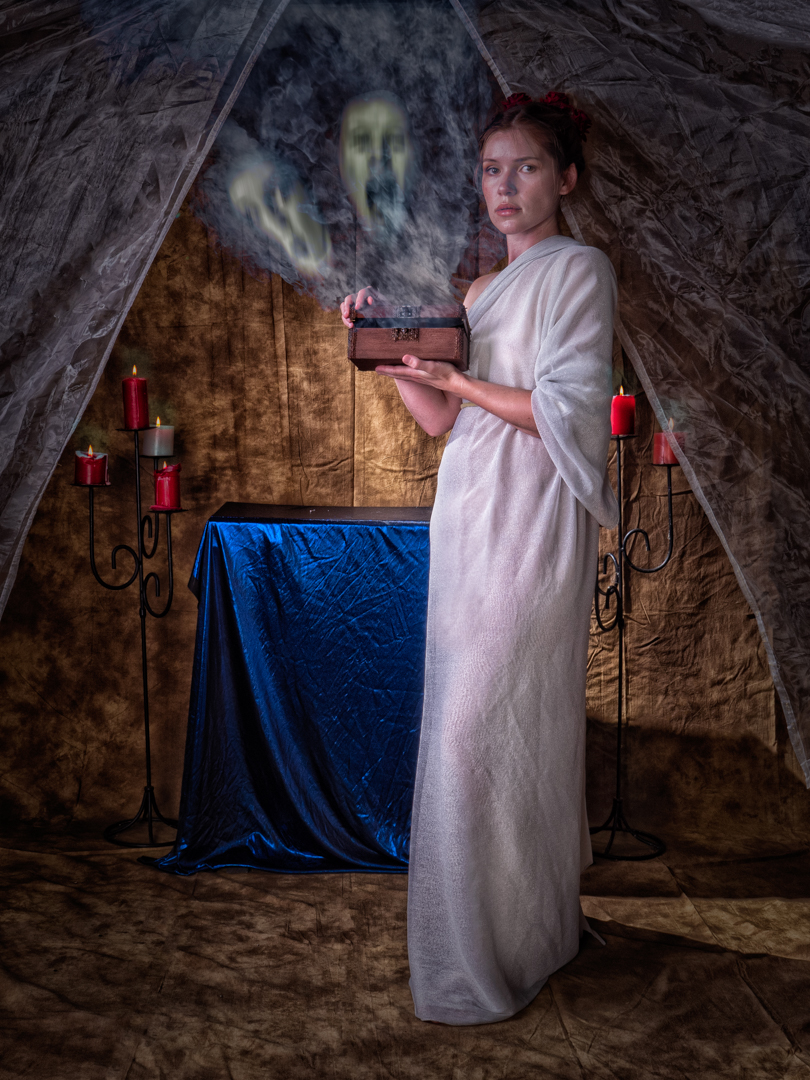
The lighting in the two images above was very simple. A single large soft box was positioned camera left. The camera was set at 1/200s f8 ISO200 and an equivalent focal length on 24mm.
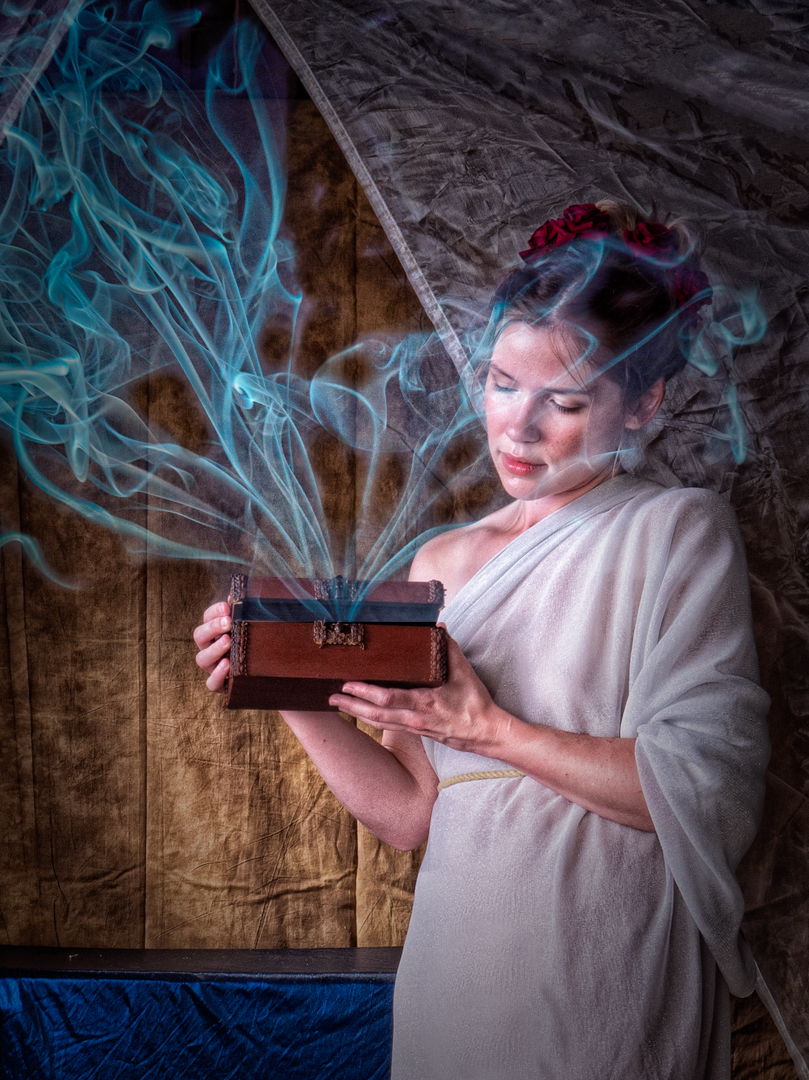
For the images where Pandora was looking into the box I positioned a speedlight in a snoot at the edge of the frame. This was aimed it Mandy’ face.
The post processing mainly involved toning the image and then adding the elements coming out of the box. This involved blending in images I had of smoke or creating beams of light mainly using exposure and colour.
The faces in the first image are self portraits captured direct into the computer and then distorted. I also added the flames on the candles.
In addition to the three images shown above I edited a further eight with differing effects. These were shot at various parts of the day. You will note that the costume changed slightly as evolved it.
It was a great shoot and a great way to finish off the year.
In photography, as with other art forms, there is nothing wrong with taking inspiration from the work of others. Or even copying it as long as you don’t try to pass it off as your own.
I have long time admirer of work of New Zealand photographer Brian Brake OBE. He shot editorial series through the 1950’s – 1970’s appearing in such publications as Life.
Monsoon girl is Brake’s most famous image. It was also controversial because it was a ‘set-up’ shot shown in the context of photojournalism, where viewers assume the images are ‘real life’ witnessed by the photographer.
Monsoon Girl by Brian Brake
The subject, Aparna Das Gupta (later Aparna Sen), was an actress on a movie set. Many years later, she recalled that Brake, ‘…took me up to the terrace, had me wear a red sari in the way a village girl does, and asked me to wear a green stud in my nose. …Someone had a large watering can, and they poured water over me. Brake said, “Feel the rain on your face.”’
Given that it was a set up shot I knew we could recreate it without having to travel to India. I posted a casting call on Facebook for a model with Indian heritage and Sara responded so we set up a time.
As in the original the rain was provided via a watering can which was held by my daughter . We filled it with warm water.
To recreate the golden light of the original, I placed a full CTO gel over the AD600 that was firing into a 65cm soft box. If you look carefully at the first shot you will see that the orange is picked up in some of the water droplets.
Because I did not want a direct copy of Brian’s image I did not get Sara to wear a sari. Rather she chose a simple white dress.
All images were taken with my Nikon D 600 camera using a 70-200mm f2 .8 lens. The lens gave with the option of keeping well away from the water. The images were mainly shot at 1/200s f5 ISO200.
Sara really nailed the look I was going for and I was really pleased with the final image.
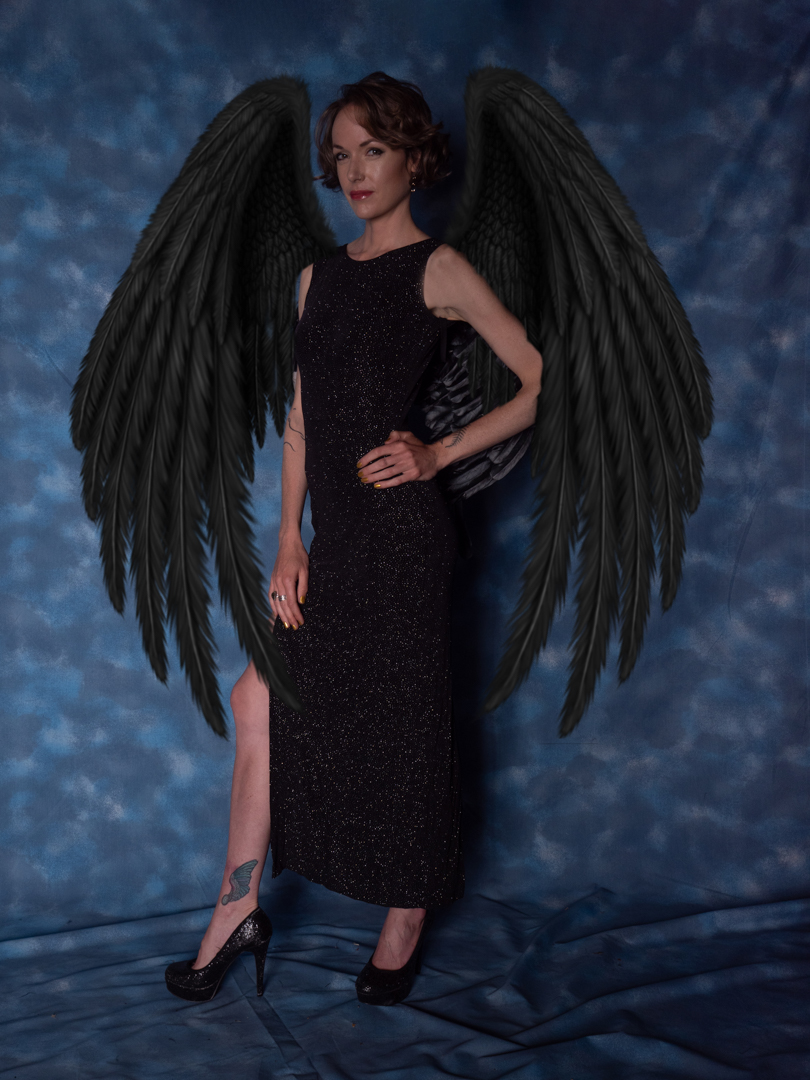
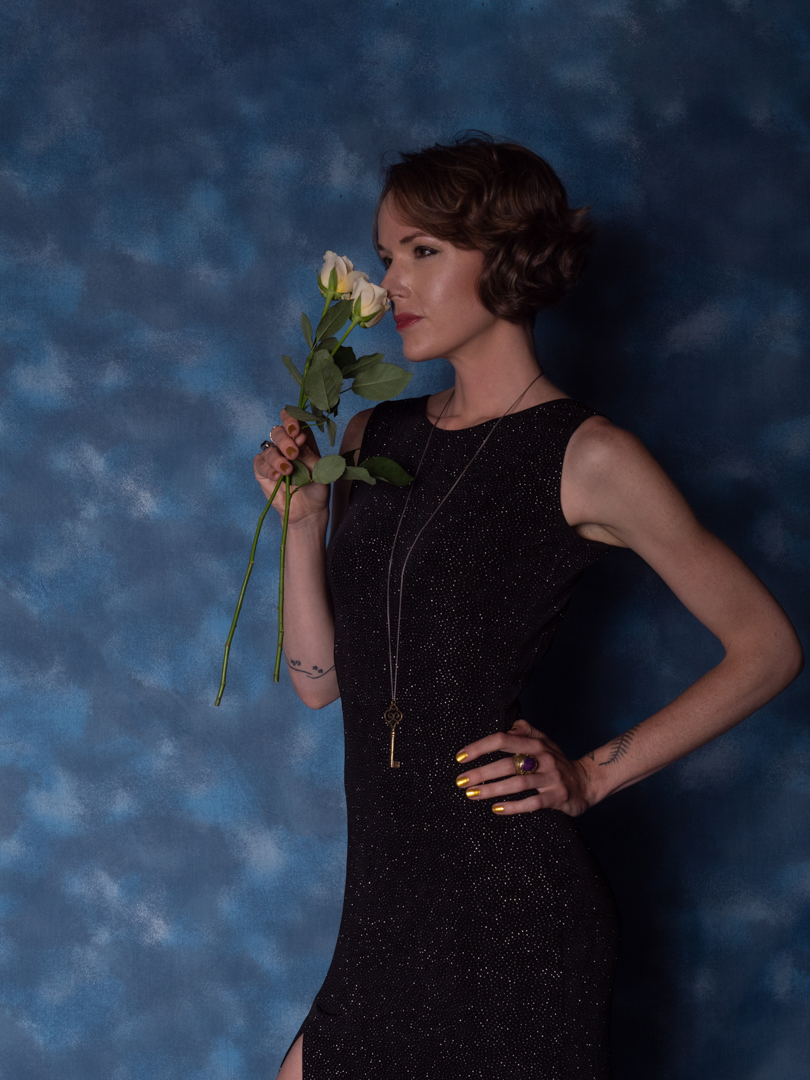
When Lucy and I were discussing her shoot, she mentioned that she wanted to create a dark angel look.
Lucy had brought a black top and skirt but it was not really working. So I grabbed one of my wife’s old ball dresses and a set of small angel wings. The wings were intended to be a simple placeholder with the intention of replacing them in Photoshop later.
We reduced the amount of light on the set to a single light in a beauty dish. That would provide some punch to the image but also allow for a lot of shadow.
The images were all shot on my Lumix G9 at 1/200s f8 ISO 200 and with focal lengths ranging from 34mm to 60mm.
Once I had the image selected in Photoshop I added wings that I had downloaded as a transparent PNG. I had to warp them to make them fit completely and then adjust them to fit the lighting.
I was really happy with the way the image came out. Recently I tried to use the new Generative AI features in Photoshop to create the wings. I cannot say that this made the process easier as it took several attempts to get what I wanted. That image is shown below.
When I book a session with a model especially one where I’m spending some time setting up the studio I would generally try to maximise our time together and shoot multiple outfits
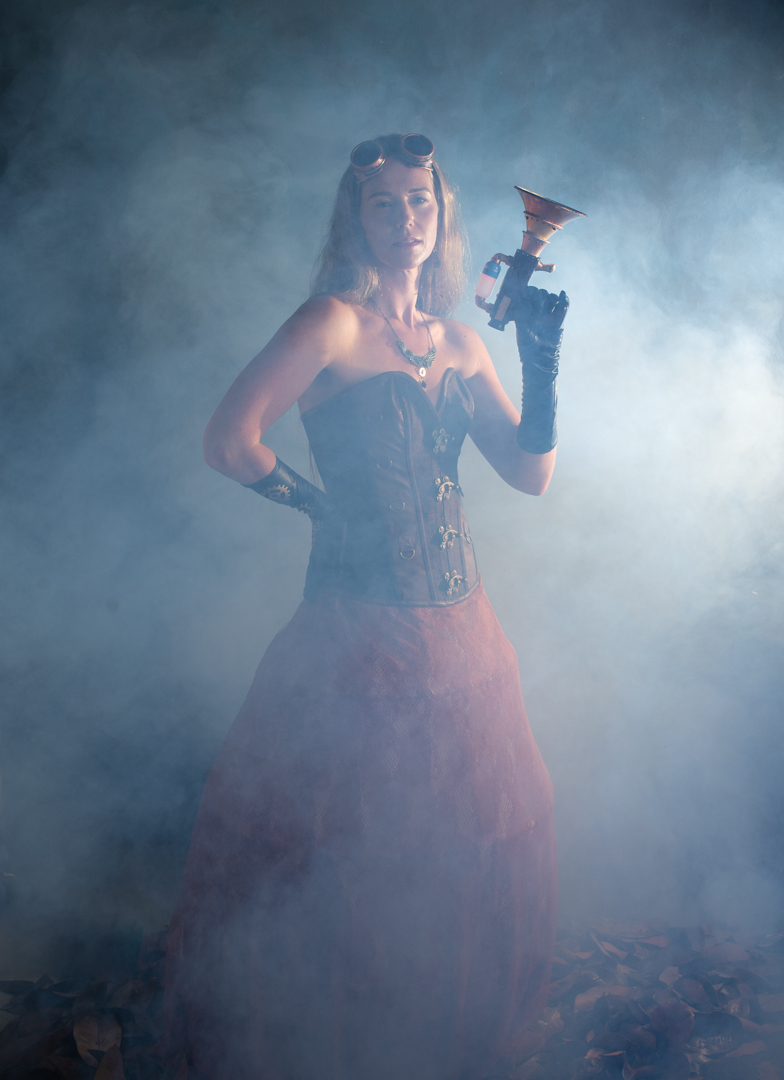
When we started planning for Rachel to come out for the bird lady she happened to mention that she had some steam punk goggles and gloves and so we decided to incorporate them on the day
We swapped out the top half of her costume. We replaced it with a leather corset. I brought in a prop gun that I had painted.
The lighting for the set up was slightly different than used earlier in the day. The main light was a 1.5 meter octabox with a grid positioned 90° to Rachel. On the opposite side a reflector was brought in close to provide some fill.
To add some atmosphere to the images I had borrowed a smoke machine from another photographer. The speedlight shown in the diagram was used only in the images with the smoke. To really see the effect of smoke in an image it needs to be backlit.
It was a fun part of the shoot and I was really pleased with the images. All of the images were shot using a 50mm prime 1/200s f7.1 ISO200.
When Rachel and I started planning for the bird lady shoot, she mentioned that she had a white dress. She thought that it be suitable as a choice to the costume I was designing.
I believe that model shoots are collaborations. I had no problem with her bringing the outfit. So, we took some shots with her in it.
We also included the nest that would form part of the birdlady shoot.
For the lighting I used two lights. My main light was a Godox AD600 in a 1.5m Octobox positioned at 90° to Rachel. The light was covered with a grid so that I control the direction of it. This lighting positioned closely resembled the angle that the sun had been when the birds were photographed.
The imaged were shot using my Nikon D600 f7.1 1/200s ISO200 on a 50mm prime lens.
Although the image below shows it as a square was actually octagonal. On the opposite side to the main light, I positioned a white polystyrene reflector. It provided a bit of fill. At the rear of the studio, I had an Elinchrom D400 firing into the 7 foot umbrella covered with diffusion. This was solely to fill-in the shadows. While Elinchrom and Godox lights operate on different triggers, I could use the optical slave on the Elinchrom. This approach worked really well.
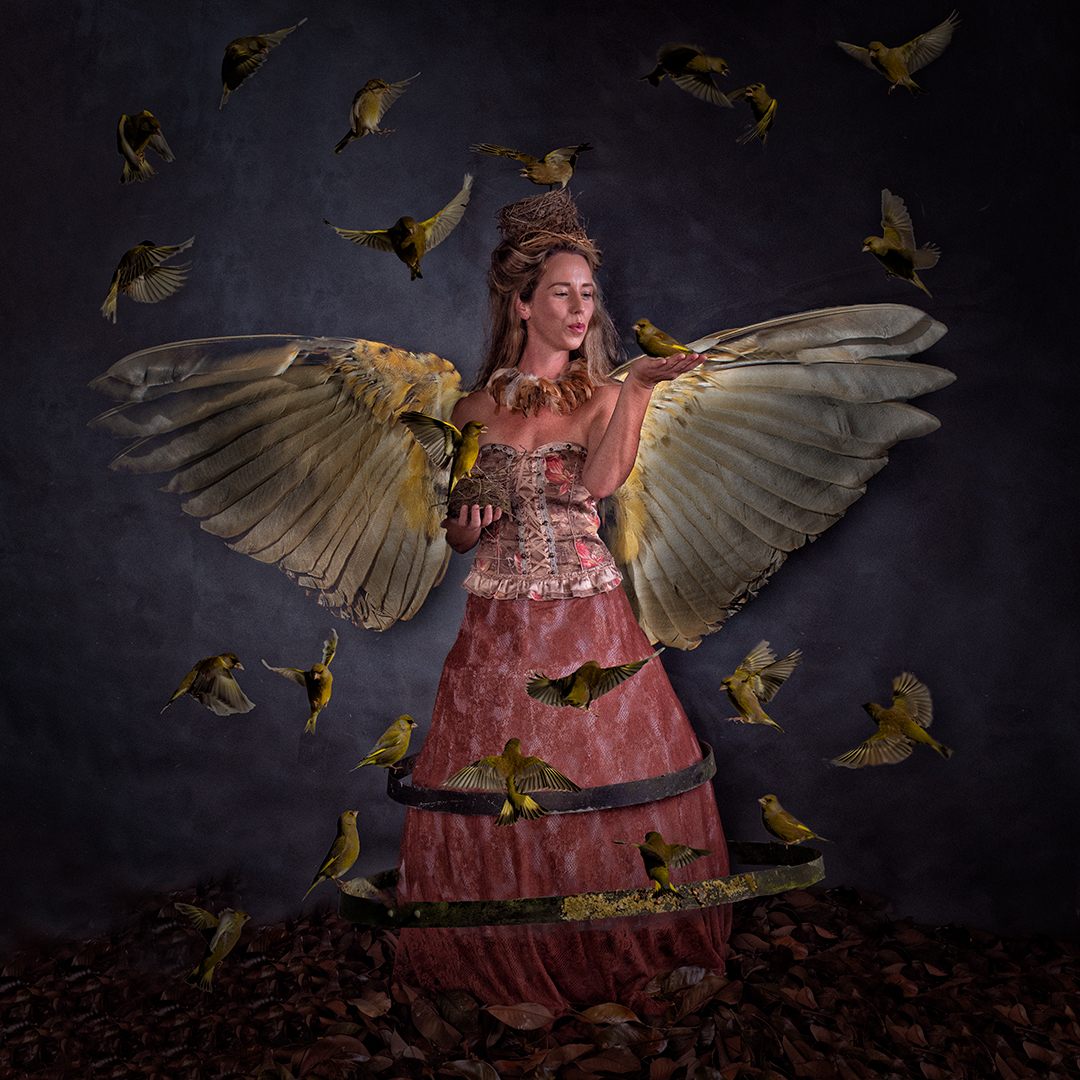
In post I added the wings and the bird sitting on the nest. The image was now looking very angelic so I photographed a glass bowl to create the halo.
The feel of this image is quite different to the birdlady but in someways very complimentary.
Once I had all of the images it was now time to put them together.
I created a Photoshop document and built it up layer by elements as I went.
I had already gone through the Lightroom catalogue containing the bird photos and classified them into potential positions in the final image. From these I selected around 36 images taking each one into Photoshop, making a rough selection, copying it into my main document and then masking out the bird.
I realised that this would be a large file, hence I did not copy across anything that I did not need. Even with an effort I had to use the Photoshop large file format as the resulting file is 2.7 GB.
The image was tweaked over several sessions. The video below takes you through the photoshop document showing what each layer does. I alway work non-destructively so adjustment are always applied on their own layer.
I have shot Rachel several times and so I approached her with a mockup of the image to see if she would be interested. She thought it would be quite fun so we scheduled a shoot.
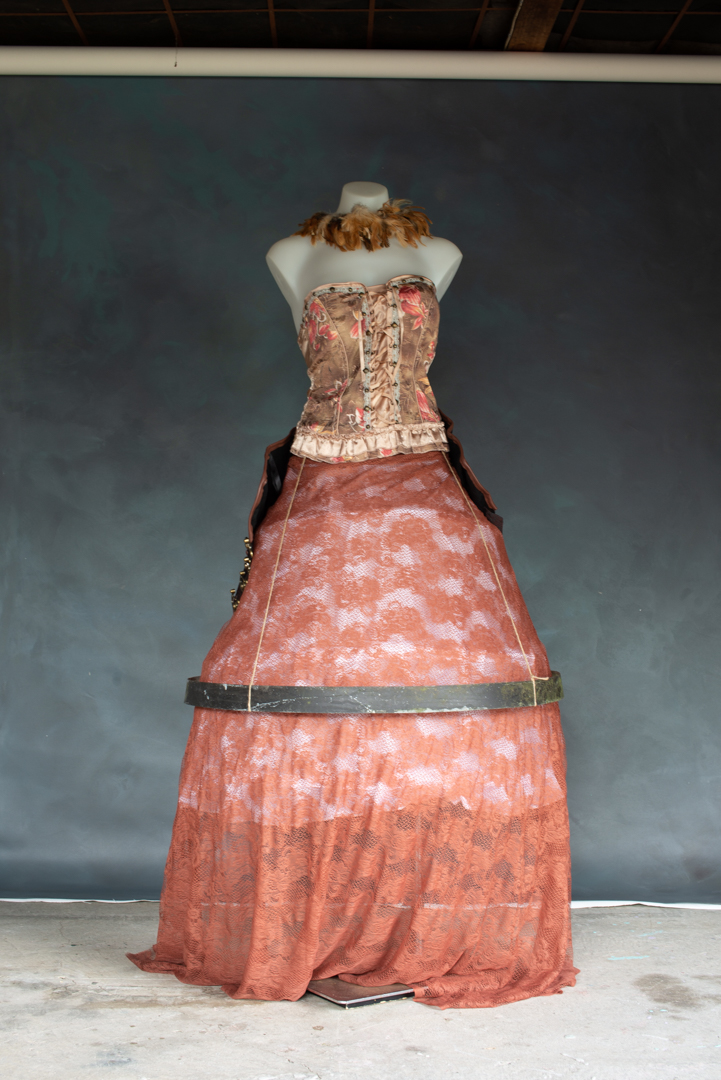
I had always envisaged a Victorian style outfit and so I made one using a corset and then placing lave over a hoop skirt frame. I attached the ring to a belt for strings and positioned it at roughly same height as it appeared on the feeder.
I borrowed a handpainted canvas backdrop and set up a studio in the garage. I knew that the final image would be a composite but at that stage I was not sure whether I would leave the background as it was or replace it. One of the hardest things of bringing a person into a new scene is getting their feet to look right on the new surface. To make this process a lot easier I had collected leaves and I sprayed those around Rachel’s feet.
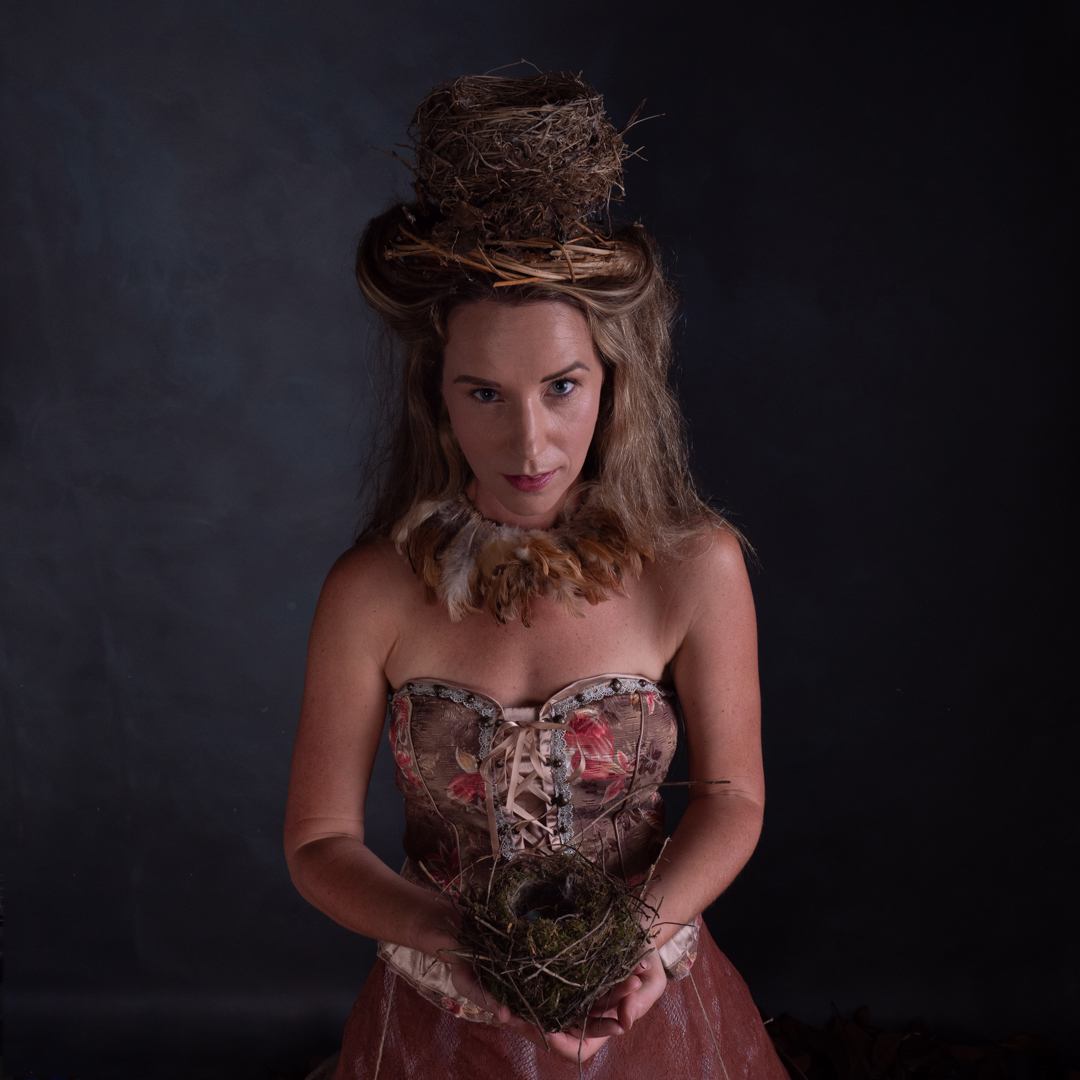
I also collected a number of nests during the previous year and we fixed one to Rachel’s head and she held the other one. It was the a simple matter of shooting her where she was interacting with birds that would be added later. I only provided minimal direction as Rachel is an experienced model. Plus I find that letting a model find their own rhythm makes for better images.
For the lighting I used two lights. My main light was a Godox AD600 in a 1.5m Octobox positioned at 90° to Rachel. The light was covered with a grid so that I could control the direction of it. This lighting positioned closely resembled the angle that the sun had been when the birds were photographed.
Although the image below shows it as a square was actually octagonal. On the opposite side to the main light I positioned a white polystyrene reflector to provide a bit of fill and at the rear of the studio I had an Elinchrom D400 firing into the 7 foot umbrella covered with diffusion. This was solely to fill-in the shadows. While Elinchrom and Godox lights operate on different triggers, I could use the optical slave on the Elinchrom and this worked really well.
All of the images on this page were shot with my Nikon D600 f7.1 1/200s ISO200 using a prime 50mm lens. The camera was mounted on a tripod that was set at the same height as when the birds were shot.
We also shot some images from a different angle but these were never taken any further in post.
You can see a behind the scenes video of the shoot below
In part three we will cover putting it all together.
With my conceptual photography I will often spend several days building a set and sorting out lighting before the model arrives. However the majority of this time is not spent actually shooting.
The creation of my Birdlady image was completely different in that it involved seven days of actual shooting and many hundreds of images.
I am not sure where the concept came from but I definitely wanted to create an image of someone representing Mother Nature surrounded by birds. I also wanted to incorporate some metal rings that had originally come from a wine barrel.
The first task was to photograph the birds which to me was somewhat of an unusual challenge. I have shot them on many previous occasions but I cannot say that I’m overly good at it.
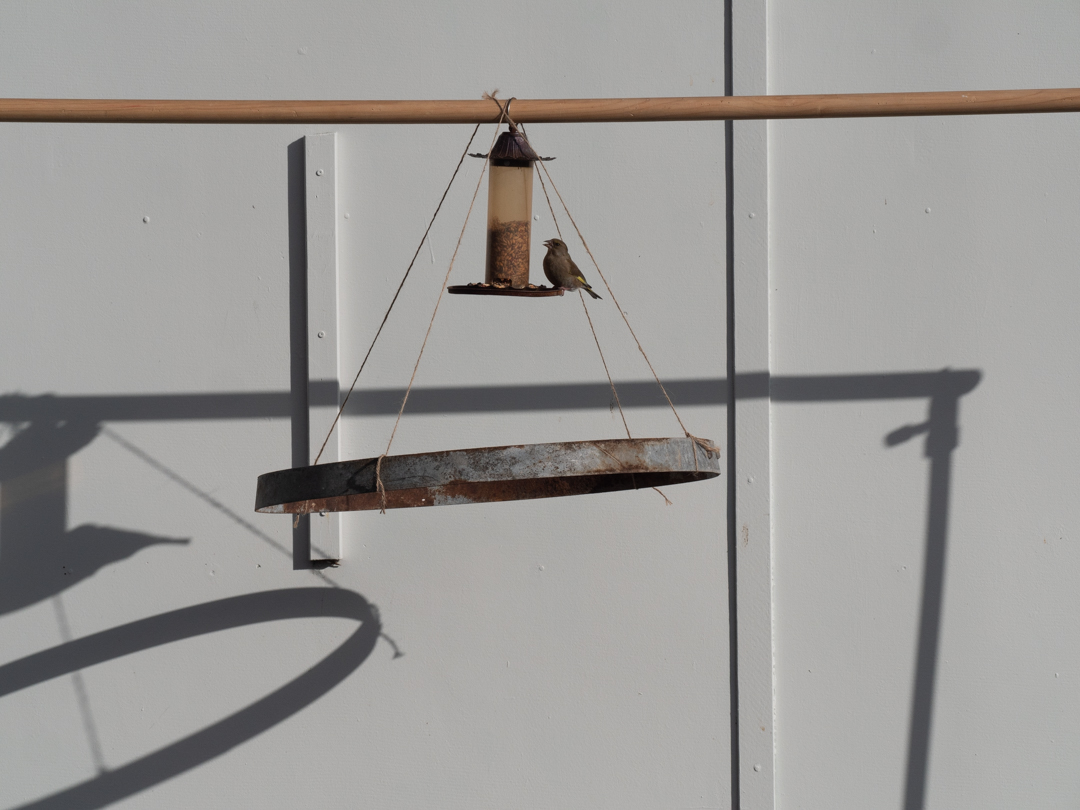
I knew that would have to clearcut the birds out of their background so I tried to make it as simple as possible. In our backyard I set up a frame in front of our old garage that has plain walls. From the crossbar I placed a feeder and then suspended the ring below it. I figured that birds would land on the ring before going up to the feeder.
My Lumix G9 can shoot timelapse so I thought I would use this feature to get my shots. I positioned the camera on a tripod located inside of our double garage. The G9 is a micro 4/3 camera which meant that they reach of the lens was double its setting. was working on the theory that with the camera in the garage the birds would not be disturbed.
That theory proved to be true but the overall experiment was a disaster. During the time that the timelapse was running, the camera shot around 1,200 photos but when I reviewed them I discovered that only three had birds actually in them.
On day two I tried again but this time I set behind the camera and photographed. This guy gave me a much better hit rate but I was still not seeing large numbers of birds I came to the conclusion that the strings were perhaps putting them off.
On day three I tried something different and I moved the birdfeeder to the end of the garage and I also changed cameras to my full frame Nikon D600. This time I had much greater numbers of birds coming but now I realised that these images were going to be much harder to work with. I figured that shooting in front of the plain wall was ideal but that I needed to improve where the feeder was located. I also realised that having the ring positioned higher up was going to cause a problem in matching the perspectives when it came to create the composite.
Day 3 Nikon D600 f5.6 1/800s ISO100 200mm
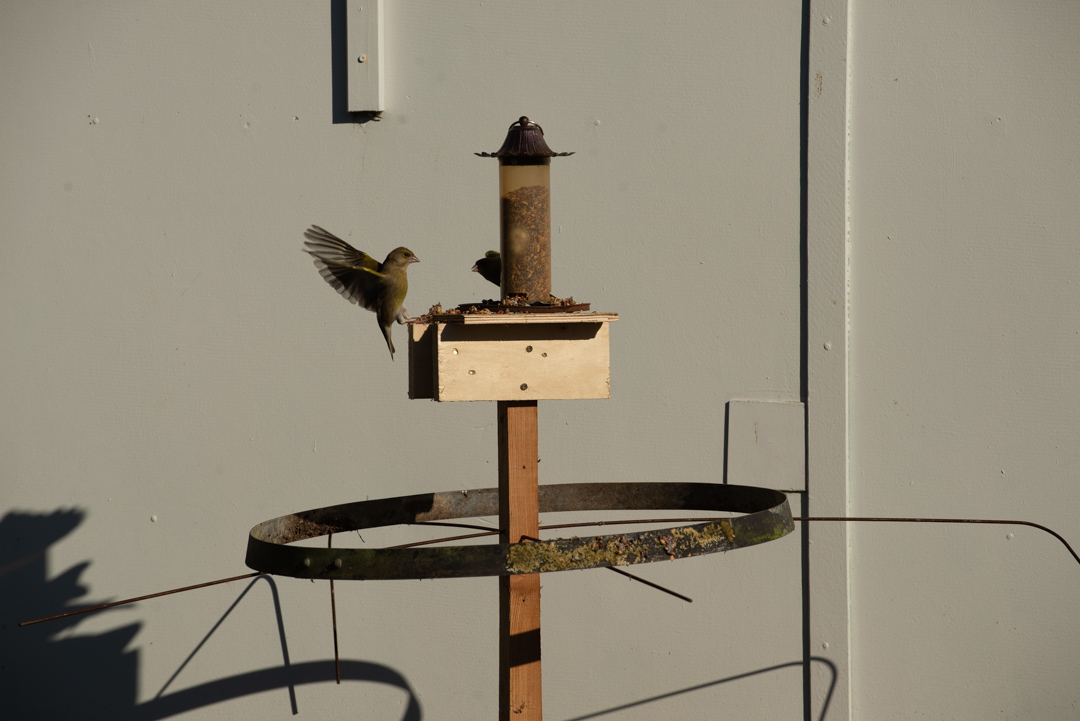
So on the afternoon of day three I built a stand for the feeder that also enabled the ring to be positioned without the need for strings. The rig also meant that I could set the height of the tripod and the ring so that I did not have issues with perspective.
Day 4 Nikon D600 f5.6 1/320s ISO100 200mm
On Day four, the new set up was put into action. I also realised that I did not need to hide myself. Rather if I stayed still the birds would ignore me. So I positioned myself halfway across the driveway with the camera set on a tripod that was triggered remotely. While the shutter did make a noise the birds got used to it.
In order to try to encourage birds onto the ring I used peanut butter and glued seed to it. This was not overly successful.
After about 30 minutes or taking photos I thought that I had some definite ones that I could use. once they were loaded in light room a classified them based on where I thought they would fit in the image. That lead me to the conclusion that I still needed some images specifically birds in flight.
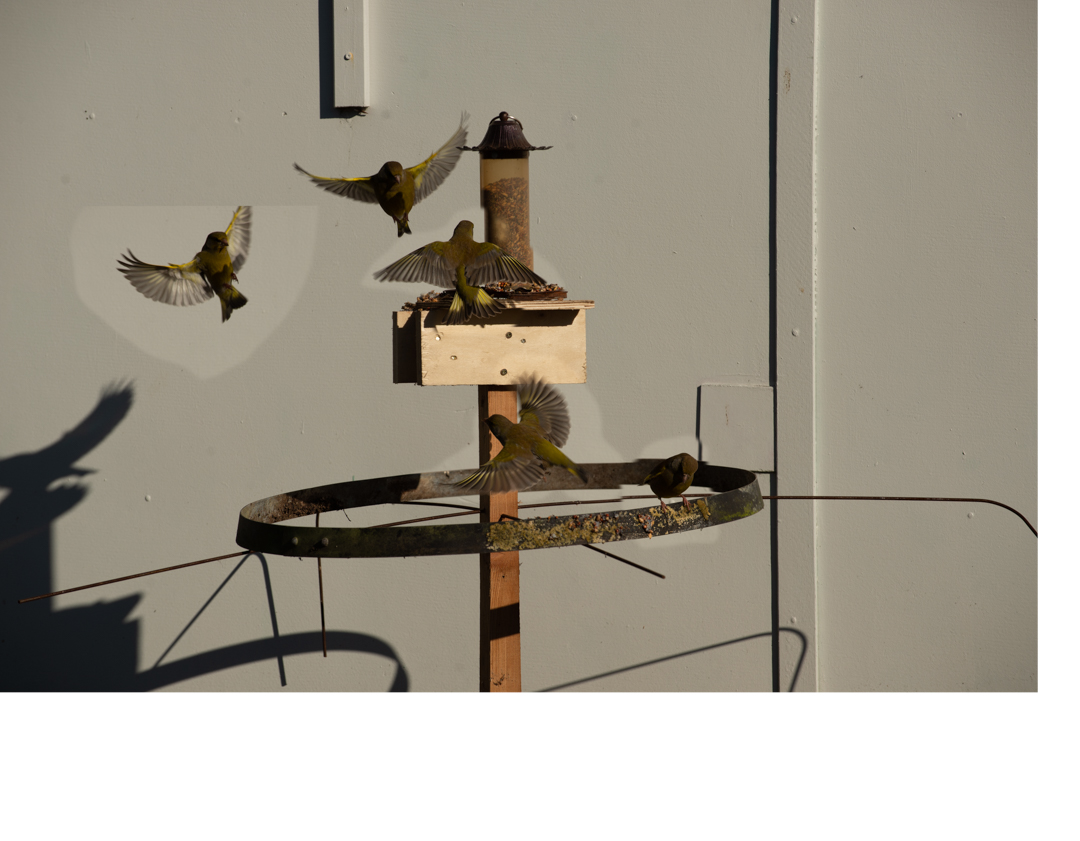
Day 5 Nikon D600 f8 1/800s ISO100 190mm
So on the morning of day five I was back in the seat with the same camera set up but now focused on only shooting flying birds. I had pushed the shutter speeder to 1/800 of a second. I also positioned LED light just out of shot to brighten up the wall slightly. Again this was to make cutting out the birds as easy as possible.
That night I did a very quick composite in Photoshop to see what multiple birds looked like. I was pleased with the result and figure that we were now in a position to move onto the model shoot.
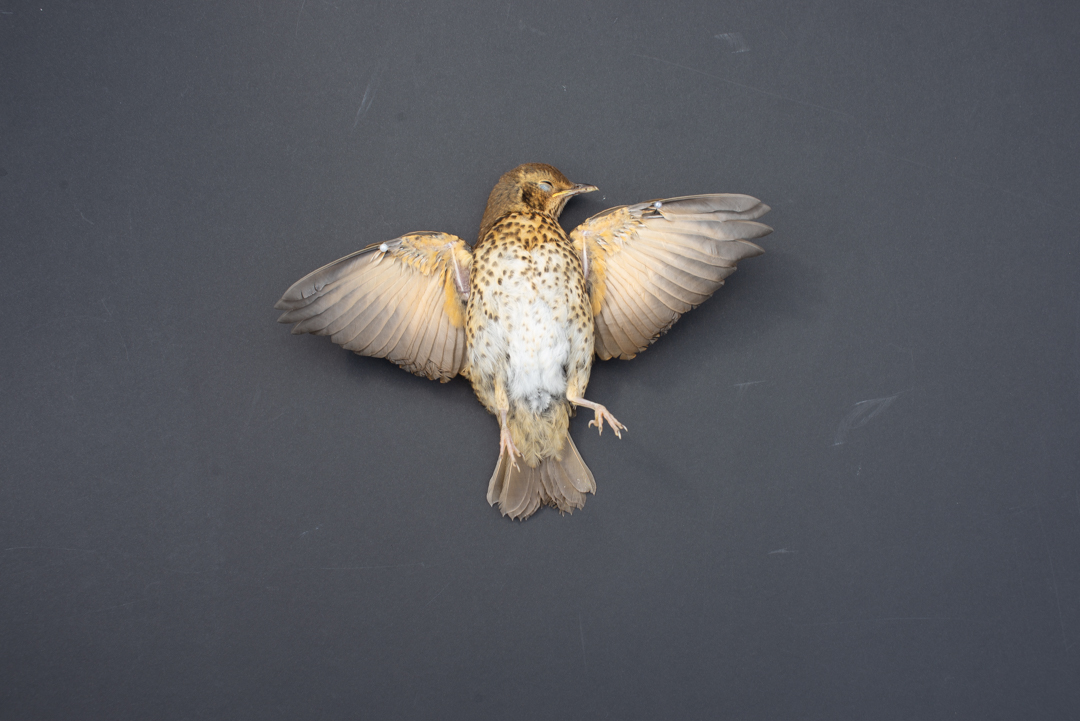
The one thing that I was not sure of was how I was going to incorporate the wings that I wanted my main character have. I knew that I could not use any of the images I had shot as those birds were simply too small for it to be realistic. I had contemplated going in Te Papa Museum and photographing one of the stuffed birds.
That proved to be not necessary. When we returned from a Saturday morning walk I discovered that a young thrush had flown into our bedroom windows and broken its neck in the process. Before I disposed of the body I positioned it on a black piece of card and insured that the light direction matched how I had photographed the birds.
This is the fifth and final instalment in my 2021 Halloween Themed editorial. The story continues:
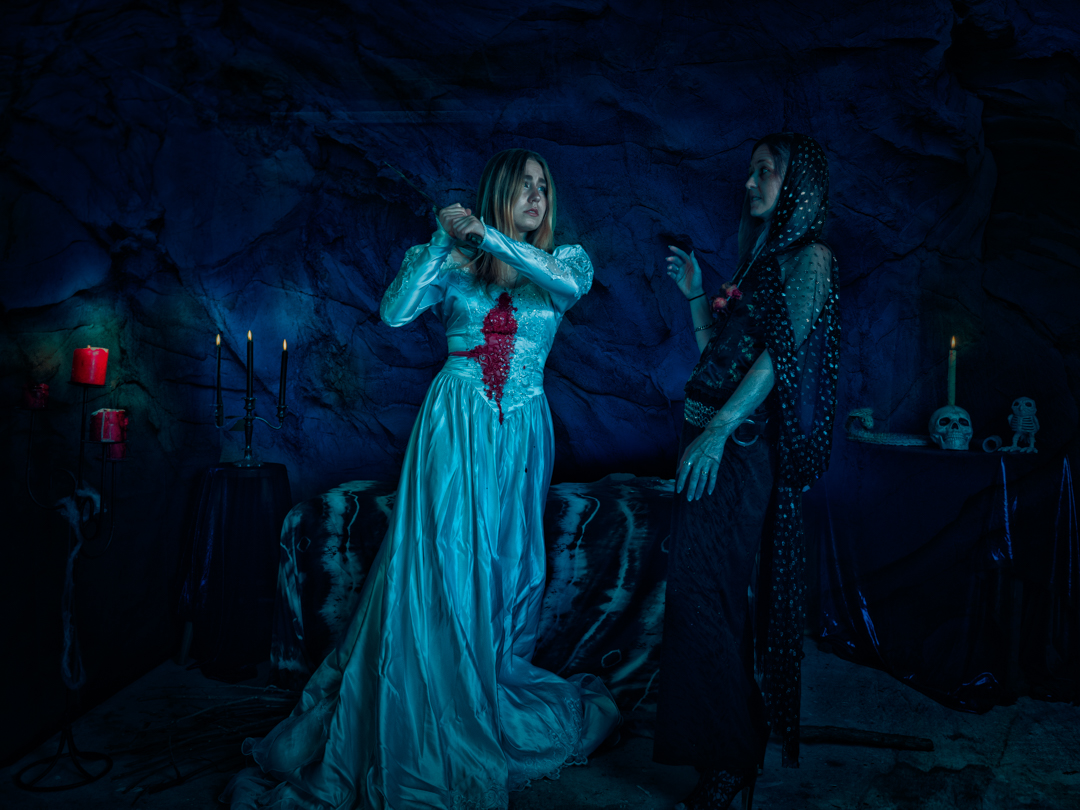
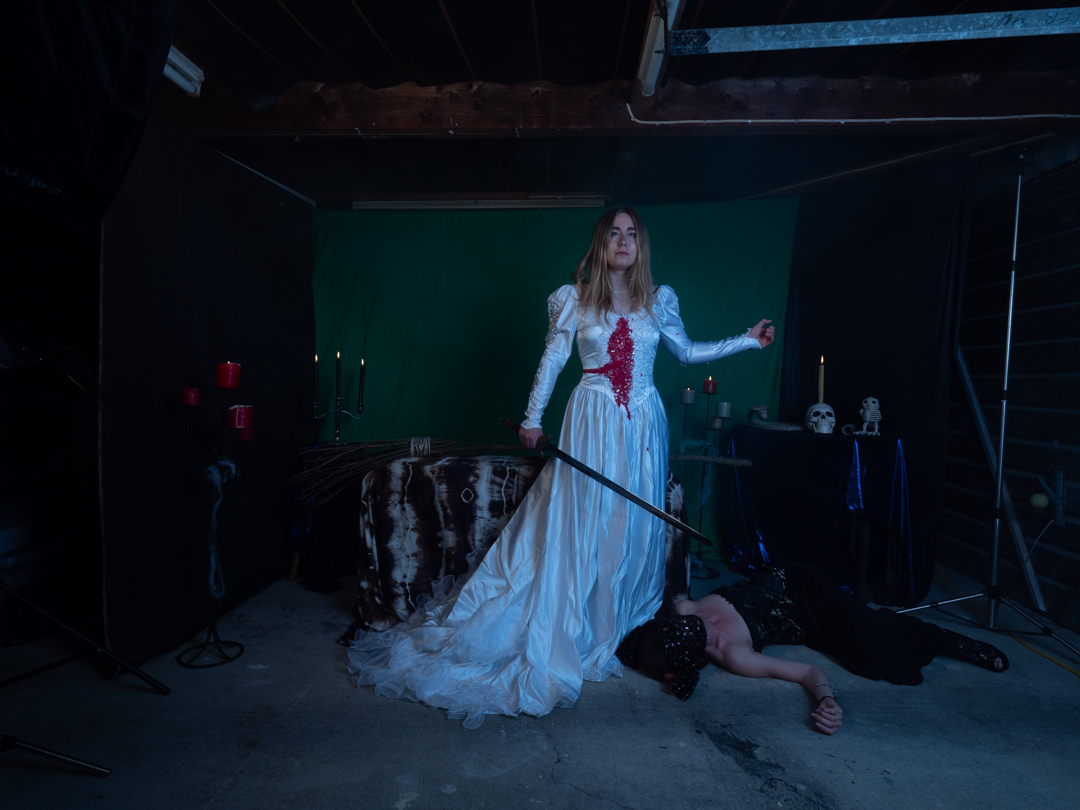
But just before the blade can hit Red comes out of the trance. The Witch had forgotten that the spell only lasted so long. She fights with the witch and stops the knife.
Red stands and picks up a sword lying nearby.
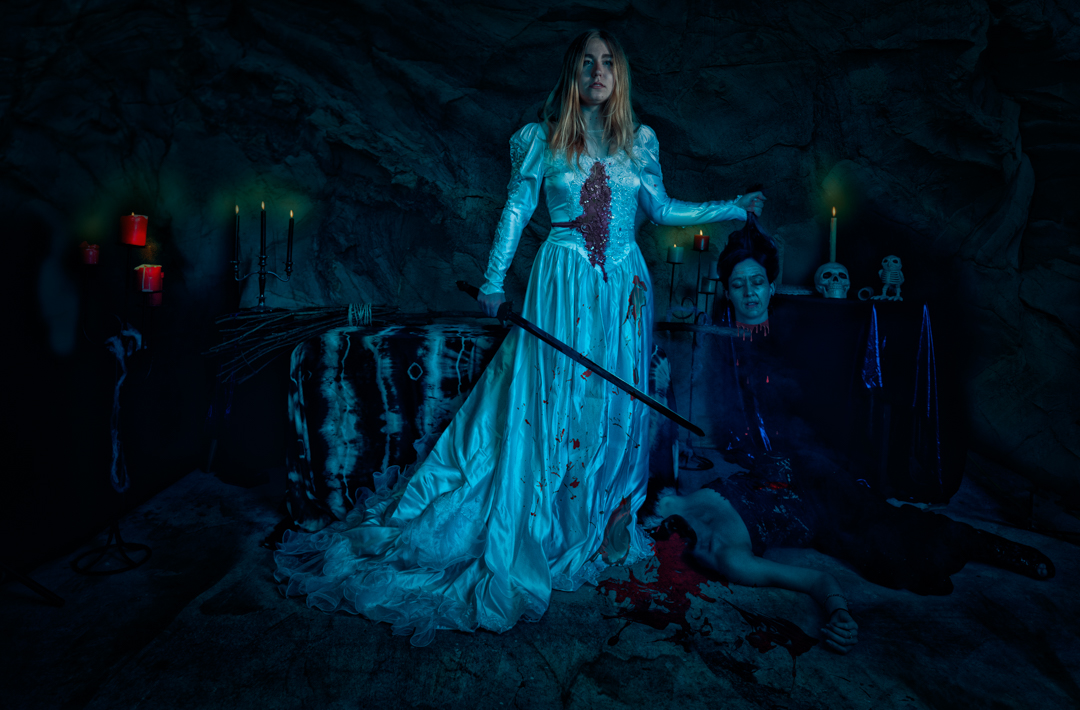
Before the witch can react she swings it removing the witches head from her shoulders. Triumphantly Red picks up the witches head. As with most fairytales good has triumphed over evil.But in our modern fairytale the damsel in distress does not need a prince to save her.
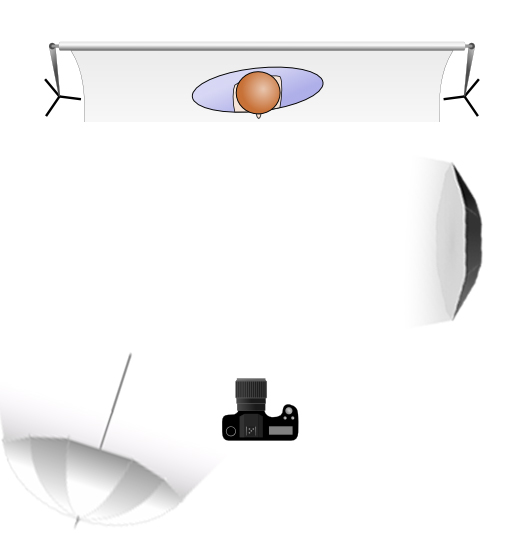
The lighting for this part of the shoot was a two light set up. The main light was positioned camera right at a 90° angle to the subject and provided the main illumination. At the rear of the room I had a 7 foot umbrella with diffusion set at a low power to simply fill in the shadows
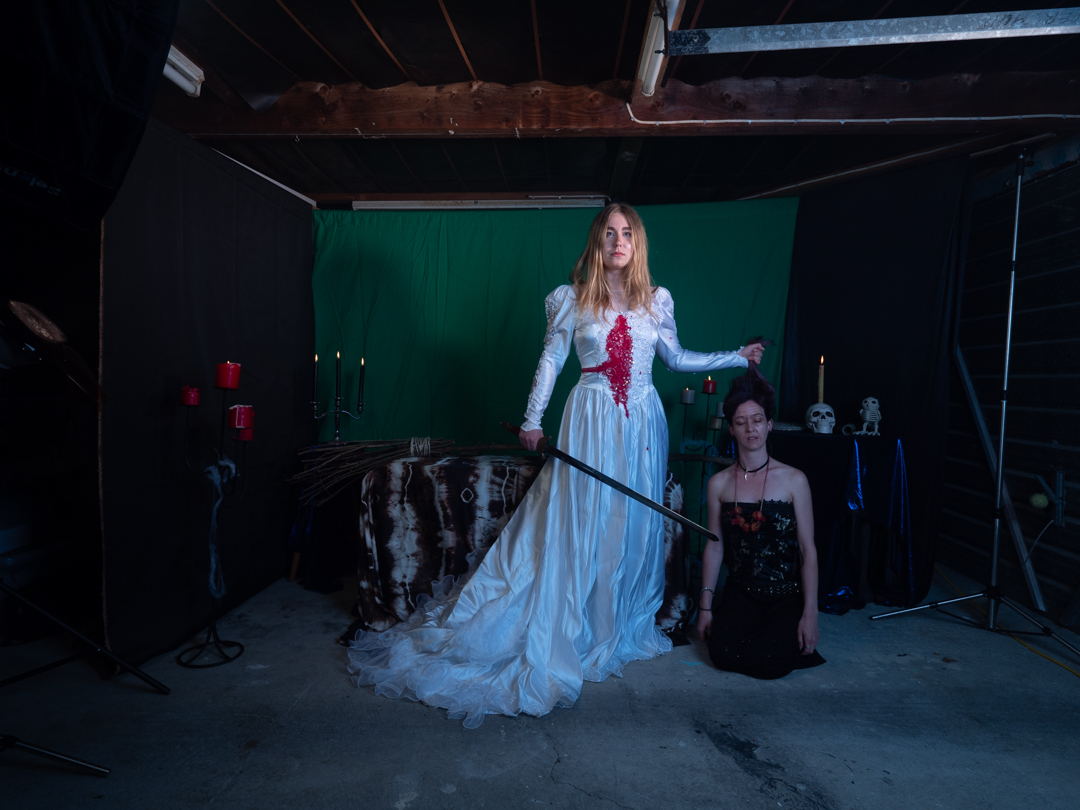
These image were shot at f8 1/125s ISO200 to ensure that I had sufficient depth of field. The main difference from the previous setup was that the camera was now placed on a tripod to make the composite easier.
We shot two images were Lexy held the same pose but where Sian changed positions. For the body part I covered Sian head to make it easier in post.
In Photoshop it was a matter of putting both images in a document and masking the Sian’s body from the top image, and then creating the blood and open wound.
Then the image received the same treatment as the rest in the series. Overall it was darken and the rock texture was added to the rear. The image was then run into Nik Color Efex Pro to create the high texture image. Finally the moonlit LUT was added.
I was really pleased how the overall series went and everyone seemed to enjoy the series when I released them each day leading up to Halloween.



















 pwfotos