All posts by whittyp

Morgane in the dark

As I have mentioned in the previous post Morgane was both a model and a photographer. She was very active in a Wellington Facebook group and keen at arranging photographic meet ups.

The second one that I took part in involved light painting. This is the process by way of a long exposure with light is used to create patterns. It is fairly simple to do. The main requirement is that you need an area with little to no ambient light.

The shoot was planned for a Friday night at Percy’s reserve in Lower Hutt. The weather on the day was not great and I think that affected the turnout. It ended up being only Morgane her friend and me still we were not going to let that

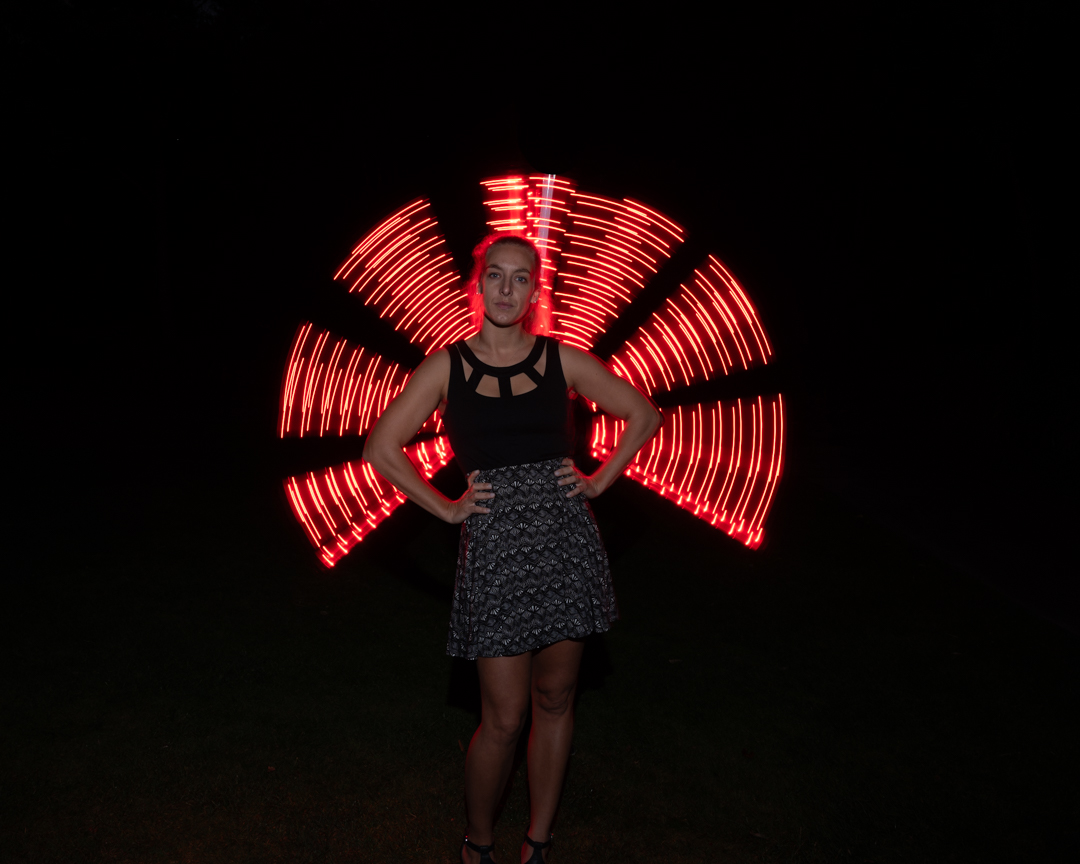
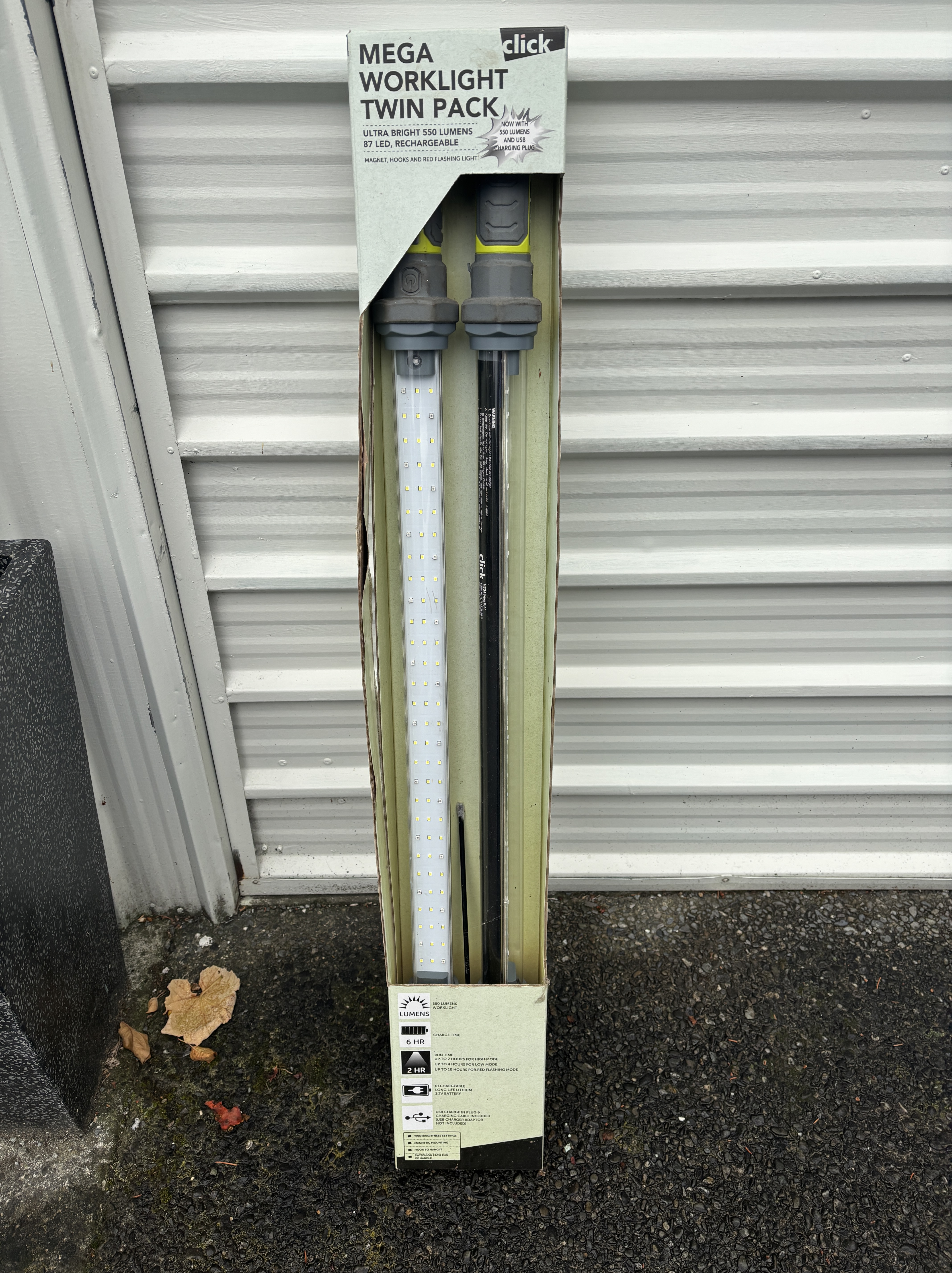
You can actually use any light. It does not even need to be photographic. Sometime before I had purchased a set of LED lights. They had both a white and red light option. I knew that they would be perfect. Unfortunately when I tried to use them I found that only one would go. Still that was enough.
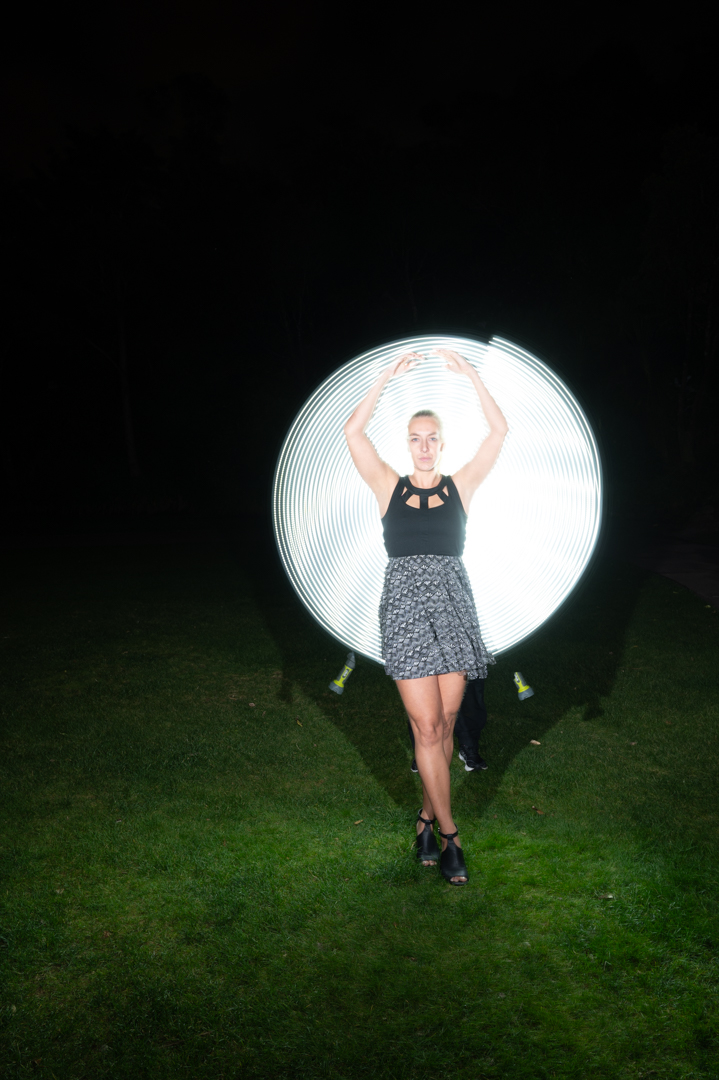
For the shot Morgane struck a pose. Her friend stood behind her and then the shutter was opened started to swing the light around. We used a touch to put a little bit of light on the face.

After using the red setting we then switched the light to white. This was producing too much of a shiloyette so it was necessary to introduce more light.
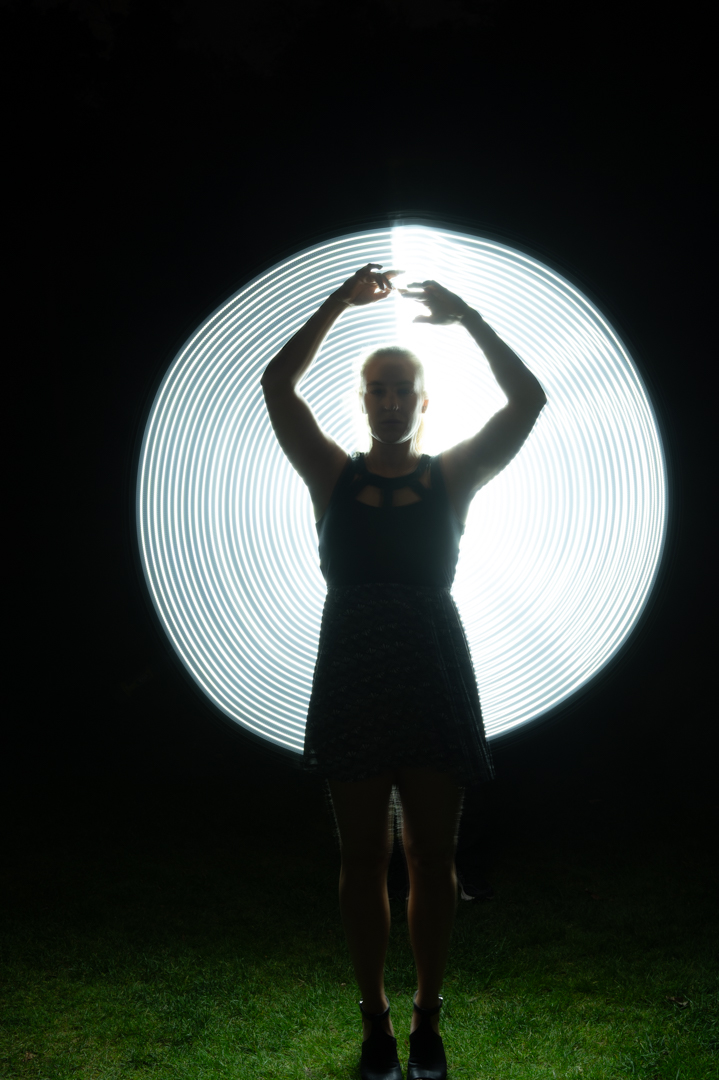
I had brought my Godox V1 speedlight with me so I decided to incorporate that as well. But rather than putting the flash on the camera I manually triggered it.

In the image below the flash was fired twice. You can tell this by the fact that the end of the light appears twice.
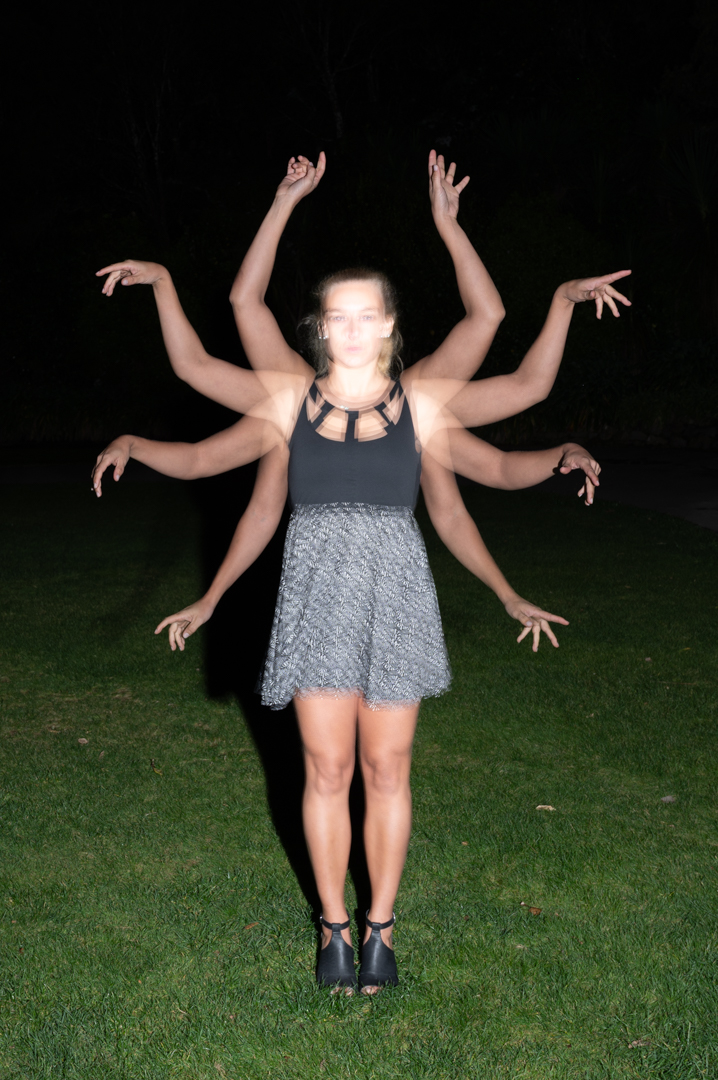
After exhausting ideas using the strip light we moved onto another concept. I wanted to create an image like an Indian goddess that had multiple arms. I opened the shutter and got Morgane to move her arms. I fired the flash every two seconds. This create the look below.
While the arms worked we had an issue with the face. We were also losing her into the background. To remedy that situation we positioned the LED light behind her. This created an interesting effect. A halo formed around her arms when they were in a certain position without the light being fired.

We still had the issue with the face. The problem was Morgane could not keep her head still. She kept moving it when she moved her arms.
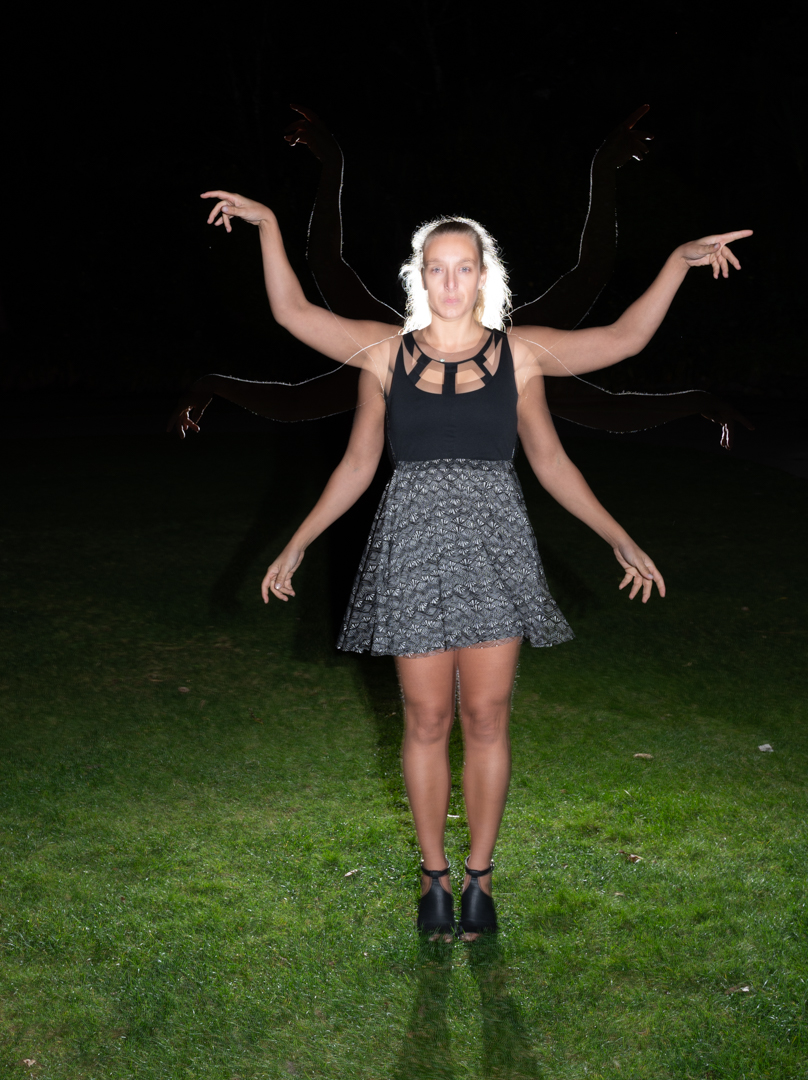
The answer was to cheat a little. I took a single shot of her standing perfectly still and then in Photoshop merged the two together.

All of the images on this page were shot with my Nikon Z6ii f8 ISO100 10s exposures.

If was a fun night. It was just a pity that more people did not turn up.
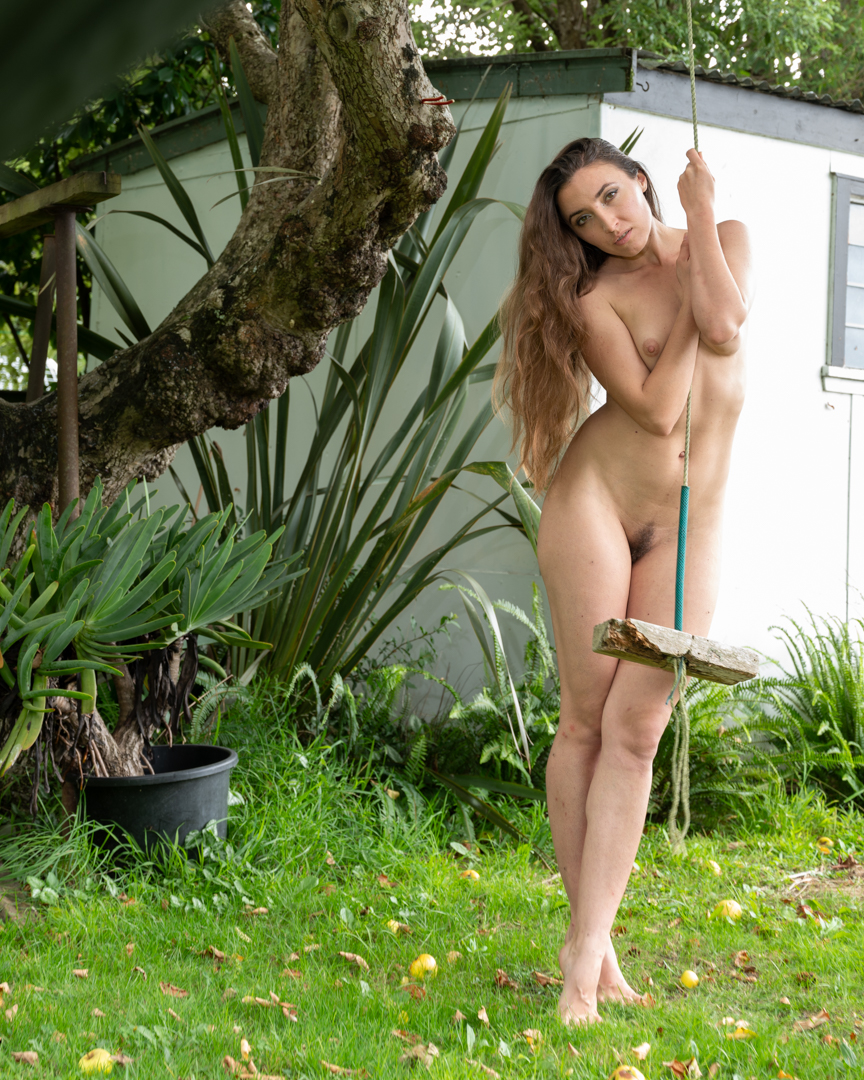
Johemiane Series (Part 6) – On the Swing (NSFW)

At the end of the studio session Johemiane expressed a desire to get some shots outside. So we all moved out the an old swing that we have hanging in an apple tree.

I grabbed by Nikon Z6ii as the other camera was still tethered. Wow you’re shooting and a natural light as it was 6 pm I was not getting the results I wanted. Shooting in aperture priority mode the Shutter speed was falling to 1/15 of a second. While in-body stabilisation makes it possible to handhold at such slow shutter speeds, it does mean that you will never get a sharp image when your subject is moving.

I went back inside. I grabbed the Godox V1 speedlight in the 65 cm octabox. Then, I positioned it camera left. I was still shooting using Aperture Priority with the flash set on manual at a very low power. This meant that it complemented the natural light rather than overpowered it.

The images were an extra bonus to a great day of shooting. Johemiane was a great model. You can find her on Instagram @Johemiane.

Johemiane Series (Part 5) – Selfie Series(NSFW)

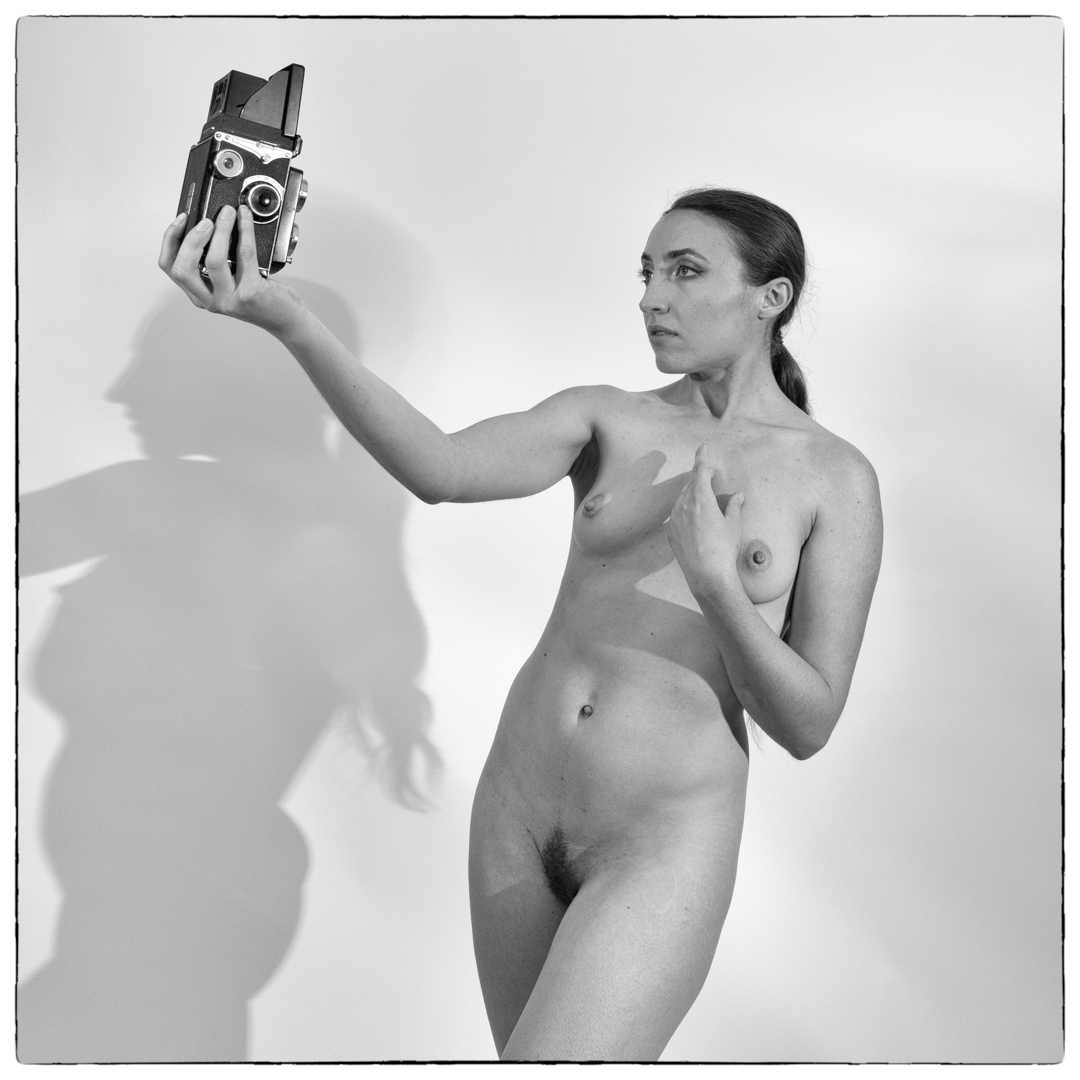
At the end of the studio session with Johemiane, I handed her the old camera. This was so she would be included in the selfie series. As I have mentioned before this camera is used to link all my model shoots together.

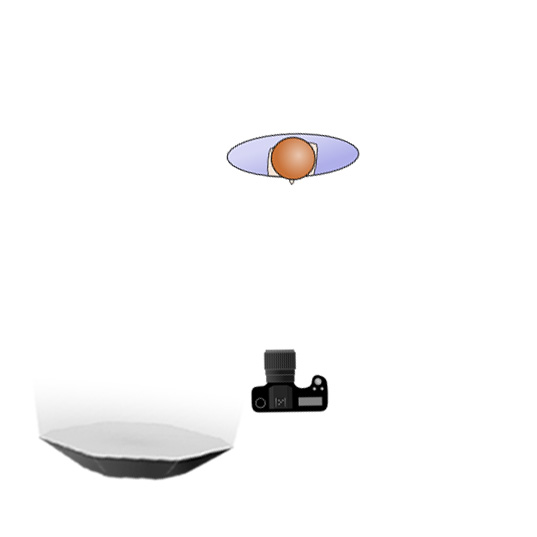
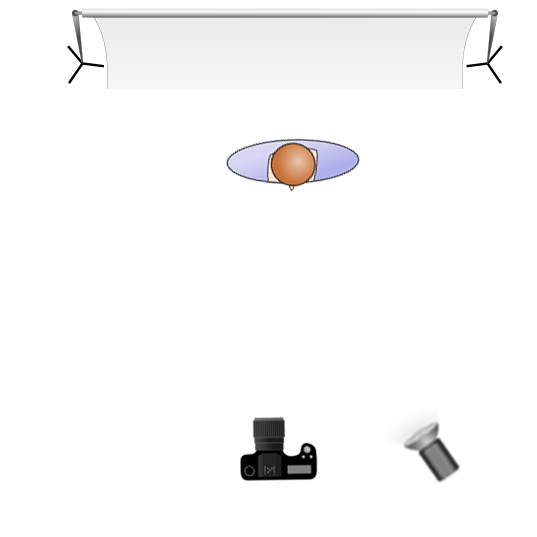
I initially shot from the same position and with the same lights as we had done for the photographers wife. This is explained in much more detail in the previous post or shown in the diagram below.

While that was giving me an interesting take, it was not what I wanted. So I moved both her and myself back into a more traditional pose and location.

The final image was shot using my Lumix G9 camera 1/200s f8 ISO200. I imported it into Silver Efex Pro. I used the Black & White recipe I had created for all of the images taken that day.

Johemiane Series (Part 4) – Helmet Newton (The Photographers Wife Recreated) (NSFW)

As I was researching helmet Newton to determine his style I came across an image that really took my fancy. It is called “Self Portrait with Model and Wife” and was shot in Paris in 1981.

Sometime ago I acquired a very large mirror that came out of the shop that was being refurbished. I knew that it would be perfect to try to recreate the image. While one of the other photographers (Helen) was shooting Johana I was working out the angles that were needed.

Lighting was going to be the challenge. I needed to ensure that both myself and Johemiane were lit especially as we were in quite different locations.

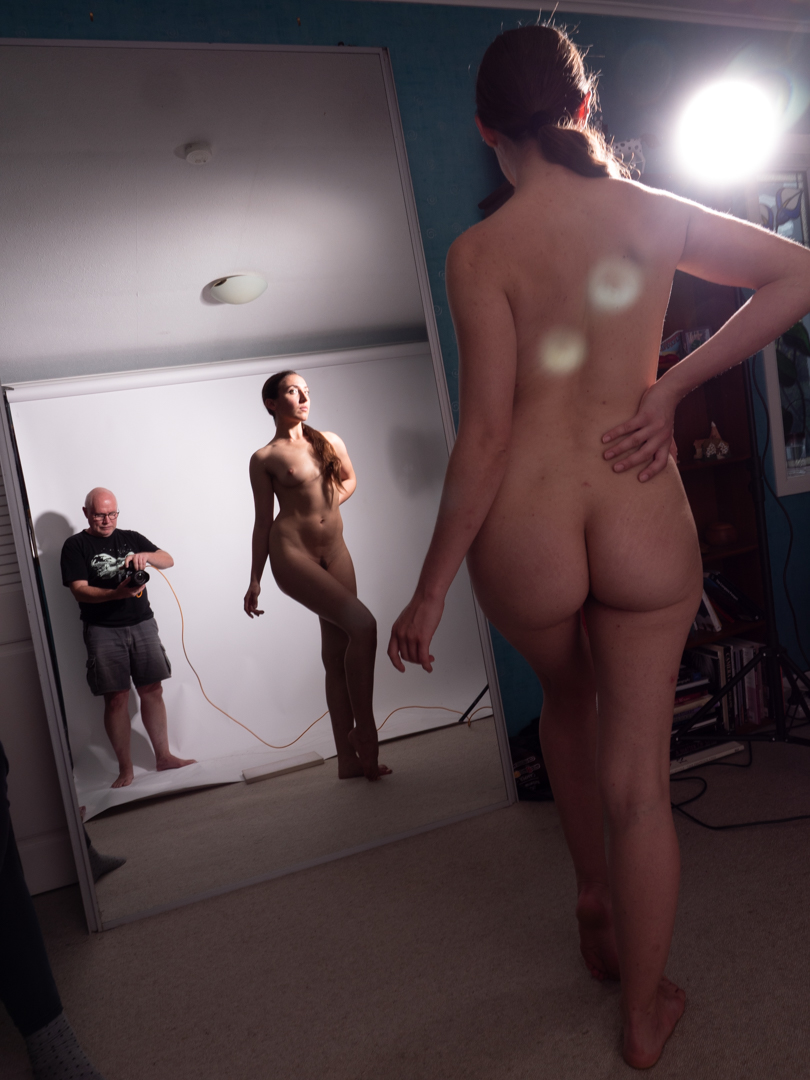
I initially tried to use the single lit positioned camera on the right. However, the image below shows that this created a number of issues. The lighting was very uneven and I was getting unwanted flares.

In order to eliminate the flare I moved the constant light so that it was in line with Johemiane. Then I placed a 65cm octabox just out of view so that it provided better light on her.

While it fixed one issue it presented a further two. Firstly there was no light on Johemiane’s back or on Helen who was acting the part of the “wife”. Secondly I will getting an ugly shadow on the backdrop from the constant light.

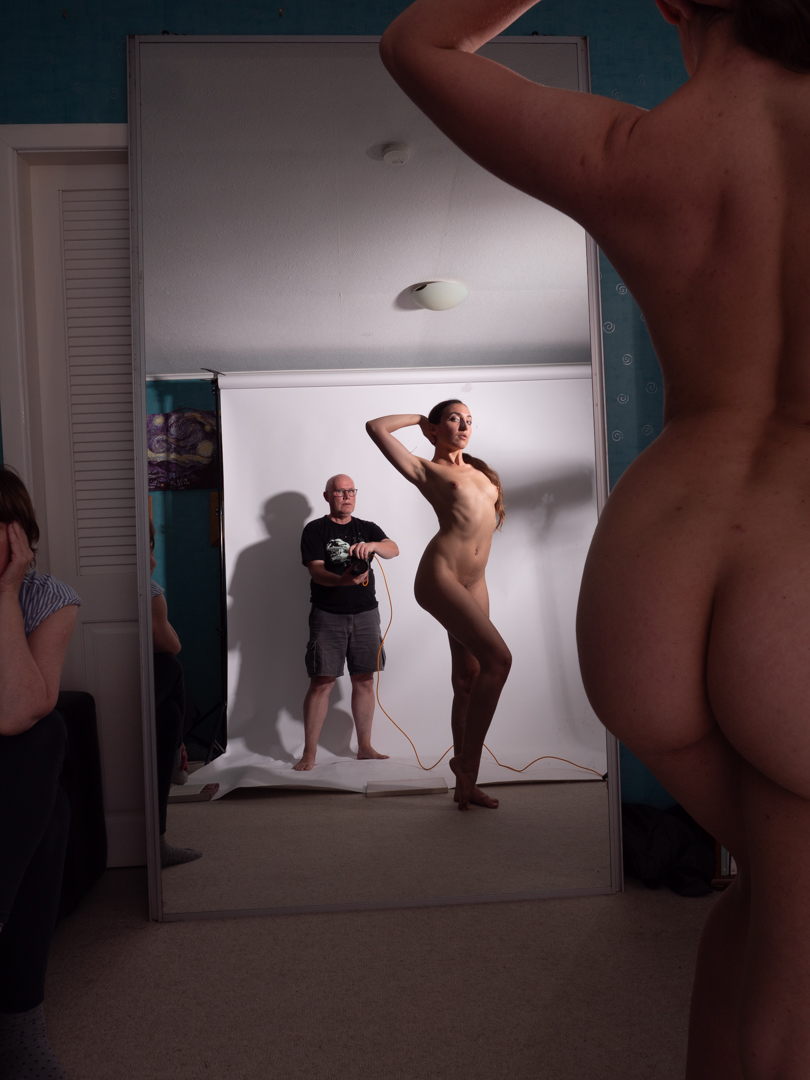
The answer was to move the large light. This was positioned next to me aiming it to just touch Johemiane. This provided lighting for her back. It also had the advantage that the light reflecting off the mirror illuminated her front. The same light also lit Helen.

It took about 15 shots to get everything right in camera.

I selected the final image. Then, I took it into Photoshop. I used Silver Efex Pro to apply the same black and white treatment. This was the treatment I had used on all images from the shoot. Finally to replicate the image I flipped my one.

In the final image you can see the code connecting my camera to the computer. A similar cable can be seen in the original photo however its purpose would’ve been completely different. In Helmet’s case the cord would have been to fire the flashes.

As I mentioned in the first post of the series, this whole shoot was intended to produce images. These images could be considered for the Wellington income print competition.

This image ended up being the one selected by the club to represent them. It came third in the round.

Johemiane Series (Part 3) – Helmet Newton Styled – Sexy Rabbit (NSFW)

This is the third post covering the shoot where we were trying to produce images in the style of Helmet Newton. You can look at the previous post for the background to the shoot.

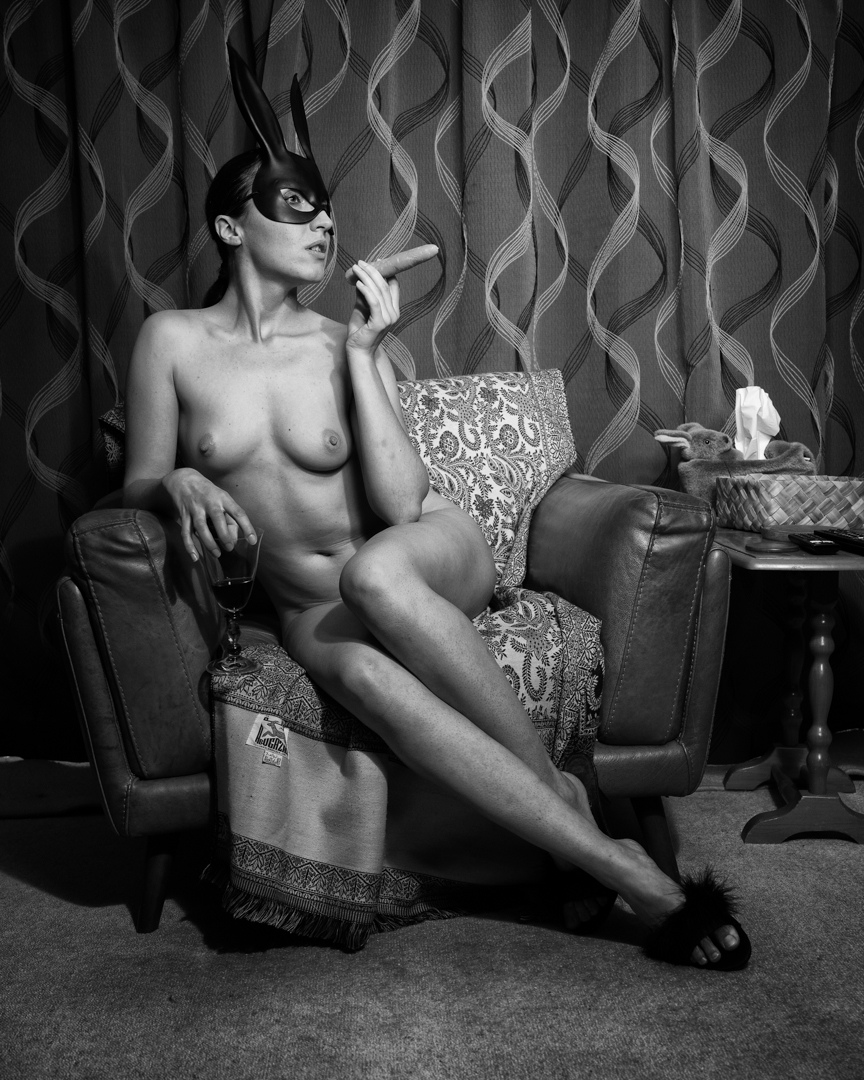
After we completed the domestic nudes images I moved into our lounge where I had another set up already in place. This consisted of my Godox AD300 strobe in a 80cm softbox.  

As in the previous location there was no diffusion material on the softbox. This meant that the light was harder than you typically get. The settings on the camera did not change f5 1/100s ISO100.

This image was not directly inspired by one of Helmet’s actual photos however they use of the bunny mask is not exactly original.

I positioned Johemiane on the chair and gave her a couple of props to interact with. She was absolutely brilliant at getting into character and this showed in the resulting images. The video below gives you a behind-the-scenes view of this part of the shoot. 

The image came out exactly as I visualised it. As with the others it was coverted to a high contrast black-and-white image using a specific recipe I had created in Silver EffexPro.

In the next post we move to the most complicated shoot of the session. 

Johemiane Series (Part 2) – Helmet Newton (Domestic Nude) (NSFW)

This is the second post covering the shoot where we were trying to produce images in the style of Helmet Newton. You can look at the previous post for the background to the shoot.

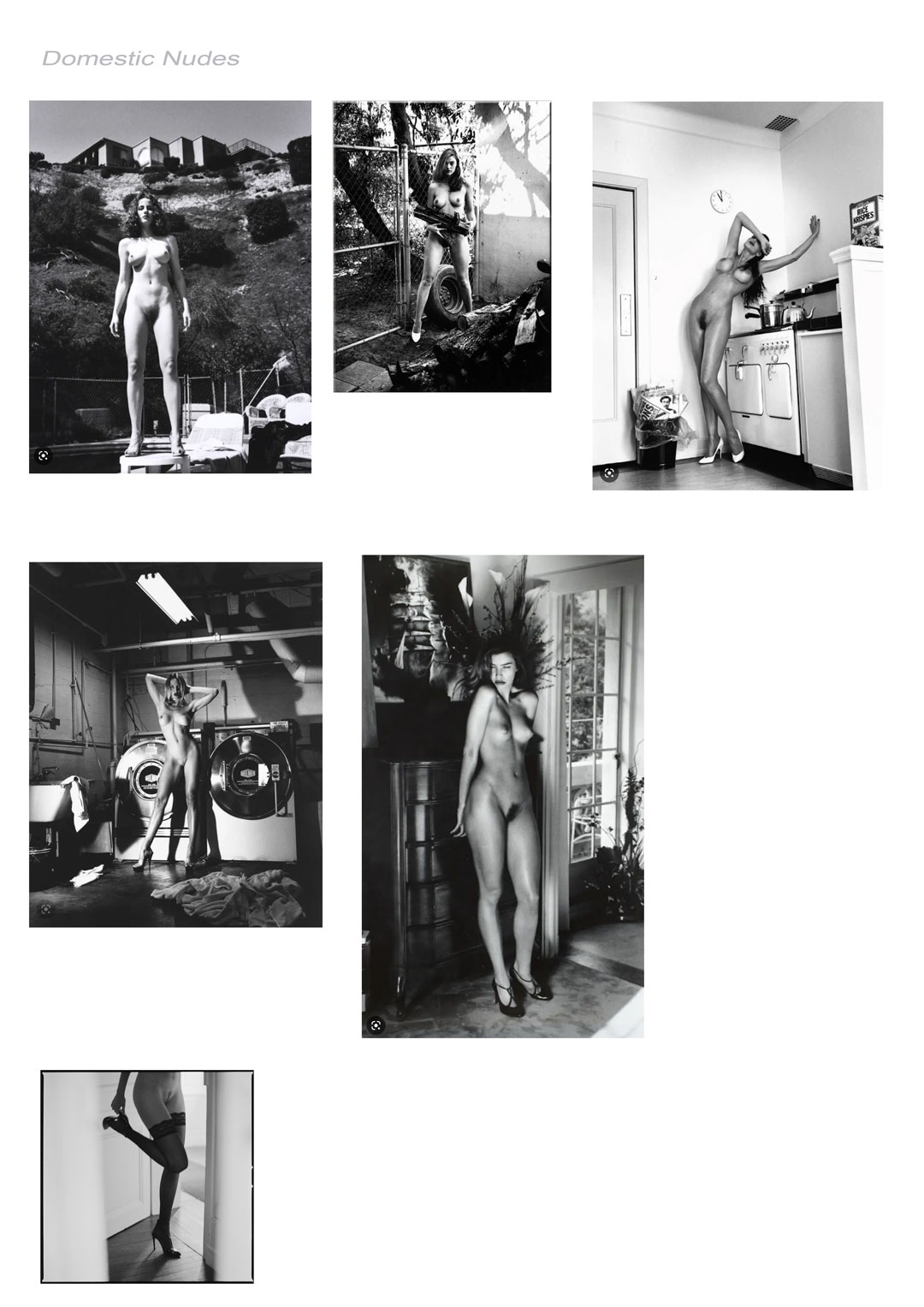
The first series of images were shot on a white seamless in what was obviously a studio. He had done another body of work entitled “Domestic Nudes” with subjects naked and more normal circumstances. In the second part of the show I wanted to recreate some of these. 

I had only booked an hour with Johemiane to complete different looks. I knew that I could not afford to waste time mucking around with lights. Fortunately, I have a lot of gear. I was able to set up lights ahead of time in the areas I had identified as places I wanted to shoot. As they all walked off the same trigger I only had to move Johemiane, myself and the camera. I also swapped cameras to my Nikon Z6ii.

We started in the kitchen which turned out to be a great location. I had set up my Godox V1 speedlight in a 65cm softbox. I found that the speedlight is more than adequate in such a situation. To keep the light punchy there was no diffusion material over the front of the softbox.

The only issue I was dealing with was the reflection of the softbox in our garden window. To get around this problem I moved the light to minimise the effect. 

We then moved into our entranceway and I had a Johemiane play the piano.

The setting for these images was f5 1/100s ISO100. This allowed some of the ambient light to enter the image. It prevented the photo from looking completely flashed up.
Johemiane Series (Part 1) – Helmet Newton (They Come Recreated) (NSFW)

Each year the Camera club in the Wellington region have a print competition. The club that hosts sends out a list of 10 topics. Each club submits one print for each topic. Generally, the topics are fairly lame. However, in 2023, the Kapiti club decided to stir things up a little with the topic “In the style of Helmet Newton”.

For anyone unfamiliar Helmut Newton (born Helmut Neustädter; 31 October 1920 – 23 January 2004) was a German-Australian photographer. The New York Times described him as a “prolific, widely imitated fashion photographer whose provocative, erotically charged black-and-white photos were a mainstay of Vogue and other publications.

I heard about the topic before its release. A member of the Kapiti Club asked whether I could help them source models. I know that recreating some of his work would be very fun and challenging. It was it was a challenge I was very happy to undertake.

As chance would have it, as I was thinking about setting a shoot up, I was approached by Johemiane (@Johemiane). She was a professional nude model from the Czech Republic who was travelling through New Zealand. She was approaching local photographers to earn a little bit of money to fund her travel. I spoke with a couple of photographers from my club. I wanted to see if they were interested in sharing the costs. We booked Joanna for a two hour shoot. The first hour would be shared in the second hour was totally devoted to my own concepts. Because the lighting and arrangement in each shoot is different I have split the two hour session into a series of posts.

The first task was the analyse Helmut’s images to try to determine what was his style. Given that he started photography in 1936 and was shooting right through into the 1990s this was not a simple exercise. However when you looked at his most famous word there were two things that sprung out. Firstly they all portrayed women in strong/dramatic poses. Secondly the lighting was very contrasty and it was clear that he had deployed hard light a lot. While he was mainly known for black & white images, you could see the same style in the colour ones. 

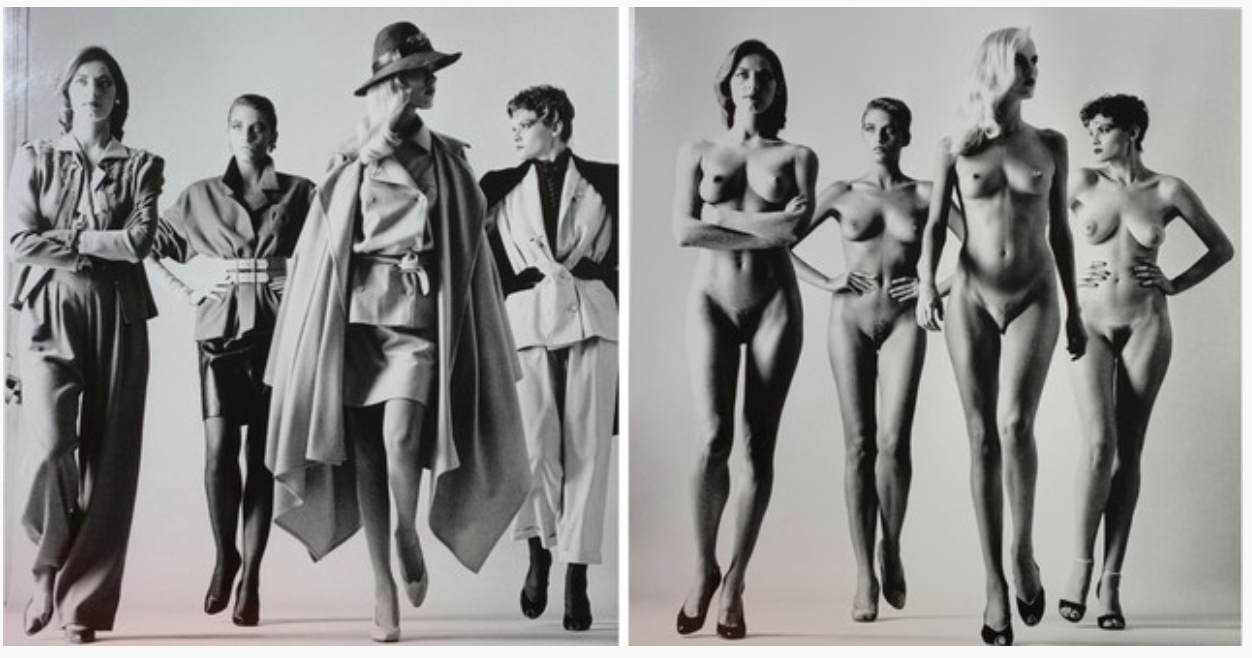
The first look I set out to recreate was an image entitled “They Come” shot in 1981. In his original image helmet had photographed four models in the latest Vogue fashions he then got them to repeat the same pose except they were fully nude.

The lighting in the image indicates that it is a single night coming from Camera left. They are short on a seamless white background. I see that exactly the same arrangement I initially positioned the light camera right. As this was part of the session with the other two photographers, I made things easier. I used a constant LED light that I had recently acquired. The idea was that they would not have to much about swapping out the trigger.

We started with Johemiane fully clothed. By using a constant light my settings where is f5.6 1/125s IS0800. The image below is an example example of what these settings produced. They were not exactly what I was looking for.

So I powered up an Elinchrom D400 and positioned it camera left. It was in a 7″ reflector which gave a very hard light. I left the constant light in place to provide fill.

I also determined that the black dress was not working so I had Johana change into a pink one.

It was there a matter of getting here to do a number of strong poses. As my usual practice I was shooting tether to the computer. Once the clothed shots were taken, we reviewed them in the computer, and chose the ones that we wanted to repeat nude.

The computer was positioned just out of shot but where Johemiane could see it. The other great feature with the Panasonic tether app is that you can select a previous image and use it as an overlay while shooting the next image. This meant that we could get Johana to adjust her poses to exactly align with the clothed shots.

Then in photoshop it was a simple matter of bringing the two images together.

Digitising Art

Anyone looking at this Blog would clearly know that I mainly shoot people. However that is not to say that I will turn down the opportunity to shoot other things. Especially if the process is challenging.

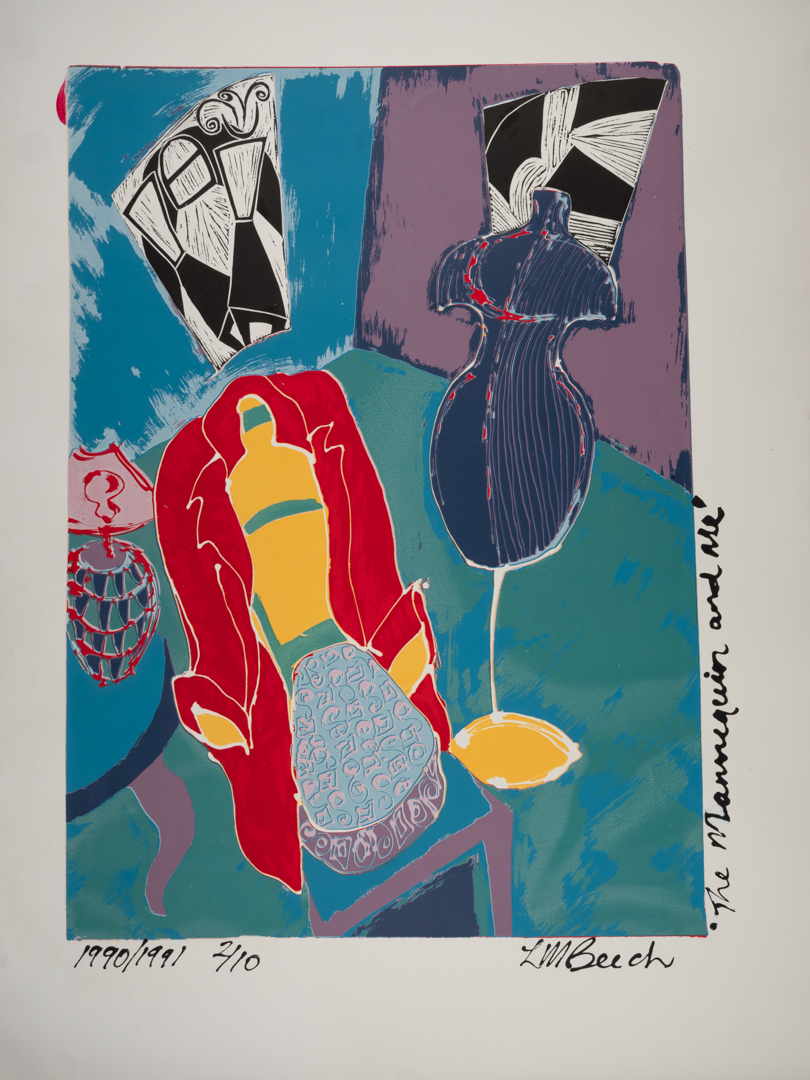
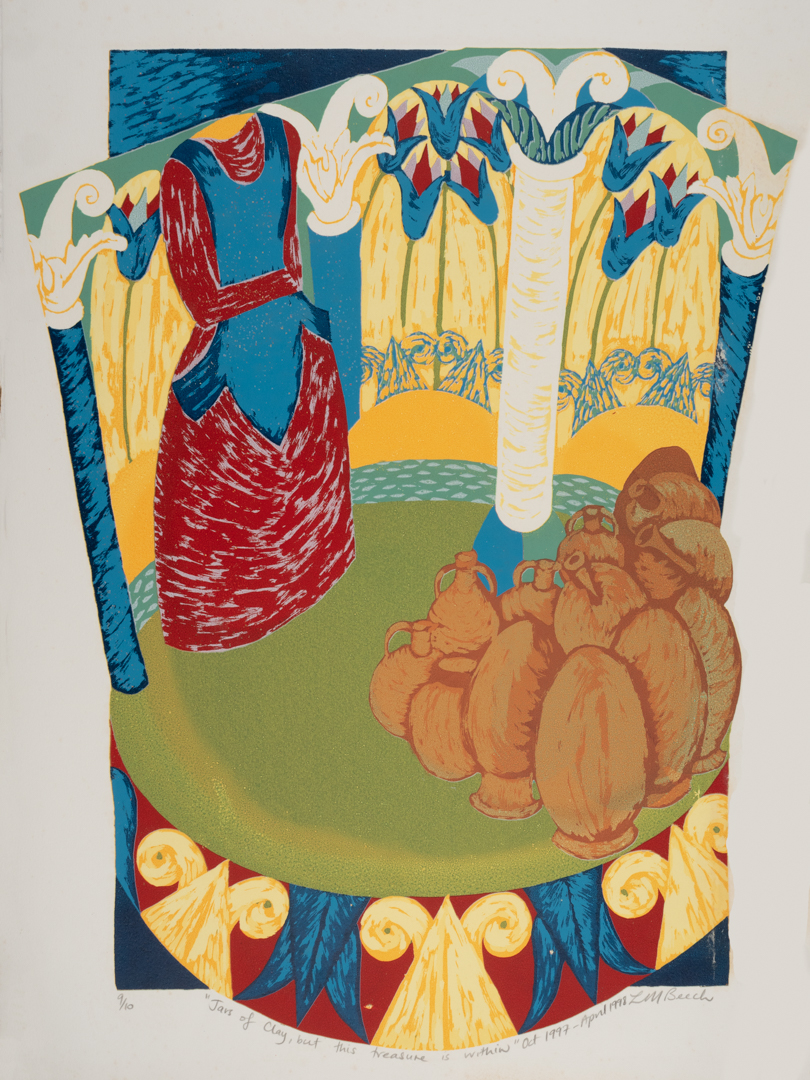
That happened when a lady we knew through the church asked if I was willing to photograph her artwork. She wanted to put the digital images up for sale.

I had done something similar in the past with the work of a local upper Hutt artist. I had learned lots through that process that I applied this time. The big difference was that previously I had been photographing canvases. This time it was screen print on paper. This meant that they could not be supported on an easel and therefore had to be laid flat.

The key to photographing art is to ensure both consistency of colour and secondly consistency of light across the piece. You want to avoid hot-spots at all cost. The first requirement is met using a colour checker card and setting up a profile on the computer. The second was achieved by my lighting set up.
I positioned my two Elincrom D 400 lights fitted with one meter square soft boxes. Both were fitted with inner diffusion panels as well. The lights were at 90° to the art meaning that there was no direct light falling anywhere. I was aiming to shoot at f10 so that I would have a good depth of field. I used a light meter to test the light at various points around the piece of art. Then, I adjusted the position of the soft box to ensure it was consistent. You will note in the image below that the left soft box is further back than the right. This is because there is an inconsistency between the two lights at the same setting.

The camera I was using was my Lumix G9 position on a boom head overhead. It was tethered into the computer using the Panasonic Tether software. I have mentioned in previous posts that I like to shoot tethered. It has the advantage that you can see the image much larger then on the back of the camera.

This particular tethering software has another advantage in that you can like grid lines into the live video. You can make fine adjustments to the camera’s position. This ensures that it is perfectly square to what is being captured. This removes the need to correct distortion in post. The software loaded the images into a folder on the computer. I had set up Lightroom to monitor that folder. As soon as the image appeared, it would copy the image into its database.

We set the camera height based on the largest print that we needed to capture. This meant that once it was set we did not have to muck with the Camera. I was using the equivalent of a 50 mil Lance as this again meant we had no distortion to factor..

The table that we were using had a metal surface on it. To hold the prints down we used a combination of magnets hands.

The first image took some time to set up. Once that was achieved, the other images were shot very quickly. My wife would place the paper on the table while I watched the computer monitor. I would then get her to make slight adjustments to align to edges to the grid. We did not bother trying to get all four edges. We discovered that the art paper that had been used was not always completely square. With each pace I generally only took 2 to 3 images.
Once I had all of the images captured, I selected the best one. I then did final edits in Photoshop. As we had taken the time at the start this was not a difficult process. It mainly involved squaring off the images and removing either the magnets or fingers used to hold them flat.

I delivered the images to Lisa in a high resolution version suitable for printing. I also provided a low resolution version suitable for display on her website. She was very happy with the results.

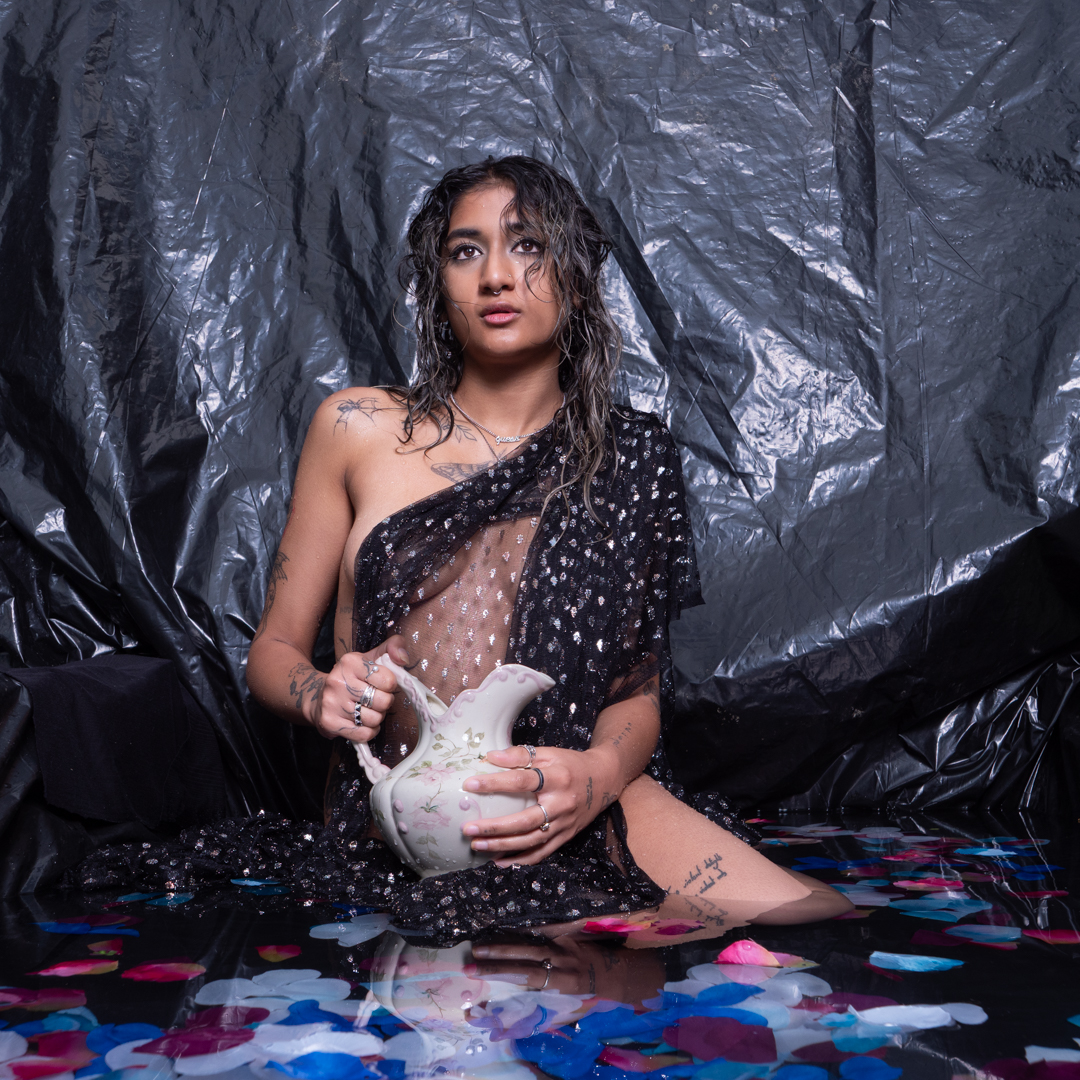
Tanisha with the pitcher

As I mentioned in the previous post I wanted to end the pool shoots with something different. That was to tell a story of a water maiden.

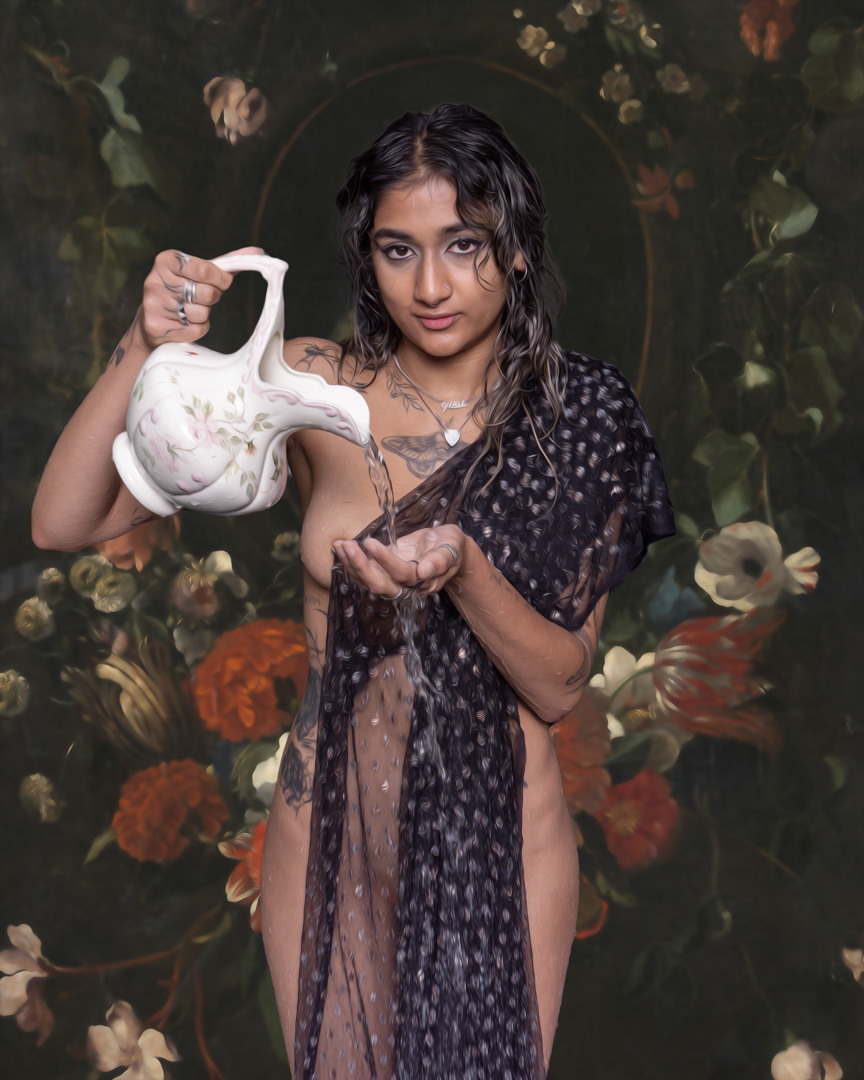
One of the items that I think we got from my in-laws estate was an old Victorian style pitcher. I knew that this would look good in an image. I also knew that my black lace  with silver accents would look stunning Tanisha. Veils like this are great because they allow both modesty and sensuality at the same time.

The video below shows Behind behind-the-scenes of this part of the shoot.

While I knew the overall concept I was not sure exactly how it would look. Therefore to give me flexibility I insured that I shot Tanisha from different angles and also indifferent poses.

The images were shot on my Lumix G9 at f5.6 1/100s ISO200.

I had always intended that the black polythene would not be in the final image. It was acting as a backdrop.

I had downloaded a series of digital backdrops, made by Havelock North photographer Richard Woods. I chose the one that both matched the image while at the same time not overpowering it.

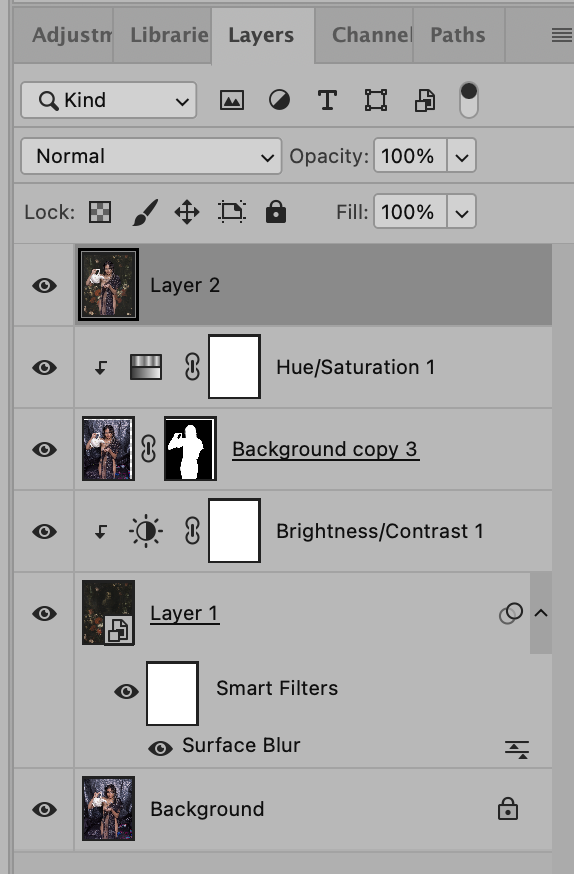
It was now time to put the concept together. In Lightroom I selected the background and the image of Tanisha. I then got the program to open them in Photoshop as separate layers. The layers are shown below. 

I felt that the digital background was too sharp so I applied a surface blur to it. This was done using a smart filter so that I could come back and tweak it. I also pushed the brightness of the background. 

I did the copy of the layer containing Tanisha and created a mask around her. As often happens when you bring multiple images together in a composite they do not exactly match. So I did a small queue and saturation adjustment.

I wanted this to resemble a painting, so I created a new layer by merging all of the others. Then, I applied the oil paint filter found under Filters: Stylize. I kept the setting really low as I did not want to overpower the underlying photo. 

I was really pleased how the image came out and it has been well received when posted online.  I cannot use it in competitions however as the use of the downloaded digital background disqualifies Me.

Tanisha in the pool

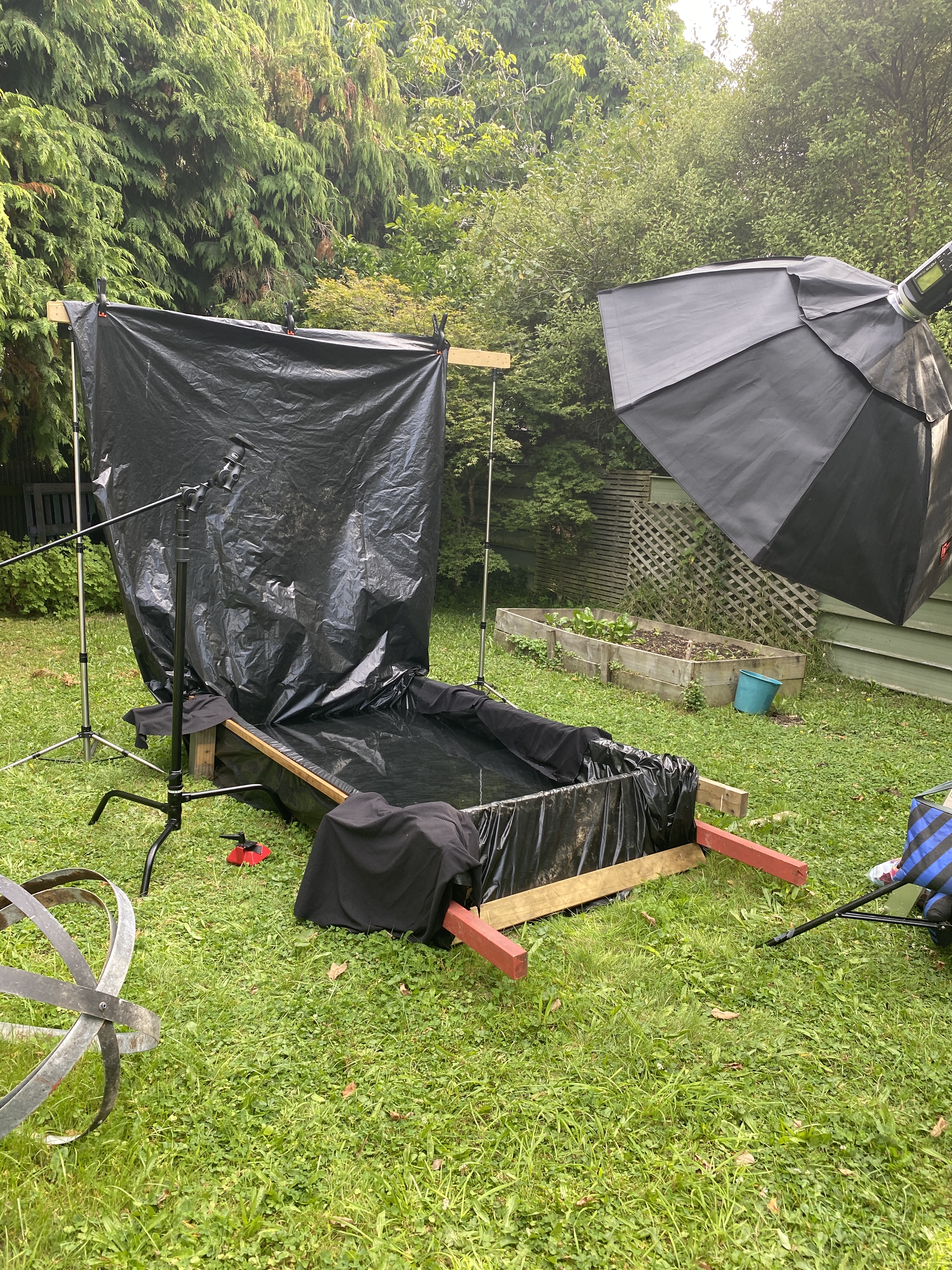
After we finished the studio shoot we headed out to the pool. As this shoot took place almost a month after the previous one the pool had been emptied and refilled. On previous occasions The polythene lining had been doubled up but I determined that that was not necessary. Instead I extended it up at the rear of the pool providing me with a solid wall backdrop.

As in previous shoots we moved fairly quickly. While the pullback image shows the stand mount for the camera this ended up not being used. Something glitched in the camera and iPad app refuse to talk to each other. So rather than mucking around I ditched the idea and shot standing on a stepladder.

The video below is a small section of the behind-the-scenes. The video was shot using a small Panasonic DMC-LF1 which is a point and shoot camera. Despite being small it is great for shooting behind the scenes videos.

The time that I had invested setting up the lights ahead of time paid off. I was able to reposition Tanisha without having to worry too much.

All of the images were taken on my Lumix G9 at f8 1/160s ISO200.

As this was to be the last shoot of the pool series for the summer I wanted to try something different. The next post will cover that .